StylusX Download (Latest 2026) - FileCR
Free download StylusX Latest full version - Powerful, smooth digital art tool for creators.
Free download StylusX Latest full version - Powerful, smooth digital art tool for creators.
Free Download StylusX for Windows PC. It is a premium digital drawing app designed for artists who want speed, simplicity, and total creative freedom without subscriptions.
It is built for creators who want their ideas to flow without friction. From the very first stroke, it feels natural, almost like drawing on real paper. There are no complicated menus getting in your way, no unnecessary distractions, and no monthly payments draining your wallet. You pay once and create forever.
The software focuses on what truly matters: your creativity. Whether you are sketching quick concepts, painting detailed illustrations, or experimenting with textures, it keeps everything smooth and responsive. It works beautifully with both stylus pens and touch gestures, turning your Windows device into a digital canvas that feels alive.
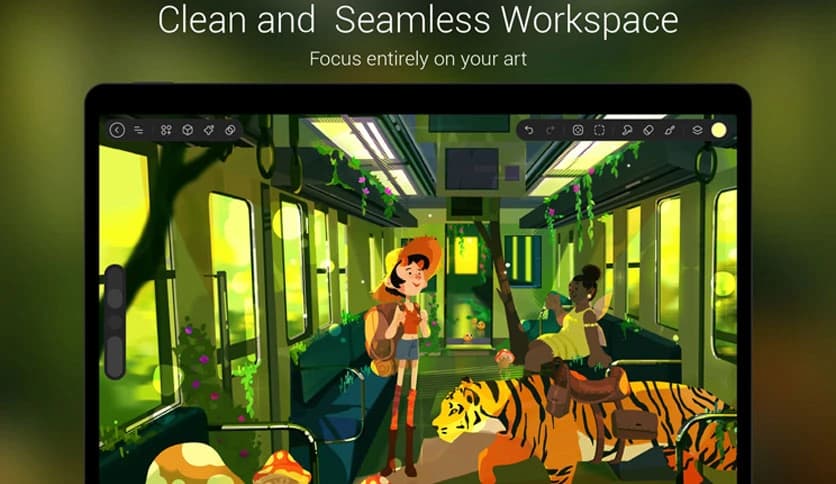
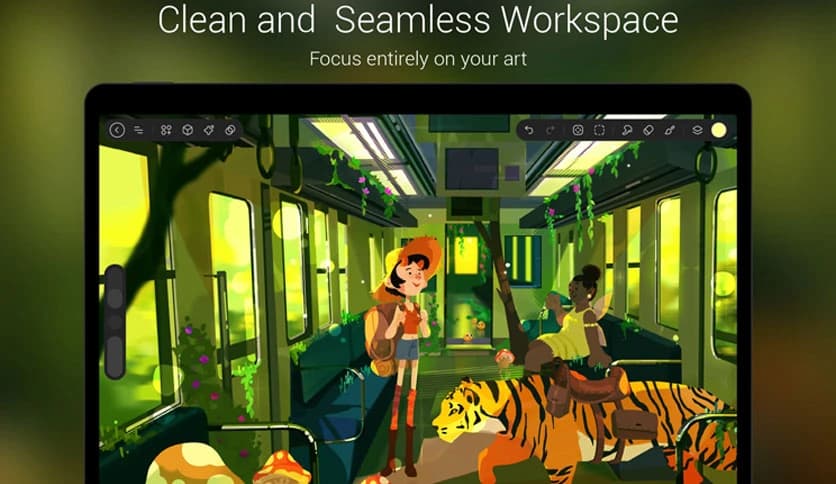
When you open the tool, you are greeted by a clean, modern interface. There are no cluttered panels fighting for your attention. Everything is placed thoughtfully so you can focus on your artwork, not on searching for buttons.
It feels like walking into a minimalist studio. Just you, your canvas, and your imagination. This simple design helps reduce mental noise and keeps your creative energy flowing.
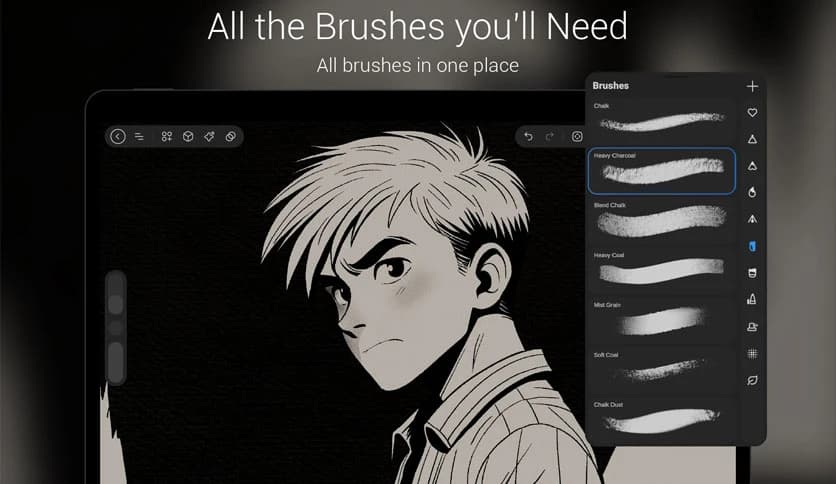
Every artist needs the right brush for the right mood. The software offers a complete brush collection for painting, sketching, calligraphy, typography, charcoal effects, and more. Each brush is designed to feel natural and responsive.
Whether you want soft watercolor strokes or bold ink lines, you will find tools that match your style. It gives you the flexibility to move between delicate details and dramatic textures without switching apps.
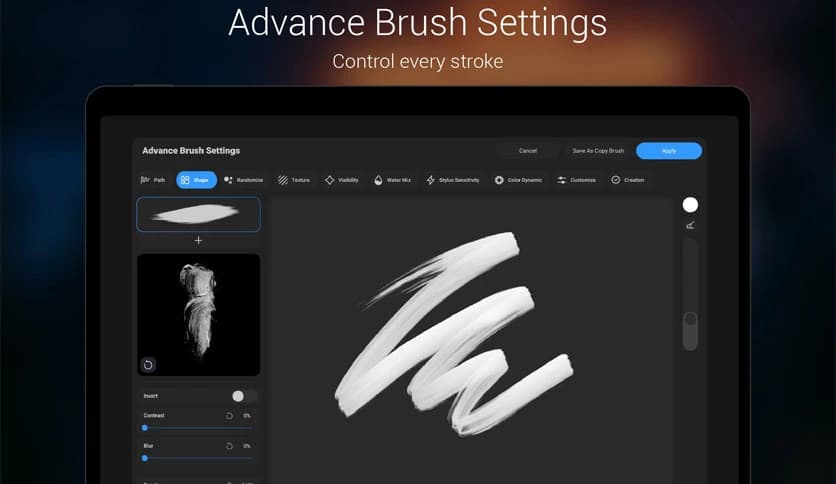
Sometimes, default brushes are not enough. That is where advanced brush settings come in. You can adjust size dynamics, opacity, texture, flow, and many other parameters to create your perfect brush.
Think of it like building your own custom paintbrush in real life. You shape it exactly how you want. This level of control helps you develop a unique artistic signature.
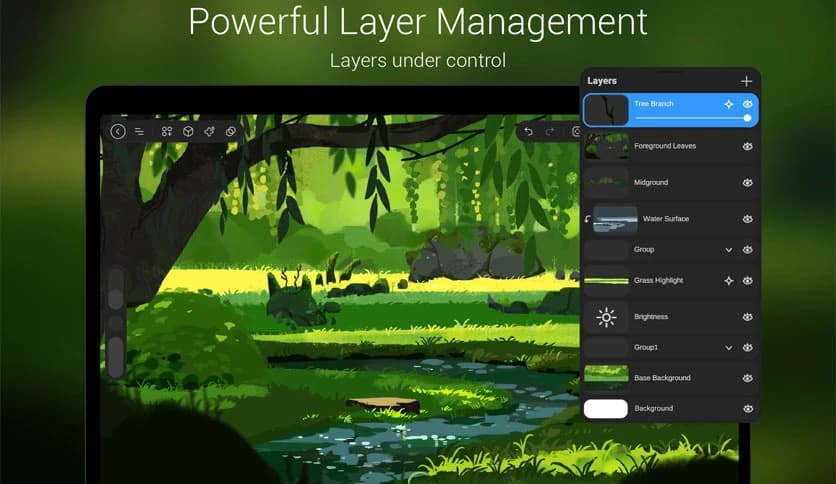
Layers are the backbone of digital art, and this drawing solution handles them effortlessly. You can create unlimited layers, group them, reorder them, and edit them without slowing down your workflow.
This makes complex projects easier to manage. You can experiment freely, knowing that each element stays organized and adjustable. It is like stacking transparent sheets on top of each other, each holding a piece of your vision.
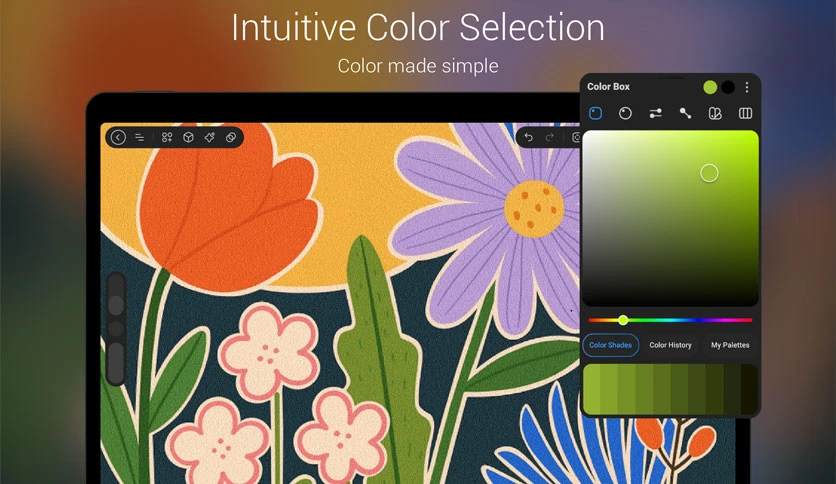
Colors are emotions on a canvas. The built-in color system lets you pick, mix, and save your favorite shades with ease. You can quickly adjust tones and build custom palettes for different projects.
The interface keeps everything simple. Instead of overwhelming you with confusing settings, it gives you direct control so you can focus on harmony and contrast in your artwork.
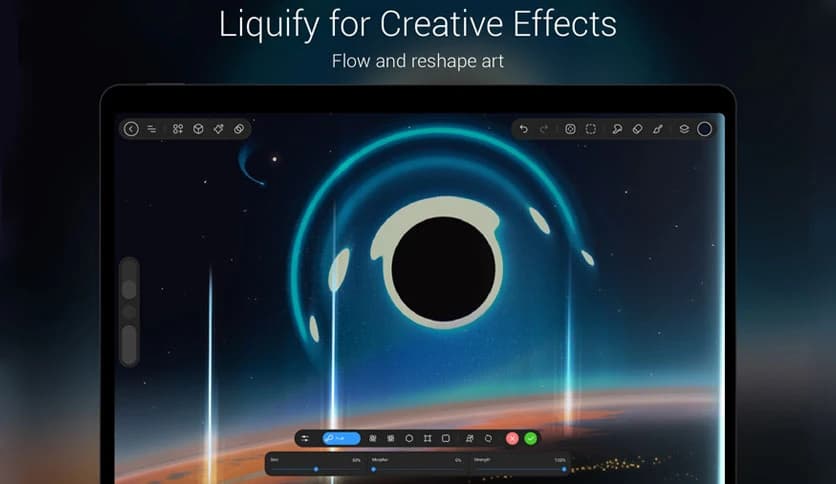
Creativity often means bending reality. With liquify tools, you can warp, twist, and reshape parts of your artwork in seconds. It is perfect for refining shapes or adding dynamic movement.
In addition, you can apply blur, sharpen, noise, and depth effects to enhance your compositions. These features help add life and atmosphere to your designs without complicated processes.
The software is carefully optimized for Windows devices with stylus support. Every stroke feels smooth and responsive. Pressure sensitivity works naturally, giving you control over thickness and opacity.
Touch gestures also make navigation effortless. You can pinch to zoom, rotate the canvas, and use a two-finger tap to undo mistakes. It feels intuitive, like using your hands on real paper.
Creating accurate perspectives can be challenging. That is why the built-in 2D and 3D assistants are so helpful. These guides help you draw correct angles, structures, and depth in your compositions.
It is like having a silent art mentor beside you, keeping your lines aligned and your perspective realistic.
Precision is important when editing artwork. The transform tools allow you to scale, rotate, flip, and distort objects exactly how you need. This gives you total control over composition adjustments.
The selection tools let you isolate specific parts of your drawing. You can edit or move only what you need without affecting the rest of the canvas. It saves time and keeps your workflow smooth.
The built-in gallery gives you a modern space to organize and showcase your creations. Instead of leaving your art scattered across folders, you can manage everything in one sleek interface.
This feature makes reviewing past projects simple. It feels like having your own private digital exhibition.
StylusX stands out as a powerful yet simple digital drawing solution for Windows users who value creative freedom. It removes distractions, offers deep customization, and delivers smooth performance for both stylus and touch input. With a one-time purchase and no subscriptions, it puts full control back in your hands so you can focus entirely on turning your ideas into art.
Leave a comment
Your email address will not be published. Required fields are marked *