Ping Tracer Download (Latest 2026) - FileCR
Free download Ping Tracer 2.0.1 Latest full version - Track latency spikes and fix network lag.
Free download Ping Tracer 2.0.1 Latest full version - Track latency spikes and fix network lag.
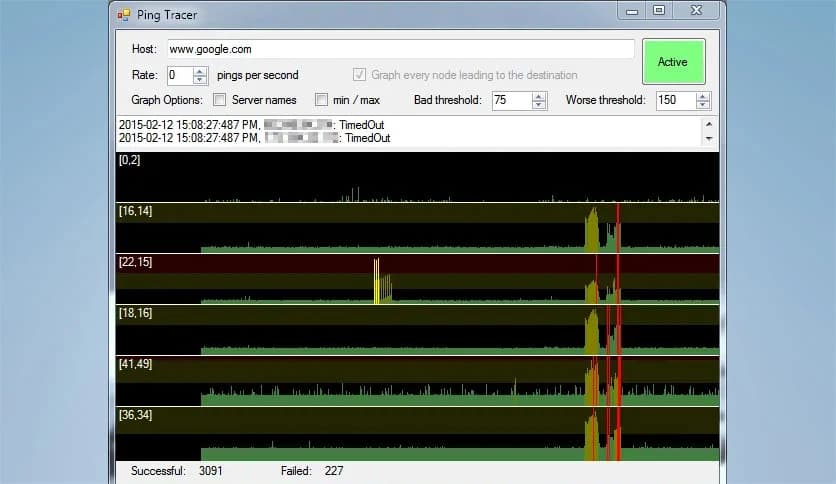
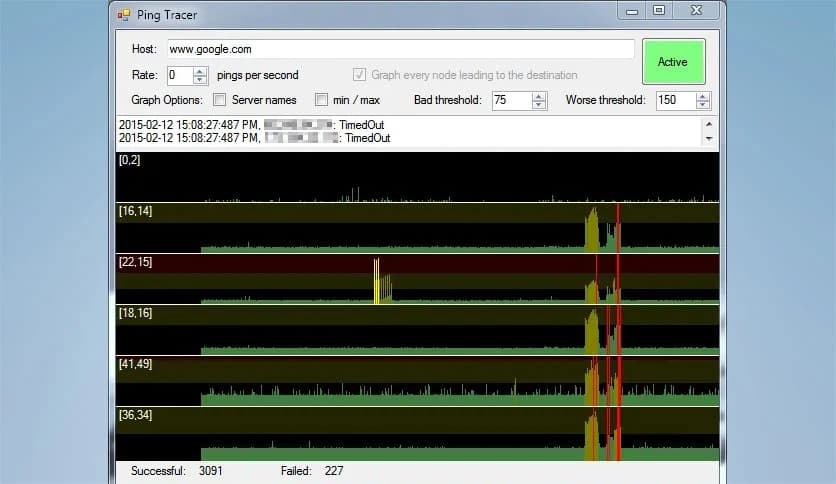
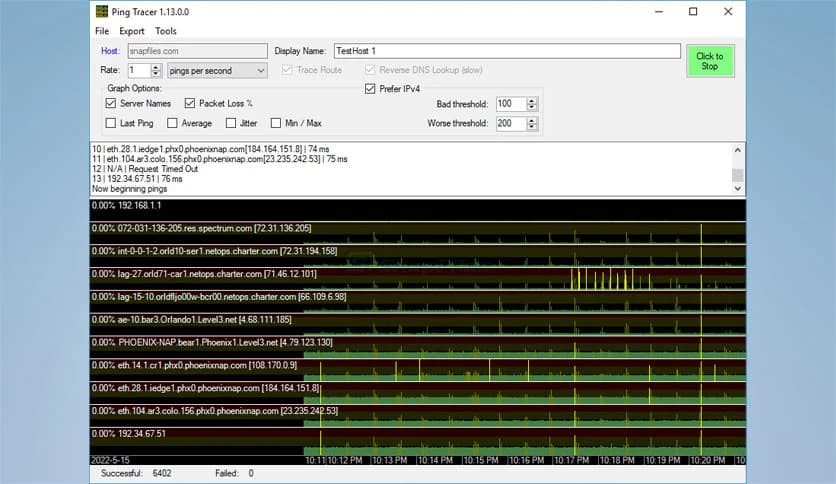
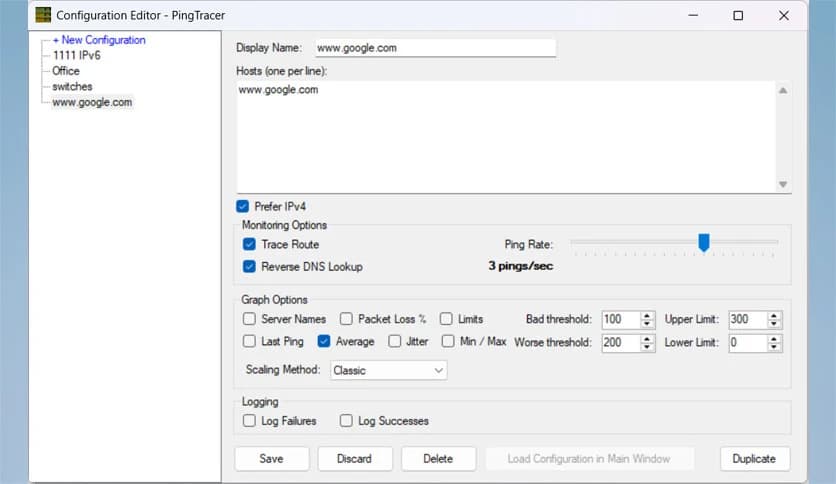
Free Download Ping Tracer for Windows PC. It is a simple network monitoring tool that continuously tracks connection quality and helps identify internet lag and packet loss.
It is a lightweight yet powerful network monitoring tool that helps users identify connectivity issues in real time. It continuously pings each network host between your computer and a selected destination. This makes it easier to detect where connection problems occur and understand why your internet performance may suddenly drop.
Unlike basic ping utilities, the software provides visual graphs that display latency over time. These graphs make it simple to track connection stability and identify patterns. Each instance of packet loss is marked in red, allowing users to quickly spot disruptions without needing deep technical knowledge.
This tool is especially useful for gamers, IT professionals, and everyday users who want to monitor internet performance. Whether you are experiencing lag in online games or facing slow website loading, this software helps pinpoint the exact source of the issue.
One of the biggest advantages of this tool is its ability to continuously monitor your network. Instead of sending a single ping request, it tracks performance over time. This ongoing monitoring helps identify temporary latency spikes that might otherwise go unnoticed.
The graphs update in real time, giving users a live view of their connection quality. If there is sudden packet loss or increased latency, you can see it instantly. This makes troubleshooting faster and more efficient.
Think of it like a heart monitor for your internet connection. When everything is stable, the graph remains smooth. When issues occur, spikes appear, showing exactly when and where the problem started.
Understanding network performance becomes easier with visual graphs. Instead of reading complicated numbers, users can view latency trends over time. These graphs show how stable or unstable the connection is during different periods.
Each network host is displayed separately, making it easier to identify which node is causing problems. If latency increases gradually across nodes, the issue may lie with your local network. If it spikes at a specific point, that node is likely responsible.
Packet loss is also highlighted clearly in red. This visual indicator helps users immediately identify interruptions in data transmission. It removes guesswork and simplifies troubleshooting.
Packet loss is one of the most common reasons for slow connections and lag. When packets fail to reach their destination, performance suffers. This tool marks each packet loss event in red, making it easy to track disruptions.
This feature is particularly useful when diagnosing unstable connections. Even small packet losses can cause noticeable lag during gaming or video calls. By identifying these moments, users can determine whether the issue is temporary or persistent.
It acts like a warning system, showing exactly when your connection begins to fail. This allows you to take action quickly, whether that means restarting your router or contacting your ISP.
Gamers often struggle with lag, and identifying the cause can be frustrating. This software helps monitor your connection to multiplayer game servers. When lag occurs, users can check the graph to see what happened.
For example, if latency increases beyond your router and continues across all nodes, the issue may be on your side. If only one node shows high latency, that specific server or provider might be responsible.
This makes it easier to determine whether the problem lies with your internet connection, the game server, or somewhere in between. Instead of guessing, you get clear visual evidence.
The interface is designed with simplicity in mind. Users can quickly enter a destination and start monitoring immediately. There is no complicated setup or advanced configuration required.
Even beginners can understand the results without needing technical knowledge. The graphs and color indicators make everything clear and easy to follow. This makes the tool suitable for both professionals and casual users.
It keeps things simple while still offering powerful features. This balance makes it a practical solution for everyday network monitoring.
Sometimes, slow internet is caused by a single poorly performing node. This software helps identify such bottlenecks quickly. When a node shows higher latency, it affects all nodes downstream.
This makes it easy to locate where performance drops occur. Once identified, users can take appropriate action. Whether the issue is local hardware, ISP routing, or server performance, the tool provides helpful insights.
It is like following a trail to find the weak link in your chain of connections. Once found, troubleshooting becomes much easier.
The software is lightweight and does not consume many system resources. It runs smoothly in the background while monitoring your network. This ensures your system performance remains unaffected.
Because of its small footprint, it is suitable for older systems as well. Users can run it continuously without worrying about slowdowns. This makes it ideal for long-term monitoring.
The efficient design ensures reliability and consistent performance. It focuses on delivering accurate data without unnecessary complexity.
When browsing or streaming is slow, or buffering occurs, it can be difficult to identify the cause. This tool helps pinpoint the exact location of the problem. By monitoring each network host, it provides a detailed view of your connection.
This information is helpful when contacting your internet provider. Instead of explaining vague issues, users can share clear data. This improves communication and speeds up resolution.
It serves as a diagnostic tool that helps users better understand their network performance. With this knowledge, solving problems becomes much easier.
Ping Tracer is a reliable, user-friendly network monitoring solution that helps users quickly detect connectivity problems. It continuously tracks latency, highlights packet loss, and provides clear visual graphs for better understanding. Whether you are troubleshooting slow internet, monitoring gaming performance, or analyzing network stability, this software offers valuable insights. Its lightweight design, simple interface, and powerful monitoring capabilities make it an excellent choice for both beginners and advanced users.
Leave a comment
Your email address will not be published. Required fields are marked *