Museeks Download (Latest 2026) - FileCR
Free download Museeks 0.23.4 Latest full version - Clean simple player for a smooth music experience.
Free download Museeks 0.23.4 Latest full version - Clean simple player for a smooth music experience.
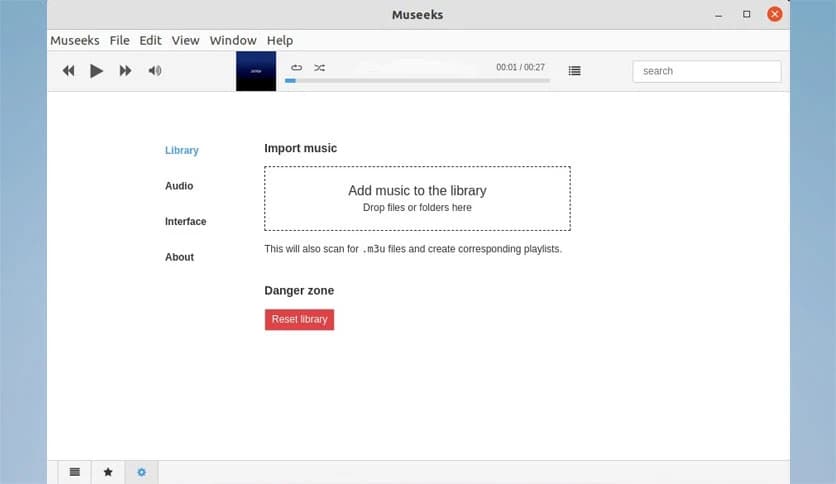
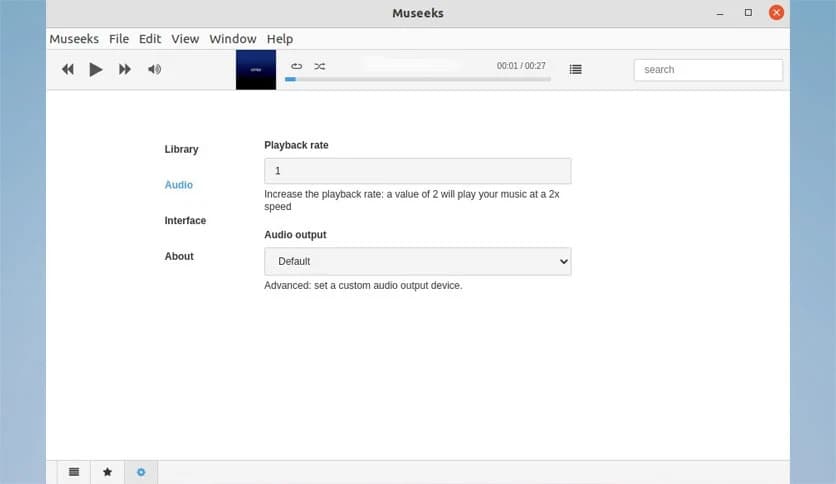
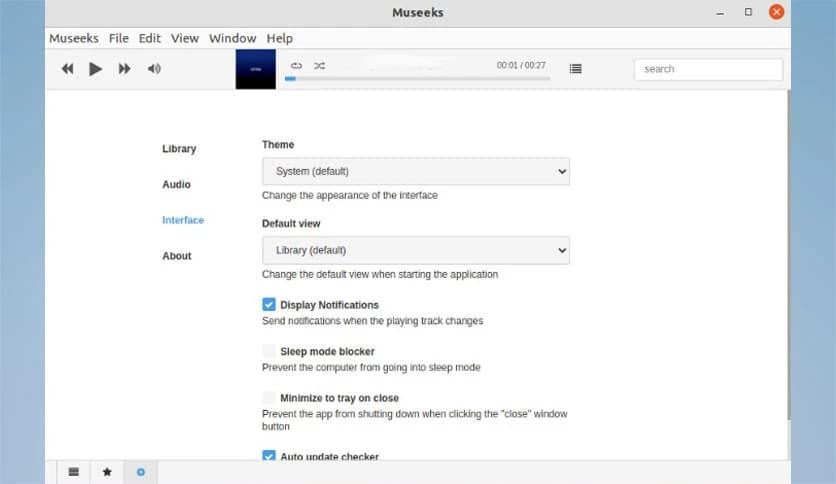
Free Download Museeks for Windows PC. It is a simple, lightweight, and clean music player designed for users who want a smooth and distraction-free listening experience.
Listening to music should feel effortless, and that is exactly what this software delivers. Built with simplicity in mind, this lightweight music player removes unnecessary clutter and focuses on what matters most: playing your favorite tracks smoothly and reliably. It offers a clean interface, fast performance, and support for multiple audio formats without overwhelming users with complicated options.
The tool is developed as a cross-platform solution, meaning it works consistently across different operating systems. Whether you are organizing your local music library or simply playing a few favorite songs, it keeps everything simple and well-structured. With its minimalist design, users can easily navigate playlists, browse albums, and enjoy music without distractions.
Another great aspect is that it is open source, which means it is continuously improved by developers and contributors. This helps maintain performance, security, and reliability while keeping the experience clean and user-friendly. It is designed for people who appreciate simplicity and want a music player that just works.
One of the standout features of this player is its elegant, minimalist interface. Everything is designed to be easy to understand and use. The layout is straightforward, making it ideal for beginners and experienced users alike. You will not find unnecessary buttons or confusing menus. Instead, the design focuses on smooth navigation and quick access to your music.
The interface behaves like a clean workspace. Just like a tidy desk helps you concentrate better, this tool removes visual clutter so you can focus on enjoying your audio files. It offers quick navigation between songs, albums, and playlists, making the listening experience enjoyable and stress-free.
This music player supports popular audio formats, including MP3, M4A, WAV, and FLAC. This wide compatibility allows users to play most of their music collections without needing conversion tools. It simplifies music management by letting you load files directly and start listening immediately.
The playback quality remains smooth and consistent across formats. Whether you are listening to compressed tracks or high-quality audio files, the tool maintains performance without lag or delay. This ensures an enjoyable listening experience for casual users and music enthusiasts alike.
Another major advantage is cross-platform support. The software is designed to work on multiple operating systems, ensuring a consistent experience. This makes it useful for users who switch between different devices or environments.
The flexibility lets you maintain the same workflow across platforms. It feels familiar every time you open it, reducing the need to learn new controls or features. This consistent behavior improves usability and saves time.
Speed matters with everyday tools, and this player delivers fast performance without consuming too many system resources. It loads quickly and handles large music libraries smoothly. This makes it suitable for both modern and older systems.
The lightweight design ensures your system continues to run efficiently while listening to music. Even when multitasking, it maintains stable, responsive performance. This balance between speed and simplicity makes it a reliable choice.
Organizing music becomes simple with built-in playlist support. Users can easily create, edit, and manage playlists. This feature helps keep your favorite songs organized for different moods and occasions.
Think of playlists as personal music collections. Whether you want relaxing tracks, workout songs, or study music, you can create separate lists and switch between them quickly. This flexibility enhances the listening experience and improves organization.
The open source nature makes this player even more appealing. Developers continuously improve features and fix bugs. This helps maintain reliability and ensures the software stays up to date.
Being free to use means everyone can enjoy its benefits without subscription fees. It provides a premium experience without added cost. This makes it ideal for students, professionals, and casual users.
Managing music collections becomes easier with built-in library support. You can add folders, organize albums, and browse tracks effortlessly. The system automatically scans files and keeps everything structured.
The experience feels like walking through a well-organized music shelf. Everything is easy to find and access. This improves productivity and makes listening more enjoyable.
This player focuses only on essential features. There are no unnecessary animations or complex tools. This helps users stay focused on listening instead of adjusting settings.
The clean design also improves performance and usability. With fewer distractions, you can simply open the tool and start listening. This simplicity makes it suitable for everyday use.
Playback stability is another strong point. Songs load quickly and play smoothly without interruptions. The tool handles large libraries and multiple playlists without slowing down.
Reliable playback ensures a consistent experience. Whether you are working, studying, or relaxing, it keeps music flowing smoothly in the background.
Museeks stands out as a simple, clean, and efficient music player designed for users who value ease of use and performance. It delivers a distraction-free experience while supporting multiple formats and maintaining fast performance. With its lightweight design, open-source flexibility, and clean interface, it is a reliable choice for anyone looking for a straightforward music player. Whether you want to organize playlists or enjoy your favorite tracks, it offers everything needed for a smooth listening experience.
Leave a comment
Your email address will not be published. Required fields are marked *