MipMap Desktop Download (Latest 2026) - FileCR
Free download MipMap Desktop 3.0.1 Latest full version - Professional Desktop 3D Reconstruction Software.
Free download MipMap Desktop 3.0.1 Latest full version - Professional Desktop 3D Reconstruction Software.
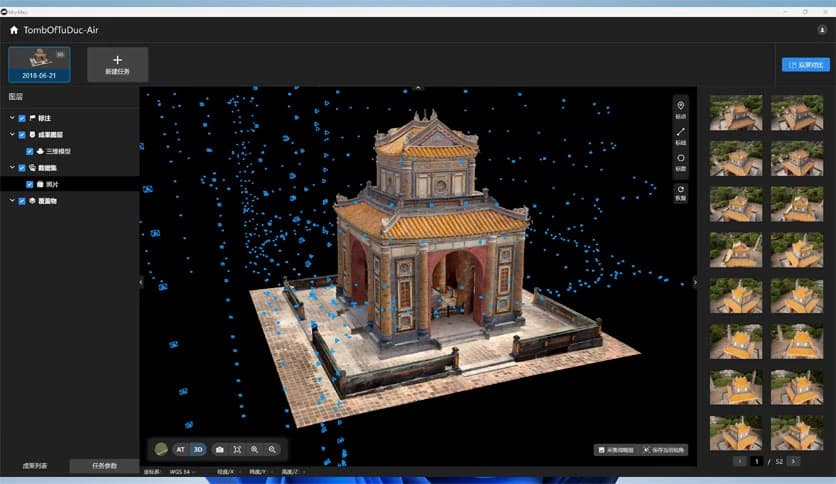
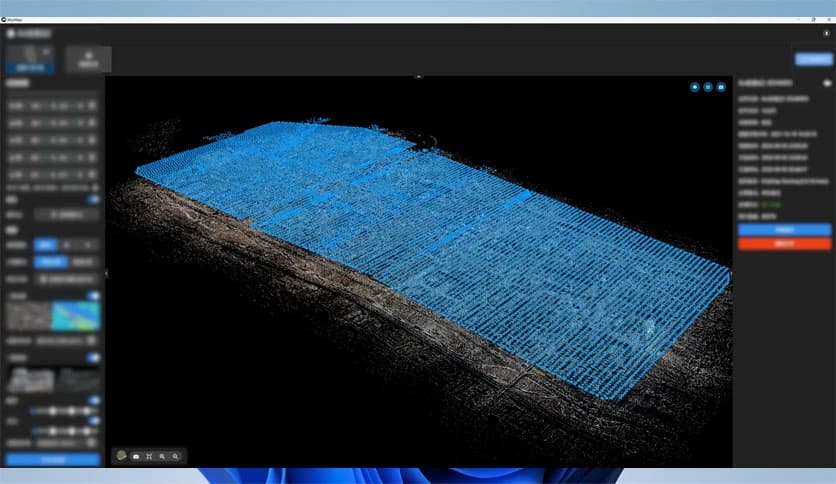
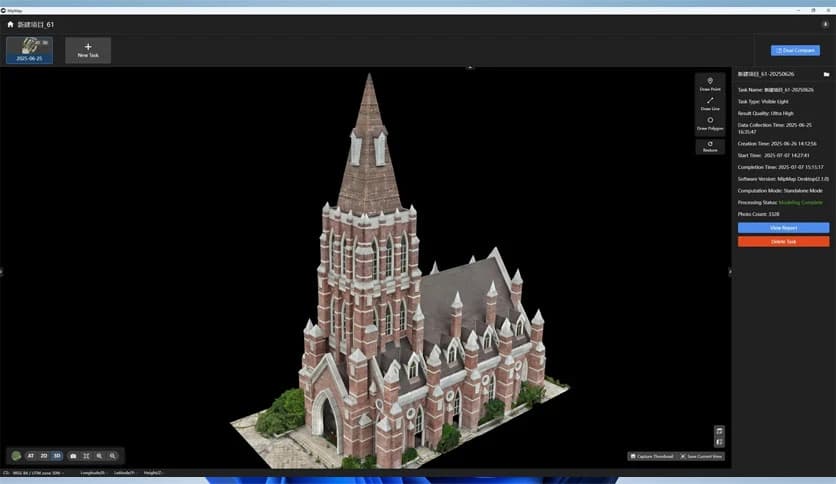
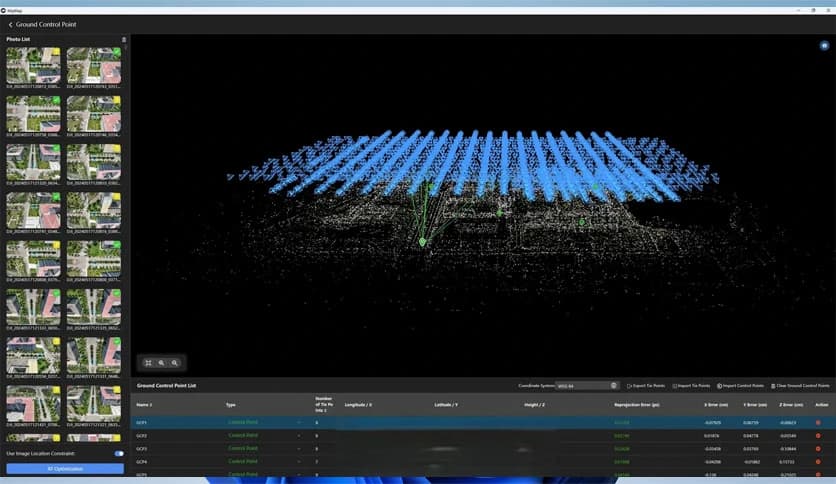
Free Download MipMap Desktop for Windows PC. It is powerful, easy-to-use desktop photogrammetry software that converts photos, videos, and LiDAR data into detailed 3D models and orthophotos.
It is designed to make professional photogrammetry simple and accessible. It integrates complex processes, including aerial triangulation, dense matching, and mesh generation, into a single, seamless workflow. Instead of juggling multiple tools, you get everything in one place.
Whether you are working in a tight indoor room or mapping a wide outdoor landscape, it handles both with confidence. Panoramic cameras are fully supported, and LiDAR laser point clouds are deeply integrated into the system. This means you can mix and match data sources and still get accurate, clean results. The tool blends them together like pieces of a puzzle, creating a complete full-scene reconstruction in one go.
Photogrammetry often feels complicated. There are many steps, and each step needs precision. This software simplifies the entire journey. From importing raw data to generating final 3D models, the process follows a logical, straightforward path.
It supports aerial triangulation to align images correctly. Then it performs dense matching to find common points across photos. After that, it builds detailed meshes that form the backbone of your 3D model. Instead of switching between tools, you stay in one environment and complete your project from start to finish.
Think of it like a factory assembly line for 3D reconstruction. You feed your data in, and step by step, it transforms into a professional-grade model.
One of the software's strengths is its ability to integrate multiple data sources. You can import standard photos, video frames, and LiDAR point clouds in batches. No need to load them one by one. Just select your files and let the tool handle the rest.
Photos capture texture and color. LiDAR captures precise distance and depth. When both are combined, the result is sharper and more accurate. The software treats them as complementary pieces rather than separate layers. The outcome is a unified, high-quality reconstruction of the entire scene.
This deep integration makes it suitable for professionals who need accuracy and for beginners who want reliable results without advanced technical knowledge.
Not every project is the same. Sometimes you need great detail. Sometimes you need faster processing. The tool gives you full control over generation parameters.
You can choose the model type depending on your goal. You can adjustthe resolution if you want fine details or faster performance. You can also control accuracy settings to balance speed and precision.
It feels like adjusting the lens of a camera. Turn the dial for more detail, or turn it the other way for quicker output. The choice is always in your hands.
At the end of the workflow, the results speak for themselves. The software reconstructs highly detailed 3D models and orthophotos directly within the application. You do not need to export to another program just to see your results.
The models look natural and realistic. Surfaces are smooth. Textures are clear. Edges are well-defined. From small indoor spaces to massive outdoor environments, the final output maintains strong visual quality.
It is like watching a rough sketch slowly turn into a finished painting. What begins as scattered images becomes a complete digital twin of the real world.
Photogrammetry can seem overwhelming at first. But this tool removes much of that fear. It provides a comprehensive user manual that guides you step by step. You do not need years of experience to start creating models.
The interface is clean and practical. Important settings are easy to find. Batch import saves time. Clear options reduce confusion. At the same time, advanced users can still fine-tune parameters and push the system to its limits.
It feels welcoming to newcomers while still being powerful enough for serious projects. That balance is rare, and it makes the software stand out.
Some projects happen in small rooms. Others happen across open landscapes. The tool is built to handle both extremes. Panoramic camera support makes it ideal for indoor scanning in space-constrained environments. At the same time, it processes large aerial datasets for outdoor mapping.
You are not locked into one type of environment. You can move from scanning a small artifact to mapping a construction site without changing software. That flexibility saves time and keeps your workflow consistent.
Getting started is simple. You can batch import photos, videos, and LiDAR point clouds. There is no need to repeat the same steps. Select your files, set your preferences, and begin processing.
This streamlined import process is especially useful for large projects. Instead of wasting hours organizing files manually, you let the system manage them efficiently.
A powerful engine is only useful if you know how to drive it. That is why the detailed user manual is so important. It explains the features clearly and walks you through each stage of reconstruction.
If you ever feel unsure, you can refer back to the guide and quickly find your answer. This makes learning smoother and reduces frustration.
MipMap Desktop brings advanced 3D reconstruction into a single, user-friendly environment. It combines photos, videos, and LiDAR data into accurate, realistic models without overwhelming the process. With flexible settings, strong multi-source integration, and clear guidance, it turns complex photogrammetry into something approachable and practical. If you want reliable reconstruction results on your Windows PC, this software makes the journey smooth from start to finish.
Leave a comment
Your email address will not be published. Required fields are marked *