EasyEDA Download (Latest 2026) - FileCR
Free download EasyEDA 2.2.45.4 Latest full version - Create circuits and PCBs easily with a smart design.
Free download EasyEDA 2.2.45.4 Latest full version - Create circuits and PCBs easily with a smart design.
Free Download LCEDA EasyEDA for Windows PC. It is a powerful yet simple electronic design platform that helps users create schematics and PCB layouts directly from their computer.
Electronic design can sometimes feel like trying to solve a giant puzzle with hundreds of tiny pieces. That is where this platform comes in. It provides an easy, accessible way to design circuits, create schematics, and build printed circuit boards without complicated setups or expensive tools.
The platform works both in the cloud and on desktop systems. This means users can work from almost anywhere while still having the power of a professional design suite. Engineers, students, hobbyists, and developers can collaborate on projects just like a team working on a shared digital whiteboard.
The environment combines schematic capture, PCB design, and manufacturing preparation into a single workflow. Instead of juggling several tools, everything is placed in one workspace, making the design process smoother and faster.
The design environment supports both cloud-based and desktop usage. This flexibility allows users to work online with shared projects or offline on their personal computers. It feels similar to using cloud document editors, where multiple people can contribute to the same project.
This collaborative workflow makes it especially useful for teams. Engineers can review circuit designs, make improvements, and share ideas in real time. Even beginners can learn quickly because projects can be easily shared and explored.
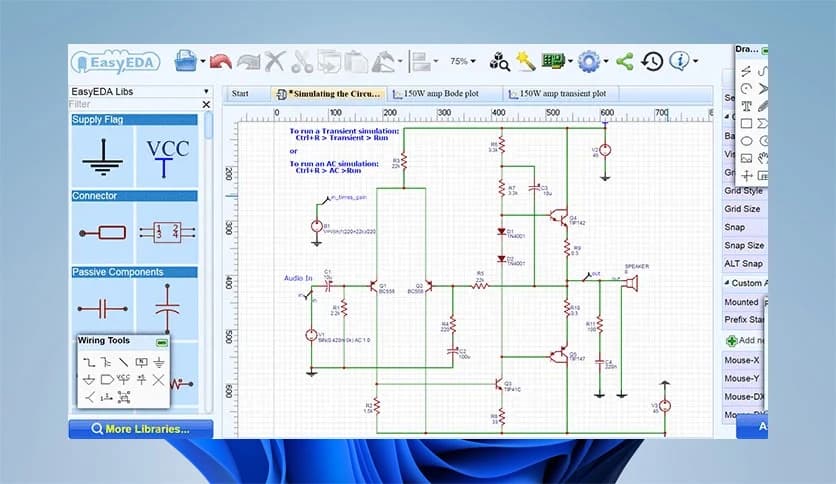
Creating electronic schematics becomes straightforward with its visual editor. Users can drag components, connect wires, and organize circuits in a clean layout. It feels like building a digital version of a breadboard where parts snap neatly into place.
The tool also provides a large library of electronic components. Designers can quickly find resistors, capacitors, ICs, and connectors without searching external databases. This saves time and keeps the workflow smooth.
Once the schematic is complete, the system can automatically convert it into a PCB layout. This connection between schematic and PCB design helps prevent mistakes and ensures the final board matches the intended circuit.
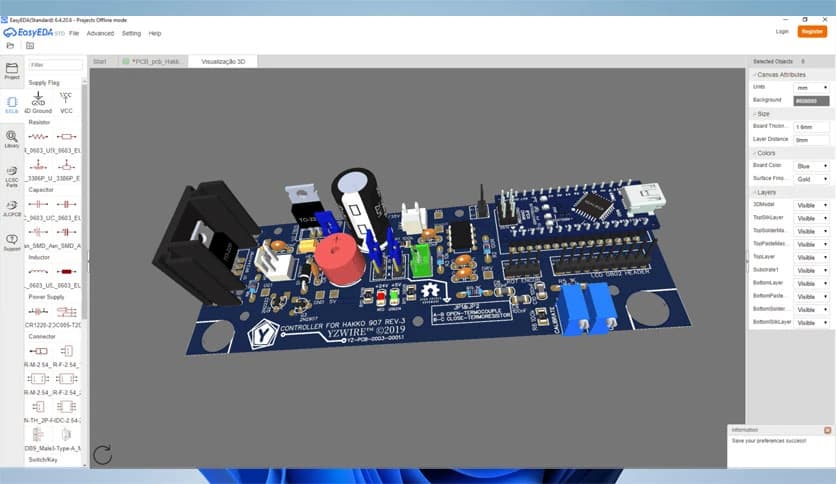
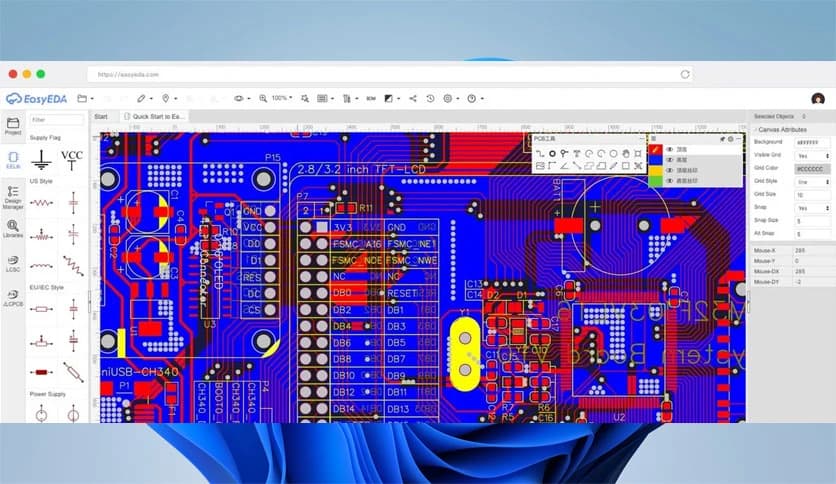
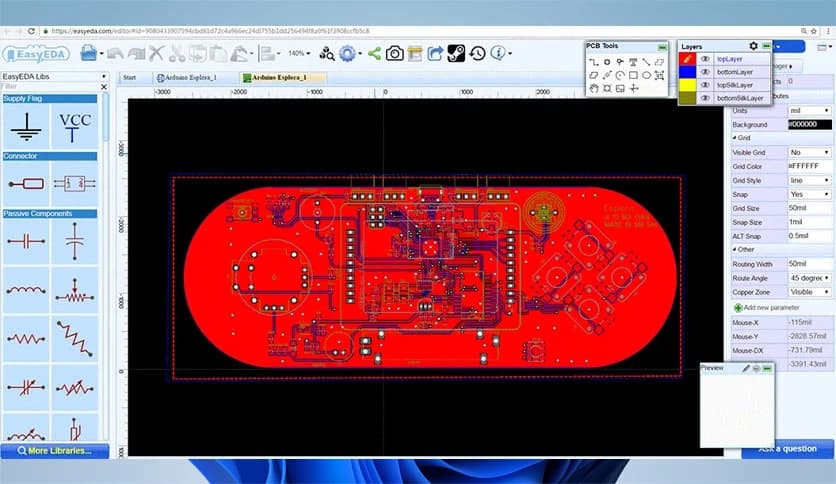
Designing a printed circuit board requires precision and planning. The layout editor provides powerful features to efficiently place components and route electrical traces.
Users can arrange components on the board, draw copper tracks, and define board shapes. The interface makes it easy to visualize how signals move across the board. Think of it like planning roads on a city map, where each route connects different buildings.
The design system also checks for common issues such as overlapping traces or incorrect spacing. These design rule checks help reduce manufacturing errors and improve reliability.
One of the strongest advantages of the platform is its support for open formats. All project files are stored in JSON format, which makes them easy to share, edit, and manage.
The software can import schematic designs from other popular tools. Projects from Altium Designer, Eagle, and LTspice can be opened and converted into PCB layouts. This feature is especially useful for engineers migrating from other design systems.
It also supports importing and exporting Spice netlists. Designers who want to simulate circuit behavior can easily transfer data between simulation tools and PCB layouts.
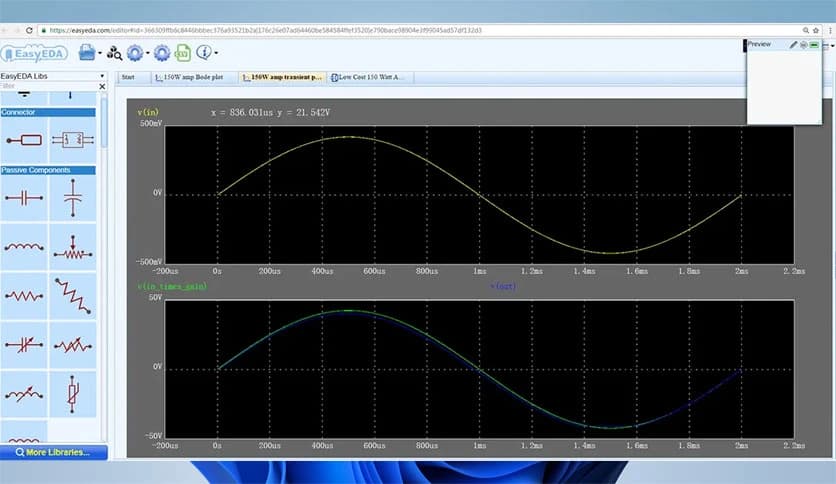
Testing a circuit before manufacturing is essential. The environment provides limited simulation support, allowing users to analyze circuit behavior using SPICE models.
Designers can run tests to see how voltage and current behave across different components. This step helps identify design problems early, saving time and preventing costly mistakes during production.
Simulation acts like a virtual laboratory where circuits can be tested without building physical prototypes first.
When a design is finished, it can be exported in multiple formats. Engineers can generate Gerber files, which are the standard format used by PCB manufacturers.
The system also supports exporting images in PDF, PNG, and SVG formats. These files are helpful for documentation, presentations, or project sharing.
Designers are not restricted to any specific manufacturing service. They can download the Gerber files and send them to any PCB manufacturer they prefer. This flexibility gives engineers full control over the production process.
Although users can manufacture boards anywhere, the platform also provides integrated manufacturing services. Designers can order custom PCBs directly from within the tool.
It even supports fully assembled printed circuit boards (PCBAs). This means components can be soldered and assembled automatically before delivery.
This service saves developers time by providing ready-to-use boards without manual component assembly.
Managing components is an important part of hardware design. The platform automatically generates a Bill of Materials for each project. This list contains all components used in the circuit along with their specifications.
The BoM feature helps engineers track parts, estimate costs, and organize purchasing. It works like a shopping list for electronics, with every resistor, chip, and connector clearly listed.
Good project organization ensures designs remain manageable even when circuits become complex.
The platform strikes a balance between simplicity and advanced functionality. Beginners can learn quickly thanks to its visual interface and helpful libraries.
At the same time, experienced engineers will appreciate the powerful layout tools, import options, and manufacturing support. It provides a professional design environment without overwhelming complexity.
Whether someone is designing a small hobby project or a commercial electronics product, the system adapts to different skill levels.
A strong community surrounds the platform. Users can explore shared projects, learn from other designs, and reuse circuits created by fellow engineers.
This open ecosystem encourages collaboration and learning. Designers can discover new techniques, experiment with existing designs, and improve their skills over time.
For students and hobbyists, it feels like joining a workshop where everyone contributes ideas and knowledge.
EasyEDA stands out as a flexible and accessible electronic design platform that combines schematic creation, PCB layout, and manufacturing preparation in one environment. It simplifies the entire circuit design journey from idea to production. With open file formats, strong collaboration features, and integrated PCB ordering options, it provides a practical solution for engineers, students, and electronics enthusiasts who want to bring their ideas to life.
Leave a comment
Your email address will not be published. Required fields are marked *