The eCover Creator Download (Latest 2026) - FileCR
Free download The eCover Creator 7.2.1 Latest full version - Create stunning digital covers and 3D visuals.
Free download The eCover Creator 7.2.1 Latest full version - Create stunning digital covers and 3D visuals.

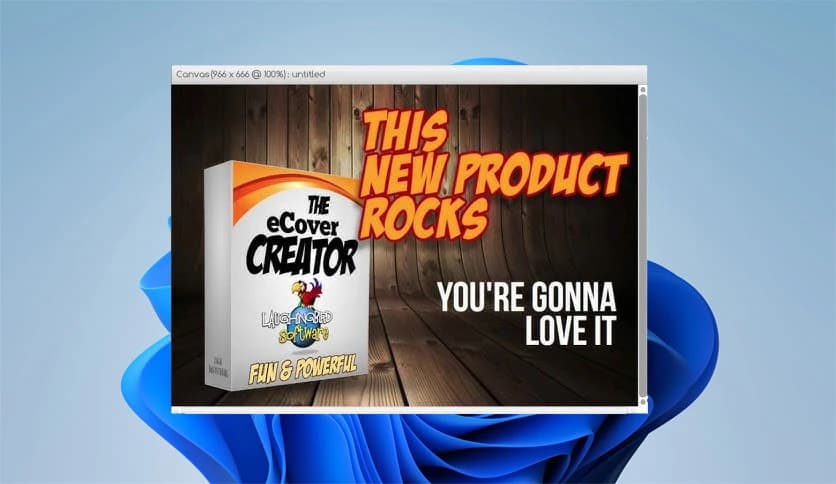

Free Download Laughingbird Software The eCover Creator for Windows PC. It is a simple yet powerful design solution that helps you create professional-looking digital covers and 3D product visuals in just a few clicks.
This tool is built for anyone who wants stunning cover designs without spending hours learning complex graphic software. It focuses on speed, simplicity, and quality. Whether you are working on an ebook, software box, online course, or digital magazine, you get ready-made visual styles that look polished and professional. Think of it as a shortcut that turns basic ideas into eye-catching visuals, much like using a mold to shape something perfect every time.
The software greets you with a clean, easy layout that is comfortable for beginners. All options are placed where you expect them to be, so you do not feel lost. Buttons are clear, menus are logical, and every step flows smoothly. It feels less like learning a new tool and more like following a friendly guide that shows you what to do next.
It includes over 50 customizable cover templates that serve as a strong starting point. Each template is fully customizable, allowing you to adjust text, images, colors, and backgrounds. This flexibility means you can create something unique without starting from scratch. It is similar to cooking with a well-prepared recipe, where you can still add your own spices.
Every element inside the design can be changed. You can replace text, swap graphics, edit background images, and fine-tune details until the cover matches your vision. This level of control makes it suitable for a range of niches, from business products to creative projects. Nothing feels locked or restricted, which keeps the creative process smooth and enjoyable.
Once the flat cover design is ready, the real magic begins. The software lets you map your design onto realistic 3D shapes, such as boxes, books, magazines, and CD covers. With just a few clicks, your flat image transforms into a lifelike product mockup. It feels like watching a sketch turn into a real object right in front of your eyes.
The included 3D images are designed to look sharp and high-quality. You can add text, shadows, and extra elements to enhance the final look. These visuals are perfect for websites, landing pages, and promotional materials where first impressions matter. Instead of hiring a designer, you get results that feel just as refined.
High-quality graphics often come with a high price tag, especially when outsourcing design work. This tool removes that barrier by offering ready-to-use assets that save both time and money. It is like having a mini design studio on your computer without the ongoing costs.
Eye-catching visuals play a big role in grabbing attention online. The software helps create graphics that stand out and communicate value instantly. Whether you are promoting a product, sharing content, or building a brand identity, these designs help convey professionalism and trust.
Everything is designed to move quickly. From choosing a template to exporting the final image, the process is streamlined. This makes it ideal for marketers, content creators, and small business owners who want quality results without spending all day on design tasks.
The final images are crisp and clean, suitable for both web and digital use. The resolution remains sharp, ensuring your visuals look good across different screen sizes. This consistency gives confidence that the output will always meet professional standards.
The eCover Creator brings simplicity and creativity together in one practical package. It helps users design professional covers and realistic 3D visuals without the usual learning curve or high costs. With flexible templates, easy customization, and fast results, it becomes a reliable companion for anyone looking to make their digital products look polished and trustworthy.
Leave a comment
Your email address will not be published. Required fields are marked *