LumaBooth Download (Latest 2026) - FileCR
Free download LumaBooth Latest full version - Run a professional photo booth with DSLR.
Free download LumaBooth Latest full version - Run a professional photo booth with DSLR.
Free Download Lumasoft LumaBooth (Formerly known as dslrBooth) for Windows PC. It is a powerful and easy-to-use photo booth software designed to create professional photo, video, and GIF experiences.
This modern tool is the upgraded version of the well-known dslrBooth, now rebranded with enhanced features and better flexibility. It combines reliability with innovation, making it ideal for event organizers, photographers, and business owners. Whether you are running a wedding booth, a party setup, or a corporate event, it provides everything needed to create memorable experiences.
One of the best things about the software is how simple it feels. You don’t need to be a tech expert to get started. Just connect your camera—whether it’s Canon, Nikon, Sony, GoPro, or even a webcam—and you’re ready to go. The interface is clean and easy to use, so setting up your booth feels more like plugging in a device than learning a complicated system.
This platform goes beyond basic photo capturing. It supports photos, videos, GIFs, boomerangs, and even 360-degree booth experiences. Think of it as a complete entertainment hub packed into one application. It allows users to create engaging content that guests will love to share.
The 360 booth feature adds a wow factor to any event. It captures guests from every angle, creating dynamic, immersive videos. This feature is perfect for modern events where creativity and uniqueness matter the most.
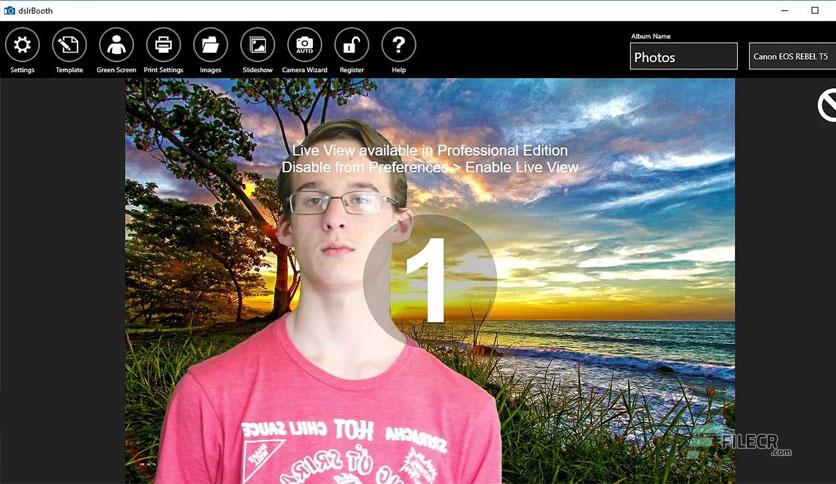
With built-in green screen technology, the software lets you transport guests anywhere in the world—or even beyond it. From beaches to space themes, you can create stunning virtual backgrounds that make every photo look magical.
Everyone wants to look their best in photos, and that’s where the glam booth shines. It smooths skin and enhances visuals, giving a polished and professional look. The black-and-white filter adds a classy touch that feels straight out of a fashion magazine.
This feature acts like a virtual assistant for your guests. It uses pre-made videos and audio prompts to guide users through the process. It’s like having a friendly host inside the screen, making the experience fun and effortless.
Instead of traditional written notes, guests can record video messages. These heartfelt clips become priceless memories that you can revisit anytime. It adds a personal and emotional layer to events like weddings and anniversaries.
This tool can even help you earn money. With built-in cashless payment support, you can turn your booth into a vending-style service. Guests can pay quickly and easily without needing extra hardware or complex setups.
Customization is where the software truly stands out. You can change themes, colors, fonts, and backgrounds to match any event style. It’s like designing your own digital stage where every detail reflects your creativity.
The flexibility of capture modes is impressive. Whether you want photos, videos, GIFs, or boomerangs, everything is available in one place. You can also apply filters, add soundtracks, and use overlays to make each output unique.
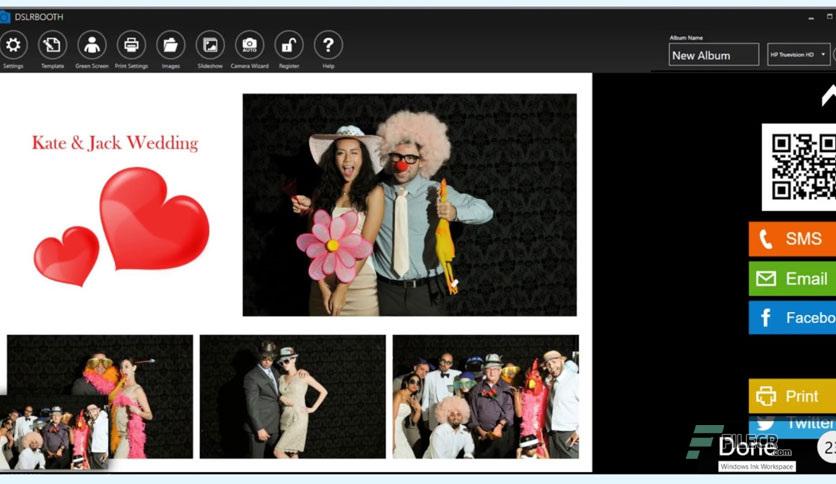
Printing is fully customizable as well. You can design layouts, choose photo arrangements, and even include text, logos, or guest signatures. It supports different print sizes, such as 4x6 or 2x6 strips, giving you full control over the final output.
Another great feature is its online dashboard. It allows you to create and manage events from anywhere. With access to hundreds of ready-made templates and overlays, setting up becomes faster and more efficient.
LumaBooth is a complete and reliable solution for creating engaging photo booth experiences. It blends ease of use with powerful features, making it suitable for both beginners and professionals. From capturing fun moments to customizing every detail, it delivers everything needed to make any event unforgettable.


Leave a comment
Your email address will not be published. Required fields are marked *