Droplr Download (Latest 2026) - FileCR
Free download Droplr 1.8.5 Latest full version - Screen Recording Software with Audio & Video Capture.
Free download Droplr 1.8.5 Latest full version - Screen Recording Software with Audio & Video Capture.
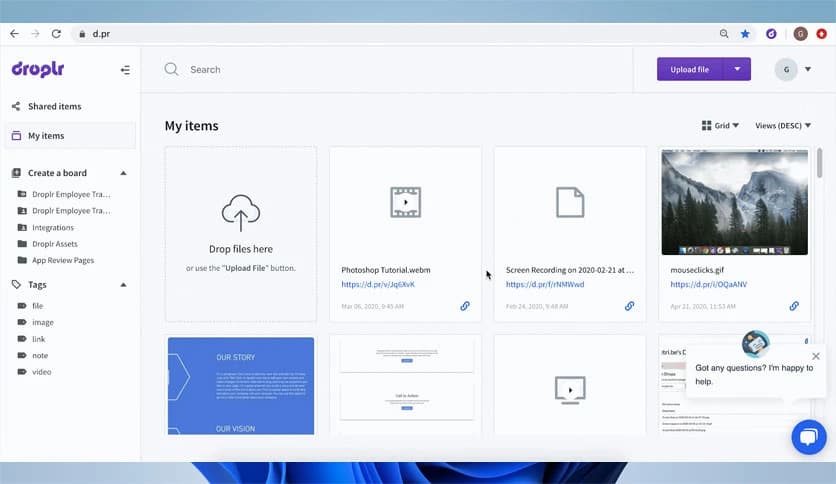
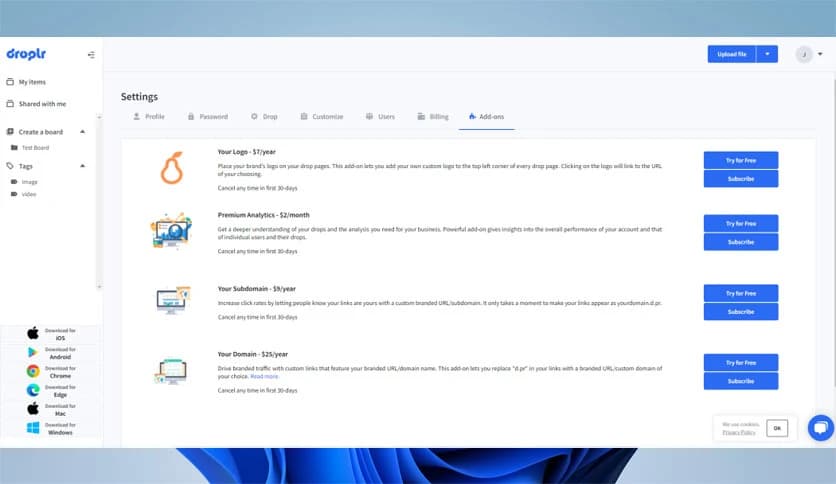
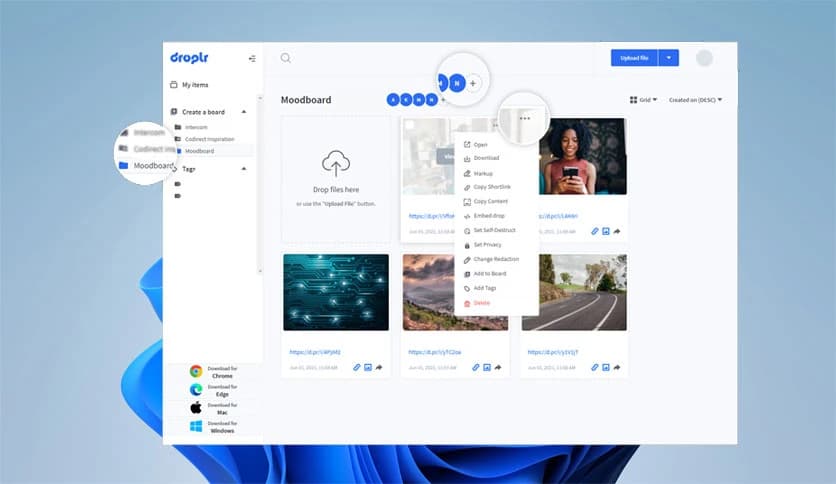
Free Download Droplr for Windows PC. It is a simple and powerful tool that lets users capture screenshots, record screen recordings, and instantly share files via cloud links.
Sharing information quickly is important in today’s digital world. Whether you are working remotely, creating tutorials, or explaining a problem to a teammate, a reliable capture-and-share tool can save a lot of time. This software is designed to make that process smooth and effortless.
The platform combines several useful features in one place. Instead of switching between different apps for screenshots, screen recording, and file sharing, the tool handles everything from a single interface. It captures visual content instantly and automatically uploads it to the cloud.
Once the content is uploaded, a shareable link is copied to your clipboard. You can paste that link into emails, chat apps, or project management tools. It works like snapping a photo and instantly handing it to someone else.
Another great thing about the software is its simplicity. Even beginners can start using it without having to learn complex settings. The interface stays clean, fast, and focused on productivity.
Capturing screenshots is one of the most common tasks on a computer. This tool makes it quick and flexible. You can capture a specific part of your screen, the entire display, or even a complete webpage.
After capturing an image, you can instantly mark it up. Add arrows, highlight important sections, or include text notes to explain things clearly. This is especially useful when giving feedback, reporting bugs, or explaining steps in a guide.
Instead of saving files locally and attaching them manually, the screenshot is uploaded automatically. Within seconds, a link is ready to share. It removes unnecessary steps and keeps your workflow fast.
Sometimes screenshots are not enough. When you need to show a process step by step, screen recording becomes extremely useful. The built-in recorder allows you to capture your screen as a video or even a GIF.
You can also include audio narration to explain what you are doing. This makes it perfect for tutorials, training materials, or quick demonstrations. Some recordings can also include webcam footage, allowing you to present yourself alongside the screen.
Think of it like recording a mini presentation without needing complicated editing tools. Just start recording, explain your idea, and share the link instantly.
One of the software's strongest features is its cloud integration. Every screenshot, recording, or uploaded file is automatically saved to your cloud account.
This means your files remain safe and accessible from anywhere. You can access them later, organize them, or share them again whenever needed.
Cloud storage also eliminates the problem of losing files. Even if your computer changes, your content stays available online.
Sharing captured content should be easy. The software solves this by instantly generating a shareable link after every capture or upload.
That link is automatically copied to your clipboard, so you can paste it anywhere. Send it in Slack, Microsoft Teams, email, or social media. Anyone with the link can view the content quickly.
This method saves time compared to sending large attachments. Instead of uploading files repeatedly, you simply share one small link.
Modern users work across different devices and platforms. The tool supports multiple environments, making it accessible to a wide audience.
It works on Windows, Mac, and even inside the Chrome browser. This flexibility allows teams to collaborate easily, even if everyone uses different systems.
For example, a designer using a Mac can capture something and share it with a developer using Windows without compatibility issues.
Beyond screenshots and recordings, the platform includes several extra capabilities that make it even more helpful.
You can upload files directly to your cloud storage and generate a shareable link immediately. This is useful for sending documents, images, or other media files without using traditional file-sharing services.
Another handy feature is link shortening. The software can automatically create tiny URLs that are easier to share in messages or presentations.
These small additions make the tool feel like a complete digital sharing assistant rather than just a screenshot utility.
The software is widely used by remote teams, educators, developers, and content creators. It simplifies communication by replacing long explanations with visual demonstrations.
For example, a developer can record a bug and send the link to a teammate. A teacher can create a quick tutorial for students. A designer can share visual feedback with clients.
Instead of typing paragraphs of instructions, users can simply show the process. Visual communication is often clearer and faster.
Speed is one of the most important aspects of productivity tools. The platform focuses on quick actions with minimal steps.
You capture content, it uploads automatically, and a link appears in your clipboard. That entire process usually takes just a few seconds.
It feels like having a smart assistant that handles the technical parts while you focus on communication.
Droplr is a convenient solution for capturing screenshots, recording screen recordings, and sharing files instantly via cloud links. It simplifies visual communication by combining multiple features into one easy-to-use platform. Whether you are collaborating with a team, creating tutorials, or sharing quick feedback, it provides a fast and efficient way to deliver information.
Leave a comment
Your email address will not be published. Required fields are marked *