Colanode Download (Latest 2026) - FileCR
Free download Colanode 0.4.6 Latest full version - Powerful workspace for chat, docs, data & files.
Free download Colanode 0.4.6 Latest full version - Powerful workspace for chat, docs, data & files.
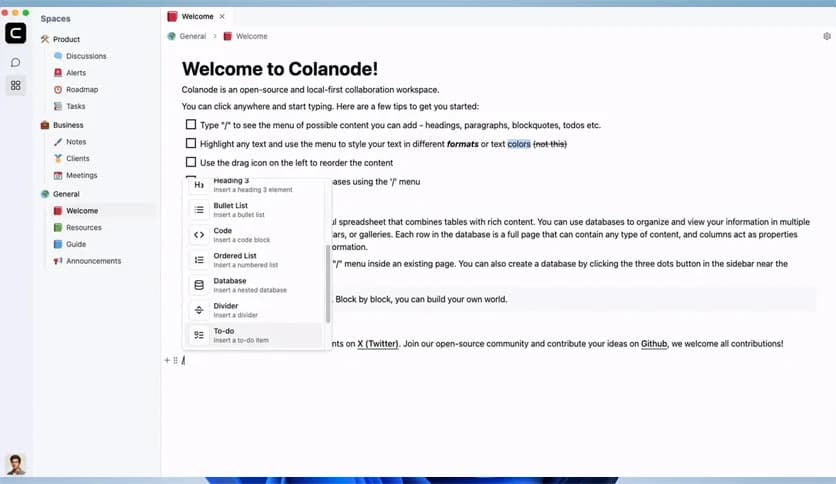
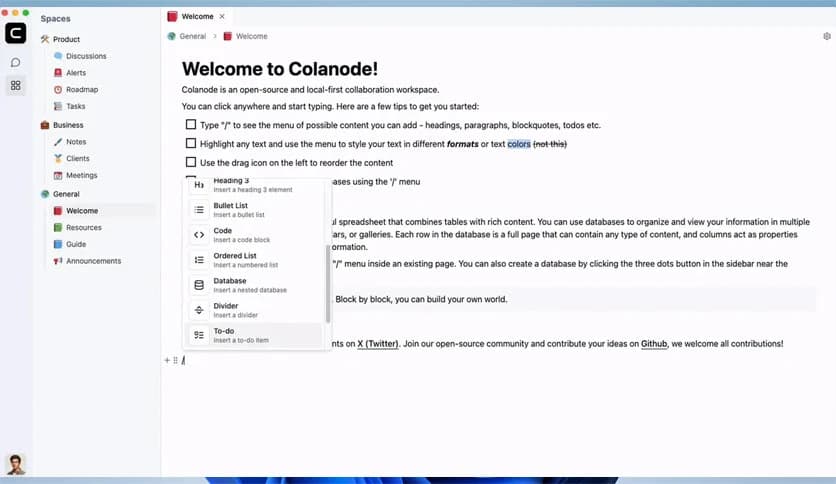
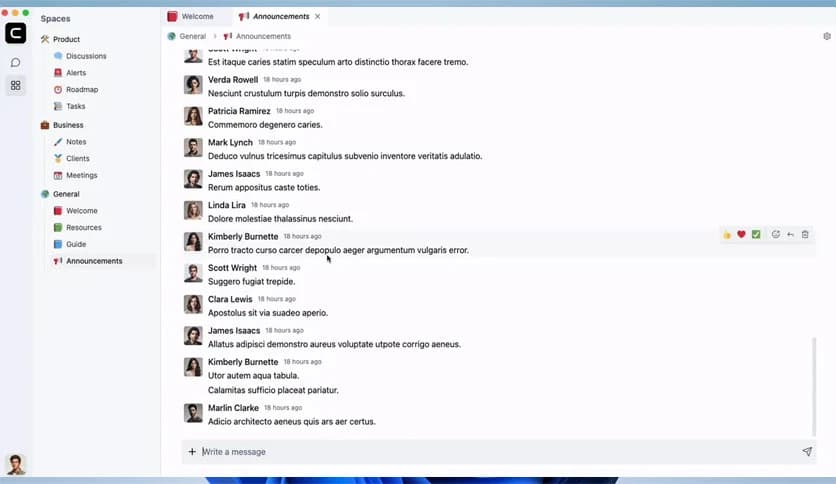
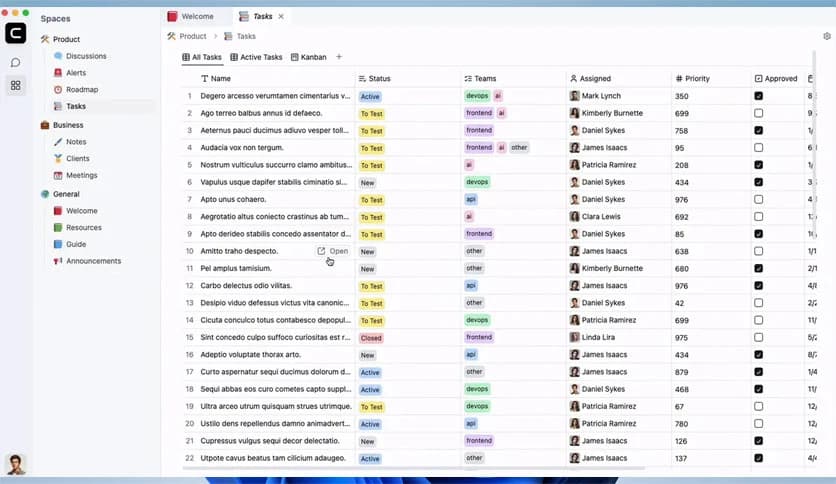
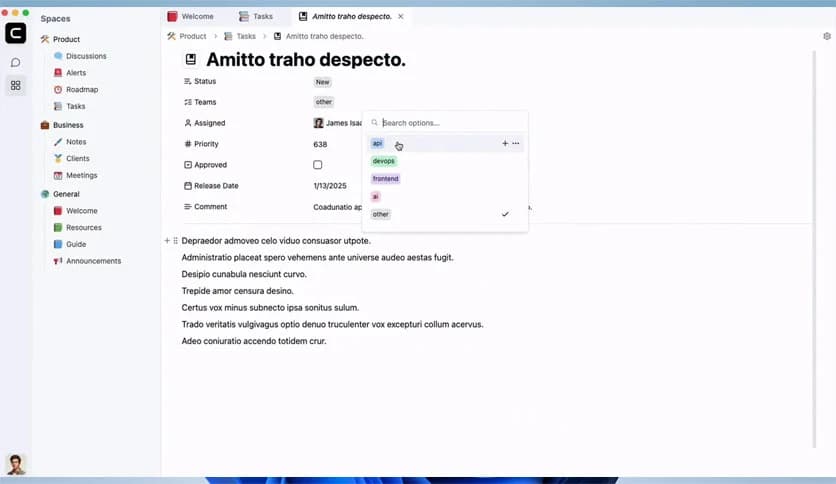
Free Download Colanode for Windows PC. It is a powerful all-in-one collaboration platform that combines chat, documentation, and data organization while giving you full control over your information.
Modern teams often rely on many different tools for communication, notes, and project tracking. This platform simplifies that experience by bringing everything together into one place. Instead of juggling multiple services, users can chat, create documents, manage databases, and store files in a single workspace.
The platform follows an open-source and local-first philosophy. This means your data stays under your control rather than being locked inside third-party servers. Organizations can host it themselves, customize it freely, and ensure that important information remains private and secure.
It is designed for teams, developers, startups, and individuals who want a flexible collaboration hub. Whether you're managing projects, organizing knowledge, or communicating with colleagues, the system acts like a digital office where everything lives together.
One of the biggest advantages of this solution is its unified workspace approach. Instead of switching between messaging apps, documentation tools, and data managers, users get everything under one roof.
Think of it like a digital command center. Conversations, documents, databases, and files all connect smoothly. This reduces distractions and helps teams stay focused on their work rather than on managing multiple tools.
Because everything is integrated, teams can collaborate naturally. A discussion can quickly turn into a shared document, and that document can link to structured data or files stored within the workspace.
Communication is the backbone of any successful team, and the built-in messaging system makes interaction simple and immediate. Users can start conversations with individuals or create channels for groups and departments.
The chat experience feels fast and responsive, making it suitable for quick questions, brainstorming sessions, or daily updates. Messages appear instantly, helping teams stay connected even when working remotely.
Channels keep discussions organized. For example, one channel can focus on product development while another handles marketing discussions. This structure keeps communication clear and prevents important messages from getting lost.
It works much like a modern office hallway where colleagues naturally exchange ideas. Instead of long email threads, discussions stay dynamic and easy to follow.
Documentation plays a huge role in any project. The platform includes an intuitive editor that allows users to create rich text pages, similar to popular knowledge-base tools.
Teams can build internal wikis, write meeting notes, document processes, or maintain project guidelines. The editor supports structured formatting, making content clear and readable.
Imagine building a digital company handbook where every department contributes knowledge. Pages can be linked together, forming a connected knowledge network that grows over time.
This approach helps teams reduce confusion and preserve important information. Instead of scattered notes across different apps, everything remains organized inside the workspace.
Beyond simple notes, the system also offers structured databases. These databases allow users to store and organize information using custom fields and flexible layouts.
For example, a team can create a project tracker with tasks, deadlines, and assigned members. Another database might track customers, resources, or content plans.
The real strength comes from dynamic views. Information can appear as tables, kanban boards, or calendars, depending on what makes the most sense for the workflow.
This flexibility turns the platform into a powerful planning tool. It feels similar to using spreadsheets, project boards, and scheduling apps simultaneously, but within a single connected environment.
File handling is another essential part of collaboration. The workspace includes built-in file storage that allows teams to upload, organize, and share documents easily.
Instead of relying on separate cloud storage services, files remain directly connected to conversations, pages, or database entries. This makes finding information much easier.
Imagine working on a project where design files, notes, and conversations all sit in the same place. It feels like having a well-organized digital cabinet where every document has its proper shelf.
Security is also a priority. Because the system can be self-hosted, organizations decide where their files live and how they are protected.
The local-first approach makes the platform stand out. Many online services store data on external servers, raising privacy concerns. This solution flips that model by allowing teams to host everything themselves.
This means businesses stay in full control of their data. They decide how information is stored, backed up, and protected.
Being open source also provides transparency. Developers can inspect the code, contribute improvements, or customize features according to their needs.
For companies that care about privacy, flexibility, and long-term independence from proprietary platforms, this model offers a strong advantage.
The system adapts easily to different team sizes and industries. Small startups can use it as their main collaboration hub, while larger organizations can build complex workspaces for multiple departments.
Each workspace can include chats, pages, databases, and files that relate to a specific project or team. This structure keeps information organized and prevents clutter.
Think of each workspace like a dedicated room in a digital office building. One room might be for engineering, another for design, and another for customer support.
This flexible design ensures teams can grow without having to switch platforms later.
Colanode offers a refreshing approach to team collaboration by combining communication, documentation, structured data, and file management into one unified platform. Its open-source and local-first philosophy ensures that users maintain full control over their information while enjoying modern collaboration features. By bringing everything into a single workspace, it helps teams stay organized, communicate effectively, and build a powerful knowledge base that grows alongside their projects.
Leave a comment
Your email address will not be published. Required fields are marked *