Zight Download (Latest 2026) - FileCR
Free download Zight Latest full version - Visual communication tool for fast collaboration.
Free download Zight Latest full version - Visual communication tool for fast collaboration.
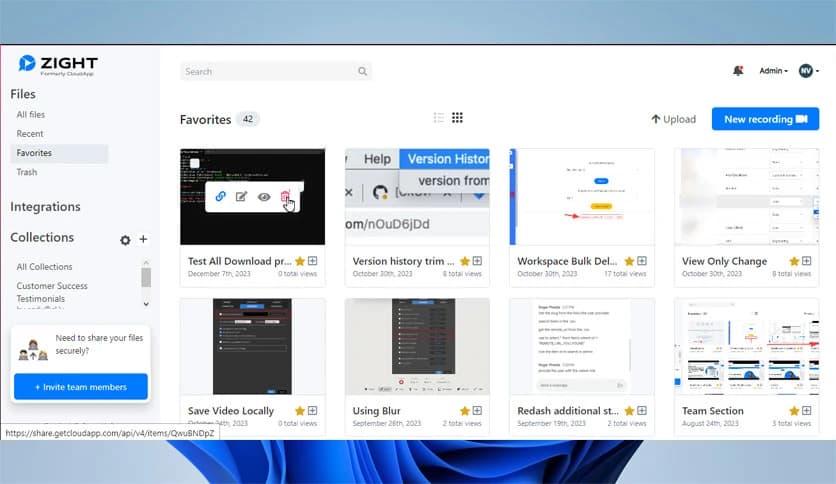
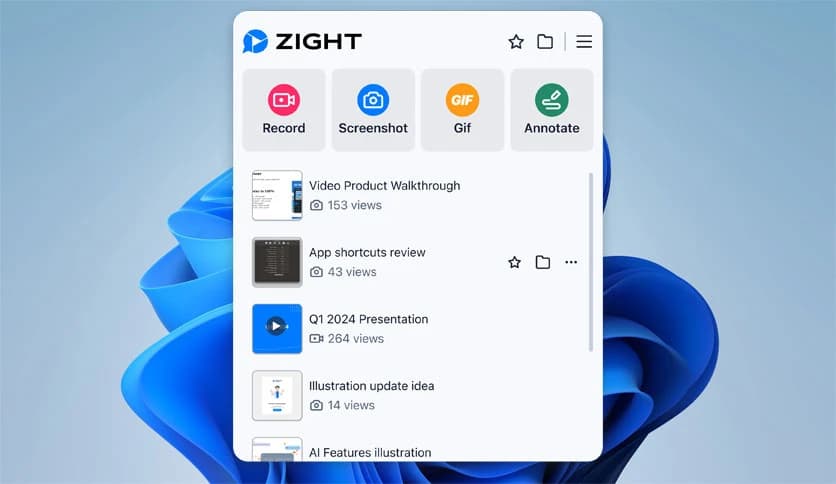
Free Download Zight for Windows PC. It is a powerful communication tool that helps you capture, record, and share visual content instantly for better asynchronous collaboration.
Clear communication often feels like solving a puzzle, especially when teams work remotely or across different time zones. This is where this powerful communication solution steps in. It simplifies how people share ideas, instructions, and feedback by allowing users to capture screenshots, record videos, create GIFs, and annotate content in one unified platform.
The software is designed for professionals, educators, support teams, and everyday users who want to communicate more effectively without endless meetings. Instead of long emails or confusing explanations, users can visually demonstrate ideas. This approach saves time, reduces misunderstandings, and improves productivity.
Built with security and compliance at its core, the tool ensures that your data stays protected. It follows high privacy standards, making it suitable for businesses, organizations, and individuals who value secure communication.
Communication becomes easier when everything is available in one place. The software combines screenshots, screen recordings, GIF creation, and video sharing into a single application. This means users no longer need multiple tools to complete simple tasks.
Whether you want to explain a bug, demonstrate a feature, or provide feedback, you can do it instantly. The unified experience makes the workflow smoother and helps users stay focused on their tasks instead of switching between apps.
Capturing screenshots is one of the most common ways to share information. The tool makes this process quick and effortless. Users can capture full screens, specific windows, or selected areas with just a few clicks.
After capturing, images can be edited and annotated instantly. Add arrows, text, highlights, and shapes to guide viewers' attention. This turns simple screenshots into powerful communication tools.
Sometimes words are not enough. Screen recording allows users to visually explain processes step by step. This is especially helpful for tutorials, troubleshooting, and presentations.
The recording feature supports audio narration, webcam overlay, and high-quality output. This helps create professional-looking recordings without complicated software. It's like showing someone exactly what you mean, rather than describing it.
GIFs are perfect for quick demonstrations. Instead of recording long videos, users can create short animated clips to show simple processes. This keeps communication fast and efficient.
The tool automatically converts screen recordings into GIFs. This saves time and allows users to share quick visual instructions instantly.
Annotation features help users highlight important details. Whether it's pointing out a bug, explaining a design change, or giving feedback, annotation tools make communication clearer.
Users can draw, highlight, blur sensitive data, and add notes. This ensures that viewers understand exactly what needs attention.
Security is a major concern when sharing content online. The software is built with strong privacy and compliance standards. This ensures that shared files remain protected.
Users can control access, manage permissions, and securely share links. This makes it suitable for professional environments where confidentiality matters.
All captured content is stored securely in the cloud. This means users can access their files anytime and anywhere. It also makes collaboration easier since shared content is always available.
Cloud storage eliminates the need to manually manage files. Everything is organized automatically, making the workflow smoother.
Meetings often consume valuable time. This tool allows users to communicate asynchronously. Instead of scheduling meetings, users can send visual explanations.
This improves productivity and reduces unnecessary interruptions. Teams can review content at their convenience and respond when ready.
The software fits naturally into existing workflows. It works alongside communication tools, project management platforms, and email systems. This flexibility makes it suitable for a wide range of industries.
Whether used for customer support, development, education, or content creation, the software adapts to different needs.
A clean and simple interface makes it easy for anyone to use. Even beginners can quickly understand how to capture and share content.
The intuitive design ensures users spend less time learning and more time creating. This makes it accessible for professionals and casual users alike.
Quality matters when sharing content. The software delivers high-resolution screenshots and recordings. This ensures that viewers see details clearly.
High-quality output makes communication more professional and effective.
Remote work requires effective communication tools. The software helps teams collaborate without being in the same room.
Visual communication reduces misunderstandings and keeps projects moving forward smoothly.
Support teams often need to explain solutions quickly. Visual instructions make troubleshooting easier.
Users can record steps and share them instantly. This improves customer experience and reduces support time.
Teaching becomes easier with visual explanations. Educators can quickly create tutorials, demonstrations, and lessons.
Students can review content anytime, improving learning outcomes.
The software runs smoothly without consuming too many system resources. This ensures fast performance even on modest systems.
Quick launch and fast capture features make it efficient for daily use.
Zight provides a modern solution for clear and efficient communication. By combining screenshots, screen recording, GIF creation, and annotation tools into one platform, it helps users explain ideas quickly and effectively. With strong security features, cloud storage, and an easy-to-use interface, it improves productivity and collaboration. Whether used for work, education, or personal communication, it makes sharing information simple and powerful.
Leave a comment
Your email address will not be published. Required fields are marked *