ZetaOffice Download (Latest 2026) - FileCR
Free download ZetaOffice 24.2.8.0 Latest full version - Powerful, secure office suite for Windows.
Free download ZetaOffice 24.2.8.0 Latest full version - Powerful, secure office suite for Windows.
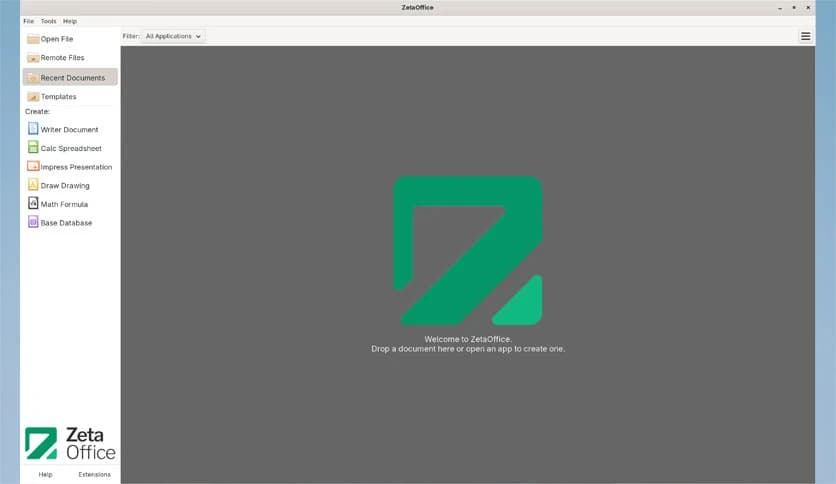
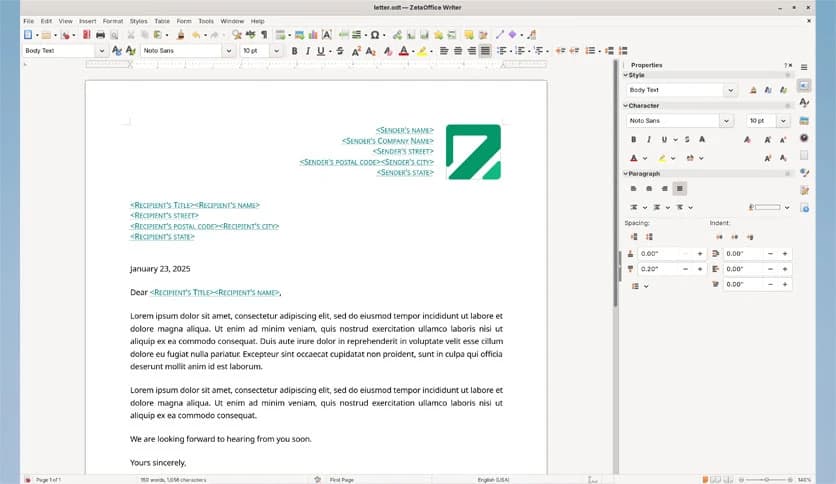
Free Download ZetaOffice for Windows PC. It is a powerful office suite based on LibreOffice that delivers secure, flexible, and high-performance productivity tools for desktop, web, and mobile devices.
This office suite builds on the trusted LibreOffice foundation while adding extended security updates and modern deployment options. It feels familiar from the first click, yet it introduces smarter ways to work across devices. Whether you prefer working on your Windows PC, inside your browser, or on mobile, it keeps everything in sync and under your control.
Think of it as a well-equipped digital workspace. You get the classic tools you expect, but with added flexibility. It supports self-hosting, CDN deployment, and API-based integration for businesses seeking a more tailored solution. That means you are not locked into a single setup. You decide how and where it runs.
The software is powered by LibreOffice, one of the most respected open-source office platforms. This gives it a stable and proven core. Documents open smoothly, formatting stays consistent, and compatibility with common file types is strong. If you have used other office suites before, the transition feels natural.
Additionally, extended security updates provide peace of mind. In a world where data breaches are common, having ongoing security support is like locking your digital door twice. You work confidently knowing your files are protected.
One of the standout advantages is browser-based access. You can run the suite directly in your web browser without installing heavy desktop software. It feels lightweight yet powerful.
This web functionality enables device access, allowing you to access your work from almost anywhere. Imagine starting a document on your office PC and finishing it later on a different device. The experience stays consistent, like picking up a book exactly where you left off.
For businesses, self-hosting or CDN deployment adds flexibility. You can host it on your own servers or deploy it through a content delivery network. That level of control is valuable for companies that care about privacy and performance.
The tool also provides an API for tailored integration. This is especially useful for developers and organizations that want to connect it with their own systems. For example, it can be integrated into internal portals, learning platforms, or enterprise software.
This makes it more than just an office suite. It becomes a building block for custom workflows. Instead of forcing your business to adapt to the software, you can shape the software around your needs.
Performance matters. Nobody likes slow loading times or freezing screens. The suite is optimized to ensure smooth document editing, faster calculations, and responsive presentation design.
Even when handling larger files, it remains stable. This makes daily tasks feel effortless. It is like driving a car that responds instantly when you press the accelerator. The smoother the ride, the more productive you become.
Security is not just a feature; it is a priority. With extended updates and controlled deployment options, the software gives users more authority over their data.
You decide where your files are stored and how they are accessed. This is especially important for organizations that handle sensitive information. Data control ensures that documents remain secure.
The suite works across desktop, web, and mobile platforms. On Windows PC, it delivers a traditional desktop experience. In the browser, it offers flexibility. On mobile devices, it allows quick edits and access on the go.
This cross-platform approach keeps you connected to your work at all times. Whether you are at your desk or traveling, your documents remain within reach.
The interface feels familiar and easy to navigate. Menus are clearly arranged, and tools are logically placed. Even beginners can find what they need without confusion.
At the same time, advanced users have access to powerful formatting and customization options. It balances simplicity and depth, making it suitable for both personal and professional use.
ZetaOffice combines the reliability of LibreOffice with enhanced security, web access, and deployment flexibility. It delivers a complete office environment for Windows users who want control, performance, and cross-platform access in one smart package. Whether you are writing reports, analyzing data, or building presentations, it provides the tools you need in a secure and adaptable workspace.
Leave a comment
Your email address will not be published. Required fields are marked *