Snippai Download (Latest 2026) - FileCR
Free download Snippai 0.2.1 Latest full version - AI-Powered Snipping Tool.
Free download Snippai 0.2.1 Latest full version - AI-Powered Snipping Tool.
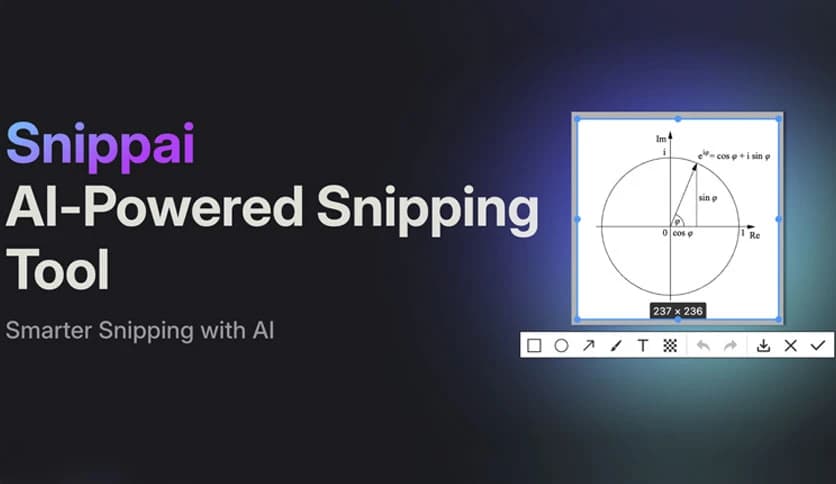
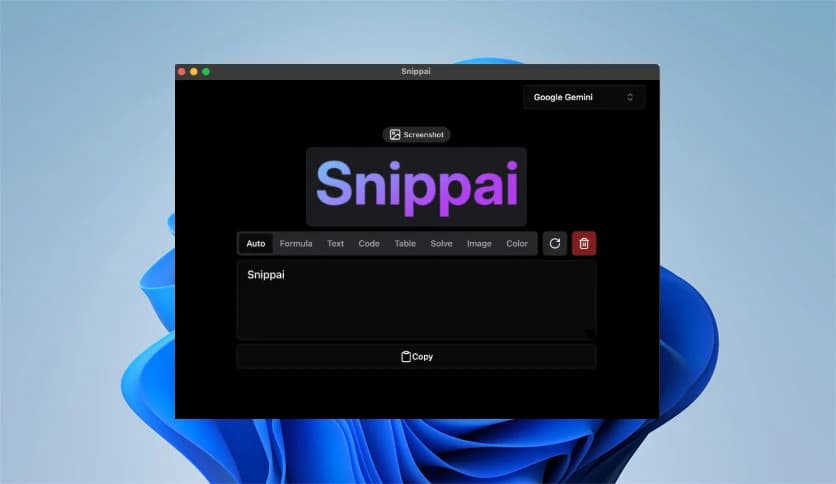

Free Download xyTom Snippai for Windows PC. It is a smart AI-powered snipping tool that turns simple screenshots into useful, editable, and meaningful content in seconds.
This smart utility is not just another screen capture program. It takes the simple act of snipping and transforms it into something much more powerful. Instead of just saving an image, it understands what is inside it. Think of it as giving your screenshots a brain. The software analyzes formulas, text, tables, and even code, then converts or explains them so you can use them instantly.
Whether you are a student, developer, designer, or office worker, the tool works like a silent assistant sitting beside you. You capture something on your screen, and it starts analyzing it immediately. No complicated steps. No confusing menus. Just clean, intelligent results.
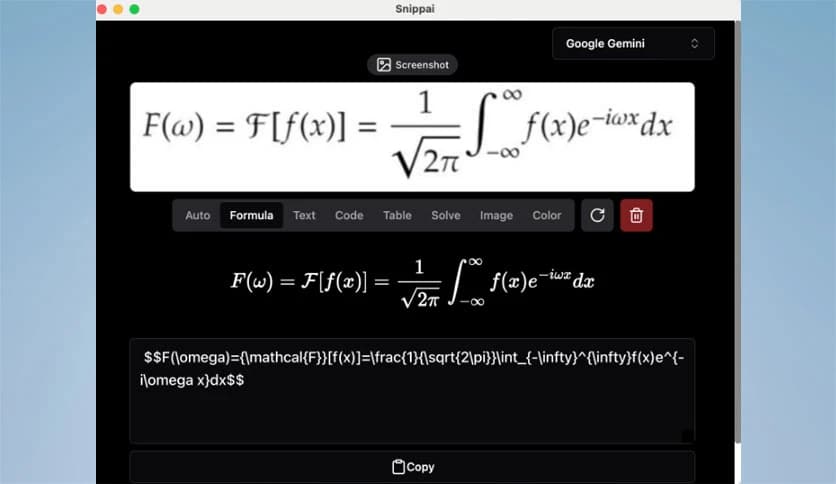
Ever tried copying a mathematical formula from an image only to end up typing it all by hand? That process can feel like rewriting a whole book just to copy one sentence. This software changes that.
It can detect formulas directly from images and convert them to LaTeX. That means if you are working on research papers, assignments, or documentation, you can quickly grab equations and paste them into your editor without starting from scratch. It saves time and reduces mistakes. Instead of squinting at symbols, you simply snip and move on.
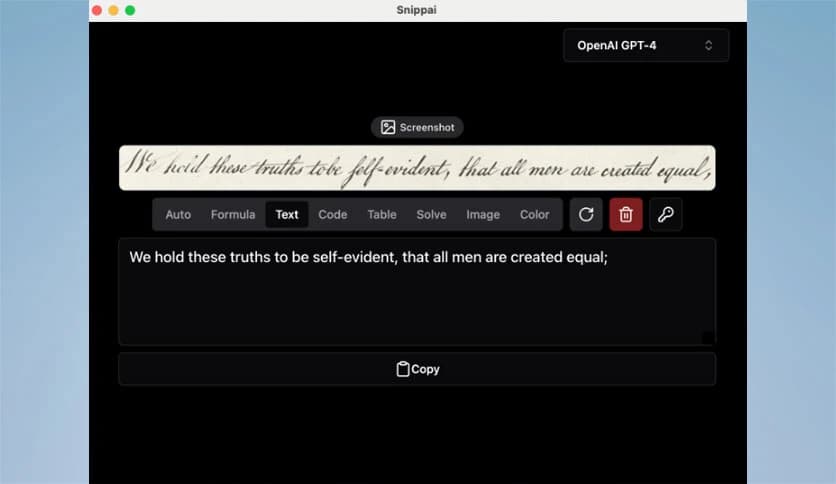
One of its strongest abilities is text recognition. The tool reads text inside images with impressive accuracy. You can capture a paragraph from a PDF, a presentation slide, or even a screenshot from a video, and it will convert it into editable text.
This feels almost like turning a photo into a Word document. No retyping. No guesswork. It keeps your workflow smooth and steady. For students and professionals alike, that means more focus on actual work instead of repetitive typing.
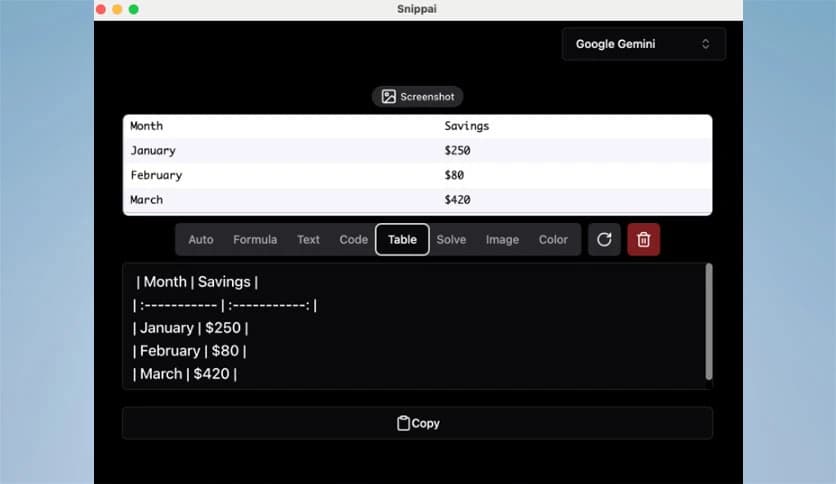
Tables inside images are usually difficult to reuse. You often end up recreating them manually, cell by cell. With this tool, tables can be automatically identified and converted to Markdown format.
This is especially useful for developers, writers, and analysts. Instead of rebuilding the structure from scratch, you get a clean and organized table ready to use. It is like copying the data's skeleton instead of drawing it again.
Beyond text and numbers, the software can analyze and describe the content of an image. This feature adds a layer of intelligence that most snipping tools lack.
Imagine capturing a complex diagram or a scene from a presentation. The tool does not just store it. It explains what is happening. It reads between the pixels. This makes it helpful for accessibility, content analysis, or simply understanding visuals faster.
Here is where things get even more interesting. The tool can analyze problems within images and attempt to solve them. Whether it is a math question or a logical challenge, it analyzes the content and provides guidance.
This feature feels like having a tutor built into your snipping process. Instead of switching apps or searching online, you stay in one place. You capture the problem, and the system starts working on it instantly.
Developers often share code snippets through screenshots. The problem is that copying and understanding them can take time. This software can recognize code inside images and explain what it does.
It understands structure and functionality. It does not just copy the text. It gives context. For beginners, this means better learning. For professionals, it means faster reviews. It is like shining a flashlight into complex lines of code.
Designers and creators know how important colors are. With this tool, you can identify and extract the predominant colors from any image. Instead of guessing shades, you get clear information about what colors are present.
This makes branding, design adjustments, and creative projects smoother. Think of it as a color detective working quietly in the background.
All these features come together in a clean, easy-to-use interface. The experience feels smooth. You capture, it analyzes, and you receive structured results. No complicated setup is required.
The beauty lies in how naturally everything flows. The tool fits into your routine instead of forcing you to adapt. It does not overwhelm you with clutter. It simply enhances what you already do.
The platform continues to grow with new AI capabilities. More intelligent features are expected over time. That means it is not a static program. It evolves.
This ongoing development ensures that users always stay ahead. As technology improves, the tool improves with it. It feels less like a product and more like a living system that adapts to modern needs.
Snippai stands out as more than a regular screenshot tool. It transforms simple captures into intelligent, usable content with advanced AI. From recognizing formulas and text to explaining code and solving problems, it makes your workflow smarter and faster. If you want a snipping tool that actually understands what you capture, this is a strong choice for Windows users.
Leave a comment
Your email address will not be published. Required fields are marked *