WinPurge Download (Latest 2026) - FileCR
Free download WinPurge 1.1.0 Latest full version - Open-Source Windows Debloater for Windows 11 & Windows 10.
Free download WinPurge 1.1.0 Latest full version - Open-Source Windows Debloater for Windows 11 & Windows 10.
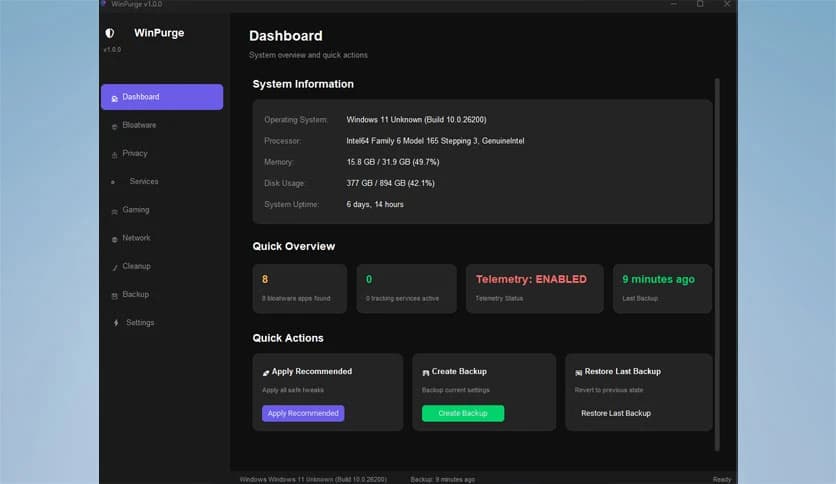
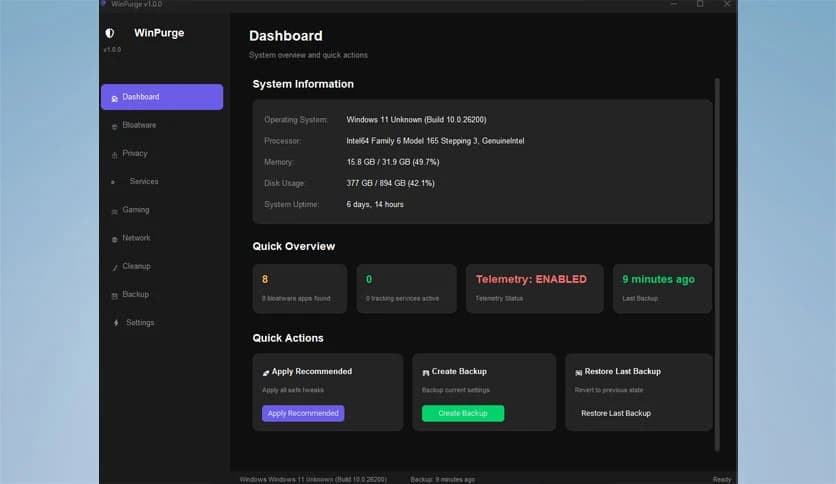
Free Download WinPurge for Windows PC. It is a modern Windows debloating and privacy optimization tool that helps you remove unnecessary apps, improve performance, and take full control of your system.
Modern Windows installations often include unnecessary background services and telemetry features that slow performance and compromise privacy. This tool is designed to solve that problem in a clean and simple way. It helps users remove unwanted software, disable tracking features, and optimize their systems without requiring advanced technical knowledge.
The software provides a professional-grade experience while remaining lightweight and fast. Built in Python, it offers a smooth, modern interface that makes system optimization easy. Instead of navigating complicated settings across Windows menus, users can manage everything from a single dashboard.
Many optimization tools feel outdated or complicated. This one keeps things simple and efficient. With just a few clicks, users can clean their systems, reduce background processes, and improve responsiveness. The result is a faster, smoother, and more private Windows experience.
One of the biggest advantages of this tool is its clean and user-friendly interface. Everything is organized clearly so users can easily understand what each option does. Buttons are well labeled, and actions are logically grouped.
Instead of overwhelming users with technical details, the software focuses on simplicity. Each feature is designed to be accessible to both beginners and advanced users. Whether you want to remove a tool, disable services, or optimize settings, everything is just a click away.
This approach makes system optimization feel less like a technical task and more like using a modern productivity app. Even users with minimal experience can confidently manage their system settings.
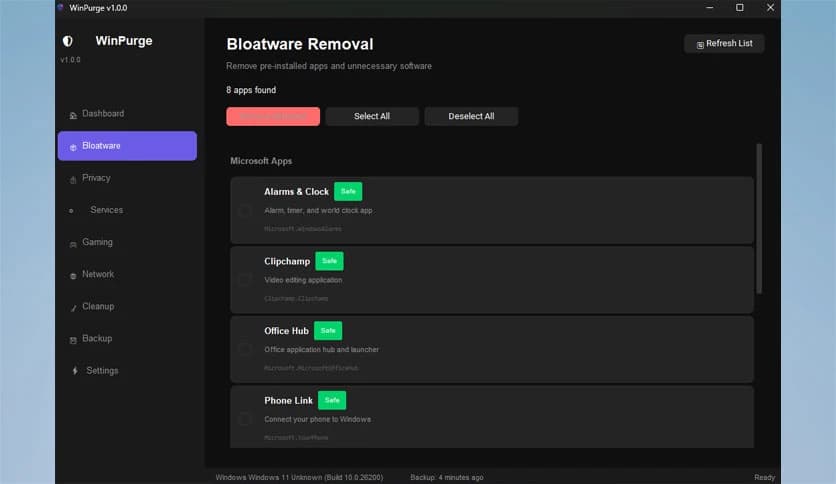
Windows often comes with pre-installed tools that many users never use. These tools consume storage space, run background processes, and sometimes slow down performance. This tool helps remove those unnecessary tools quickly and safely.
Users can select unwanted applications and remove them in just a few seconds. The software also ensures essential system components remain untouched. This balance helps maintain system stability while improving performance.
Removing bloatware is like clearing clutter from a workspace. Once unnecessary items are removed, everything runs more smoothly and feels more organized. The same concept applies to system performance.
Privacy is becoming increasingly important, especially with modern operating systems collecting usage data. This tool helps users disable telemetry features and reduce background tracking.
With a few clicks, users can limit data collection and enhance privacy settings. The software organizes privacy controls into simple categories, making them easy to understand.
This gives users more control over their system. Instead of hidden background tracking, users can decide what data is shared and what stays private. It puts control back into the user's hands.
Beyond removing apps and improving privacy, the software also enhances performance. It disables unnecessary services, reduces startup load, and optimizes system settings.
These improvements help speed up boot time, reduce memory usage, and improve responsiveness. Even older systems can benefit from these optimizations.
Think of it like tuning a car engine. Once unnecessary components are removed and settings are optimized, everything runs more smoothly and efficiently.
Many system optimization tools are heavy and resource-intensive. This one takes the opposite approach. It remains lightweight while delivering powerful features.
Because it is built using Python, it stays efficient and responsive. The software does not consume unnecessary resources, allowing users to optimize their systems without slowing them down.
This lightweight design makes it suitable for both older and newer systems. Users get powerful features without sacrificing performance.
Managing Windows settings across multiple menus can be frustrating. This tool brings everything into one convenient dashboard.
Users can remove the tool, disable telemetry, optimize performance, and manage settings from a single interface. This saves time and simplifies the entire optimization process.
Having all tools in one place is like having a control center for your PC. It eliminates confusion and improves productivity.
System optimization tools must be reliable. This software focuses on safe optimization without risking system stability.
Each feature is carefully designed to avoid breaking important Windows functions. Users can confidently apply optimizations knowing their system remains stable.
This makes it suitable for both beginners and advanced users. The tool delivers professional-grade results while remaining easy to use.
Some optimization tools are powerful but complicated. This software offers a simpler alternative while maintaining professional-level functionality.
It offers a lightweight alternative to larger tools. Users who want full control without complexity will appreciate its design.
The balance between simplicity and power makes it stand out. Users get advanced features without having to deal with complex interfaces.
After removing unnecessary apps and disabling background services, systems often feel noticeably faster. Applications open more quickly, and overall performance improves.
This improvement is especially useful for older systems. By reducing background load, the software helps extend system lifespan.
The result is a smoother computing experience. Every day tasks become faster and more enjoyable.
The software is easy to install and use. Users can quickly launch it and begin optimizing their systems.
Clear instructions and simple controls make the process straightforward. Even first-time users can achieve great results.
This ease of use makes optimization accessible to everyone. No technical knowledge is required.
WinPurge provides a simple yet powerful way to remove bloatware, improve privacy, and optimize Windows performance. It combines a modern interface with professional-grade features, making system optimization easy and safe. Whether you want better performance, improved privacy, or a cleaner system, this tool offers an efficient solution that helps you take full control of your PC.
Leave a comment
Your email address will not be published. Required fields are marked *