WhatsApp Beta for Windows Download (Latest 2026) - FileCR
Free download WhatsApp Beta for Windows 2.2611.101.0 Latest full version - Fast, secure Windows messaging with early feature access.
Free download WhatsApp Beta for Windows 2.2611.101.0 Latest full version - Fast, secure Windows messaging with early feature access.



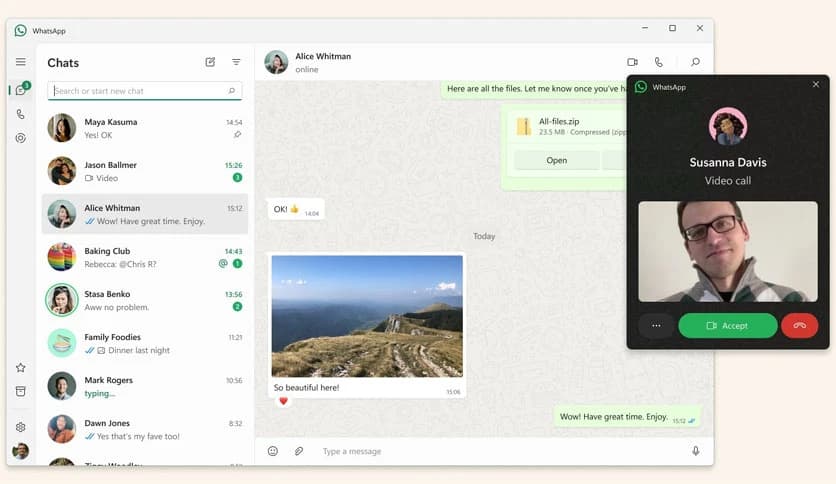


Free Download WhatsApp Beta for Windows PC. It is a testing program that allows users to access new and upcoming features before they are released to the general public.
This version gives you early access to new updates, allowing you to experience improvements before they reach the stable release. It offers a fresh, smoother interface designed for faster messaging and calling on Windows devices.
The tool gives you a front-row seat to new functionalities that are still under development. You can explore experimental features, performance improvements, and interface changes before they are available to regular users. It’s like stepping into the future of messaging a little earlier than everyone else.
It delivers a clean, responsive interface that feels faster and more modern than the standard edition. Messages load instantly, switching chats is smoother, and the overall flow feels lightweight. If you chat a lot during the day, you’ll immediately notice the difference.
Voice and video calls are more stable thanks to improved Windows optimization. The software manages system resources smartly, reducing lag and keeping your calls crisp even on low-spec PCs. It becomes easier to stay connected with friends, family, and colleagues at work.
As with the main app, all messages and calls are protected by strong encryption. Not even the app's developer can access your conversations. This gives you the freedom to share essential or private information without worry.
The tool supports quick sharing of photos, videos, documents, and other files directly from your PC. Sending large items becomes easier, especially when multitasking. Drag-and-drop support makes the process feel natural and effortless.
You can link your PC to your mobile device without requiring your phone to be online at all times. Messages sync automatically so that you can continue your chats on your computer instantly. It saves time and keeps your workflow uninterrupted.
The software includes features such as view-once media, disappearing messages, and locked chats, helping you keep sensitive content secure on your Windows device. It respects your personal boundaries and gives you complete control over your conversations.
The tool is optimized to run smoothly even on older laptops. It uses fewer system resources, preventing random slowdowns or overheating. This makes it easy to use during work hours or long chat sessions.
It follows a clean layout, making it easy for anyone to understand and use. Everything is placed where you expect it to be—messages, calls, settings, and contacts. The interface feels familiar yet refreshing.
Sometimes, you can install an MSIXBundle app as you do with any .exe file. To start the installation, double-click on the downloaded installer and click the Install button in the wizard window.
However, this method doesn’t always work, and you may encounter errors, especially when there is no latest version of the app installer. To install, follow the steps on your Windows 10/11 PC.
Microsoft App Installer for Windows 10/11 makes it easy to sideload apps, and you won’t have to run PowerShell to install apps. Starting on Windows 10 1809, Windows Package Manager is supported via App Installer.
See how to do this thing:
Sometimes, you may encounter errors when installing MSIXBundle in the Windows App Installer. In this case, you can choose the way – PowerShell install MSIXBundle.
Just follow the steps below to install MSIXBundle without Store:
WhatsApp Beta for Windows is an excellent option if you want to explore new features early while enjoying the same secure, smooth messaging and calling experience. It keeps you ahead of the curve, offering a reliable, private communication space backed by robust encryption.
Leave a comment
Your email address will not be published. Required fields are marked *