Wave Terminal Download (Latest 2026) - FileCR
Free download Wave Terminal 0.14.4 Latest full version - AI-native terminal that sees your entire workspace.
Free download Wave Terminal 0.14.4 Latest full version - AI-native terminal that sees your entire workspace.
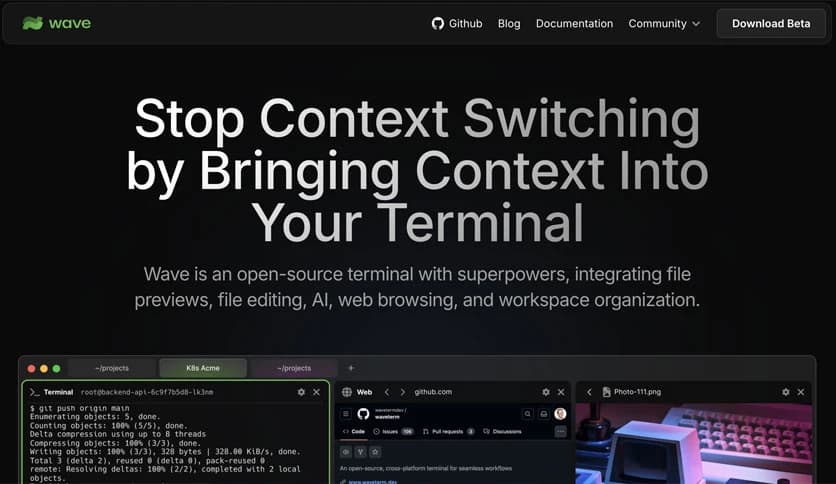
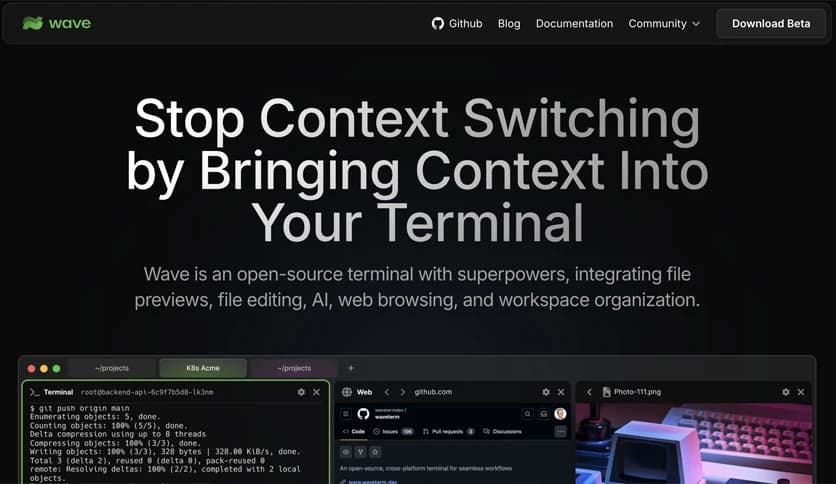
Free Download Wave Terminal for Windows PC. It is a modern, open-source terminal that blends classic command-line power with visual tools, previews, web access, and smart assistance into a single, smooth workspace.
It is designed for people who live inside the command line but still need visual context. It eliminates the constant jumping between terminal windows, browsers, and editors by bringing everything into a single unified place. You can run commands, preview files, browse the web, and even chat with AI without breaking your flow.
Instead of treating the terminal as a plain text box, it turns it into a flexible workspace. Think of it like a digital desk where each tool sits right where you need it, ready to move, resize, or expand when required.
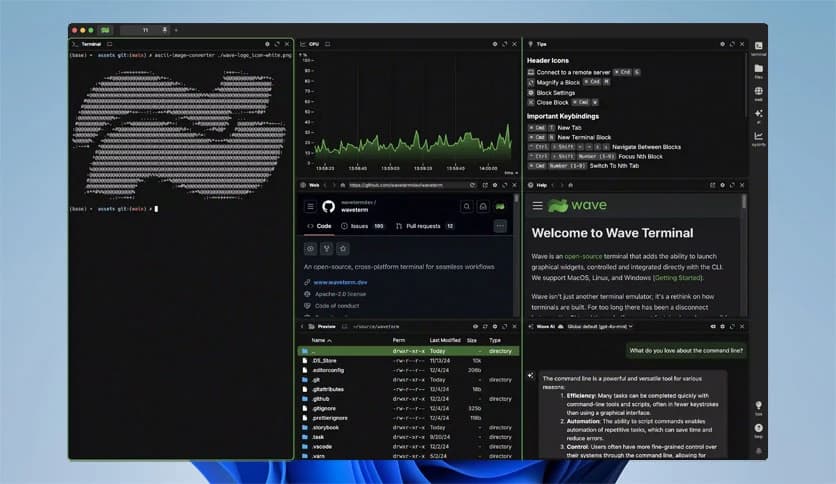
Modern workflows are often scattered. One window for commands, another for documentation, another for file previews. This tool pulls all of that together. You can keep running commands while checking a PDF, previewing an image, or reading markdown files right next to your output.
It feels less like juggling windows and more like arranging cards on a table. Everything stays visible, connected, and easy to manage.
The flexible interface lets you organize terminal blocks, editors, browsers, and AI widgets with simple drag-and-drop actions. You can stack items, place them side by side, or rearrange them as your task changes.
This layout freedom is great for multitasking. For example, you can monitor logs on one side while editing files and chatting with an assistant on the other.
Editing files over remote connections often feels clunky. The built-in editor makes it easy to use by offering syntax highlighting and modern editing features, even when working on remote systems.
You can open, edit, and save files directly without switching to external tools. It feels like editing locally, even when the files live far away.
File previews are a standout strength. You can quickly view markdown, images, videos, PDFs, CSV files, and even directories without opening separate applications.
This is especially useful when exploring remote servers. Instead of downloading files just to check their contents, you can preview them instantly inside your workspace.
Sometimes you need full focus on one thing. The quick full-screen toggle lets you expand any block instantly. You can go full-screen with a terminal, editor, or preview and then jump back to the multi-block view just as fast.
It is like zooming in with a magnifying glass when details matter, then pulling back to see the whole picture again.
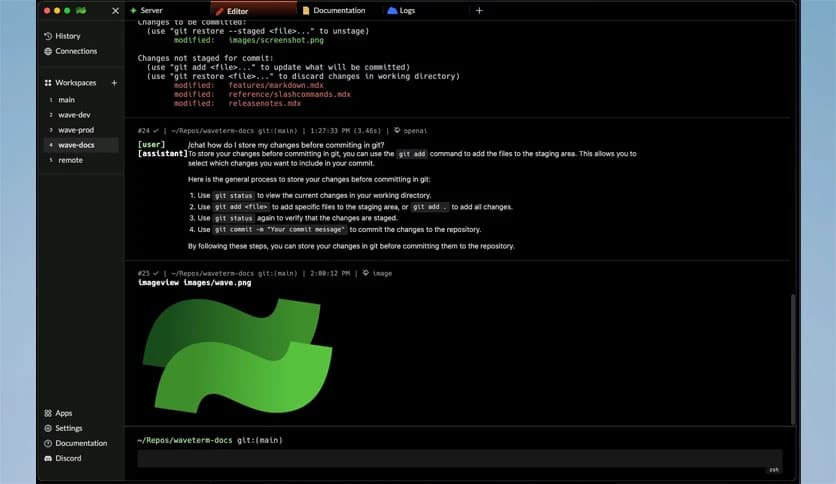
The built-in AI assistant understands what is happening inside your workspace. It can read terminal output, analyze widgets, and even help with file operations.
Instead of copying errors into a browser or chat app, you can get explanations and suggestions right where the problem appears. It feels like having a helpful teammate sitting next to you.
The AI chat widget supports several models, giving you flexibility and choice. You can switch between different providers depending on your needs.
This is useful for brainstorming, debugging, or learning new commands without leaving your workflow.
Command blocks let you isolate individual commands. Each block can monitor its own output and close automatically when finished.
This makes long-running tasks easier to manage. Instead of cluttering a single terminal, each task gets its own space, keeping things neat and readable.
Remote access is simplified with one-click connections. You get full terminal access along with file system browsing.
Managing servers feels more direct and less fragile, even when switching between multiple remote machines.
Handling API keys and credentials can be risky if done poorly. The secure storage system uses native system backends to securely store secrets.
You can store keys locally and still access them across SSH sessions, which reduces the need for repeated manual setup.
Customization options allow you to adjust tab themes, terminal styles, and even background images. This makes long working sessions more comfortable and visually pleasing.
A personalized workspace often leads to better focus, just as arranging your desk the way you like it does.
The command system lets you manage your workspace directly from the command line. You can control layouts, share data between sessions, and automate repetitive tasks.
This bridges the gap between visual tools and command-line control in a very natural way.
File handling goes beyond basic copying. You can sync and move files between local systems, remote hosts, internal storage, and cloud services.
This unified approach saves time and reduces errors when working across multiple environments.
Wave Terminal offers a fresh approach by blending command-line power with visual and intelligent tools in one place. It reduces context switching, improves focus, and makes everyday terminal work smoother and more connected. For anyone who spends serious time in the command line, it feels like upgrading from a basic toolbox to a fully equipped workshop.
Leave a comment
Your email address will not be published. Required fields are marked *