Verdent AI Download (Latest 2026) - FileCR
Free download Verdent AI 1.18.2 Latest full version - Agentic Coding Tool with Multiple Parallel Agents.
Free download Verdent AI 1.18.2 Latest full version - Agentic Coding Tool with Multiple Parallel Agents.


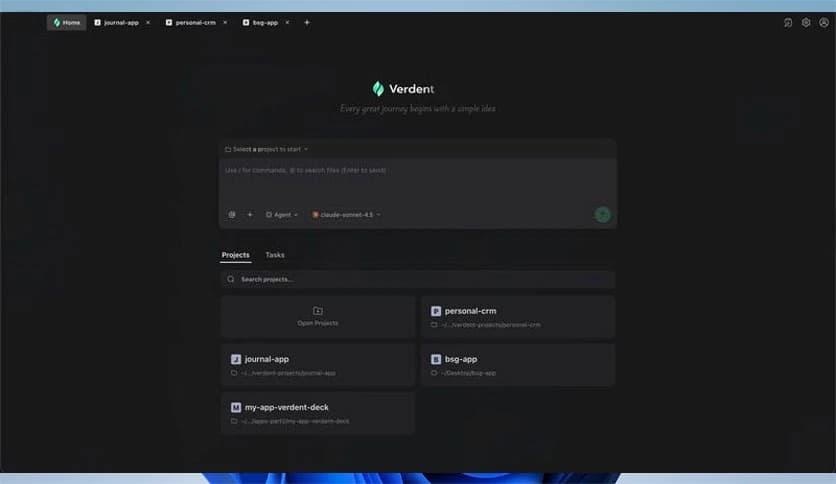
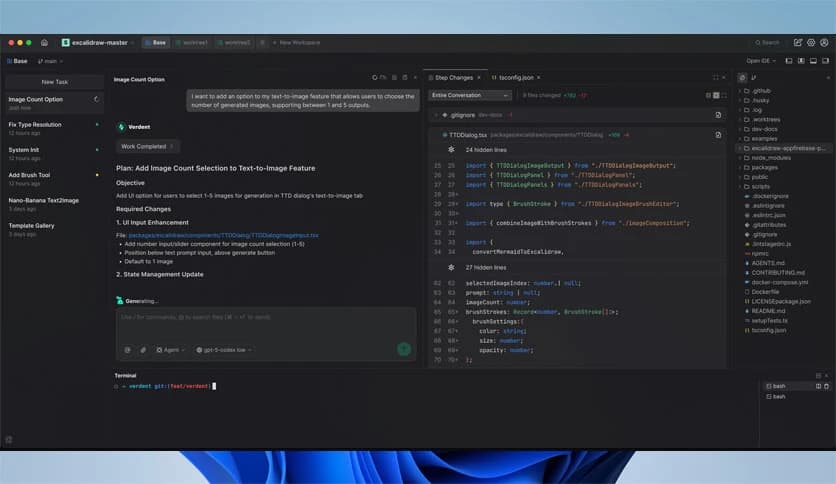
Free Download Verdent AI for Windows PC. It is an AI-powered agentic coding platform that helps developers plan, write, and verify code faster with parallel intelligent agents.
It is designed to reduce friction in everyday software development. It combines intelligent automation with a clean workflow, enabling developers to focus on logic rather than repetitive steps. Using multiple intelligent agents simultaneously accelerates delivery while maintaining consistent code quality.
The software works like a team of focused assistants that never gets tired. Each agent handles a specific task, such as planning, coding, or verification, without stepping on another agent’s work. Think of it as having several skilled developers working in separate rooms but sharing the same goal.
One of the strongest features is parallel execution. Multiple agents run concurrently in isolated workspaces. This means tasks are completed faster, and conflicts are avoided. It feels like upgrading from a single-lane road to a multi-lane highway where everything moves smoothly.
Each agent operates in its own workspace, keeping changes separate and organized. This isolation reduces errors and simplifies debugging. Developers can trust that one task will not break another, which brings peace of mind during complex projects.
Switching between tasks often disrupts focus, but the tool addresses this issue. It preserves full context when moving from one task or project to another. You can jump back in instantly, like opening a bookmarked page right where you left off.
Momentum is everything in coding. The platform helps maintain flow by keeping relevant details readily available. No more searching through files or notes to remember what you were doing. Everything stays connected and accessible.
Reviewing changes can be stressful, especially in large projects. DiffLens simplifies this by clearly showing every modification. It acts like a magnifying glass, helping you see exactly what changed and why it matters.
Consistent output is critical in professional development. The integrated code review process helps maintain quality standards. It ensures changes are reliable, readable, and aligned with project goals before moving forward.
The VS Code extension brings all these capabilities directly into a familiar environment. There is no need to learn a new interface. Everything feels natural, like adding a powerful new tool to your existing toolbox.
Teams benefit from clear separation of tasks and transparent results. Everyone can understand what was changed and by whom. This clarity reduces misunderstandings and keeps collaboration smooth and productive.
Modern software projects move fast, and the tool is designed to keep up. It supports rapid iteration without sacrificing structure. This balance makes it suitable for both small experiments and large-scale applications.
Despite its advanced capabilities, the platform is easy to adopt. Developers can start using it without long setup times or complex configuration. It feels intuitive, like a helpful guide rather than a strict system.
Speed and stability go hand in hand here. Parallel processing reduces wait times, while isolated environments protect project integrity. The result is a reliable workflow that developers can trust day after day.
From startups building MVPs to teams maintaining large codebases, it adapts well. It supports experimentation, refactoring, and feature development with equal ease. This flexibility makes it a strong fit across industries.
Controlled workspaces help reduce accidental mistakes. By reducing interference, the software adds an extra layer of safety to the development process. This is especially valuable when working on sensitive or critical systems.
Verdent AI stands out as an innovative solution for developers who want speed without chaos. It brings parallel intelligence, clear reviews, and smooth context handling into one practical workflow, making software development feel more focused and less overwhelming.
Leave a comment
Your email address will not be published. Required fields are marked *