UUByte ISOKit Download (Latest 2026) - FileCR
Free download UUByte ISOKit 5.0 Latest full version - Create Bootable USB and Download ISO.
Free download UUByte ISOKit 5.0 Latest full version - Create Bootable USB and Download ISO.
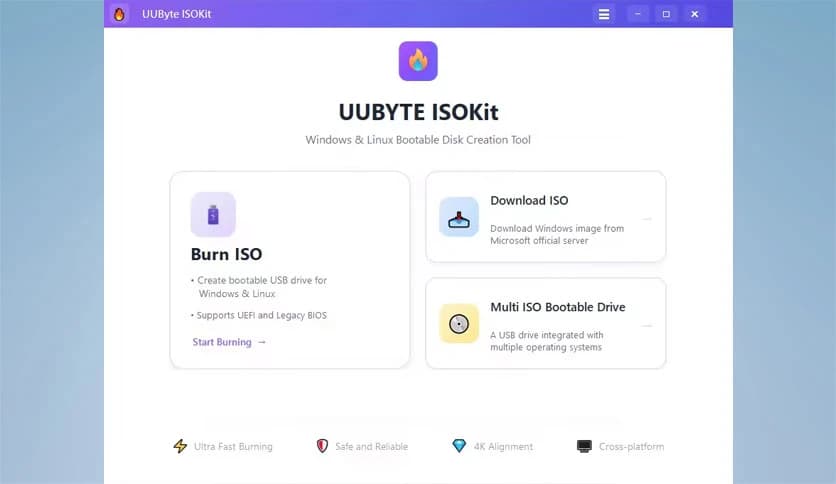
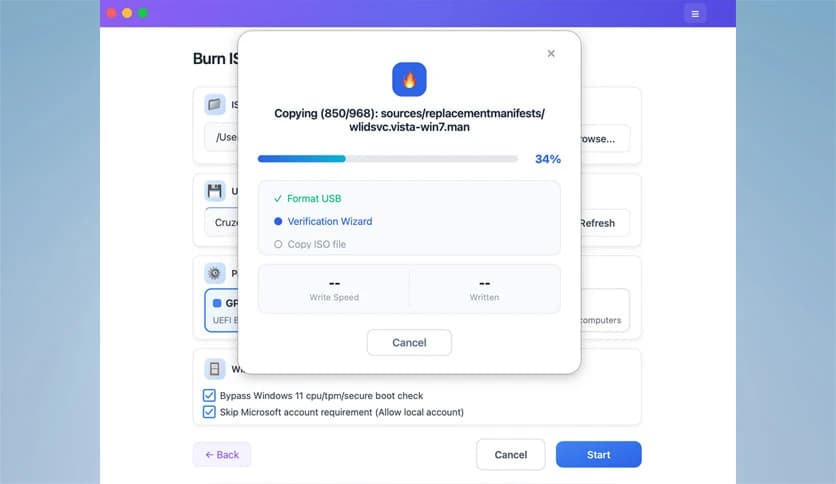
Free Download UUByte ISOKit for Windows PC. It is a simple and reliable tool that helps users create bootable USB drives and manage ISO files quickly and safely.
Creating a bootable USB drive used to feel like solving a complicated puzzle. Many tools require technical knowledge, command lines, or risky third-party downloads. This application removes that complexity and replaces it with a clean and beginner-friendly experience.
The software focuses on making bootable USB creation simple and fast. Whether someone needs to install Windows, repair a damaged computer, or run multiple operating systems from a single USB drive, the tool provides a smooth solution. Instead of juggling different utilities, everything needed is packed into a single easy-to-use program.
It also allows users to download official Windows ISO files directly from Microsoft servers. This means there is no need to search random websites or worry about corrupted files. Everything happens safely inside the program.
Another standout feature is the ability to create multi-boot USB drives. Imagine having several operating systems in your pocket like tools in a Swiss Army knife. With a single USB drive, users can choose which system to boot from when starting a computer.
The software works smoothly on modern systems and supports both UEFI and Legacy BIOS environments. Whether someone is installing Windows, testing Linux, or repairing a system, the process becomes quick and dependable.
One of the best things about the tool is how easy it is to use. Many ISO tools are filled with complex options that confuse beginners. Here, the interface keeps things clean and straightforward.
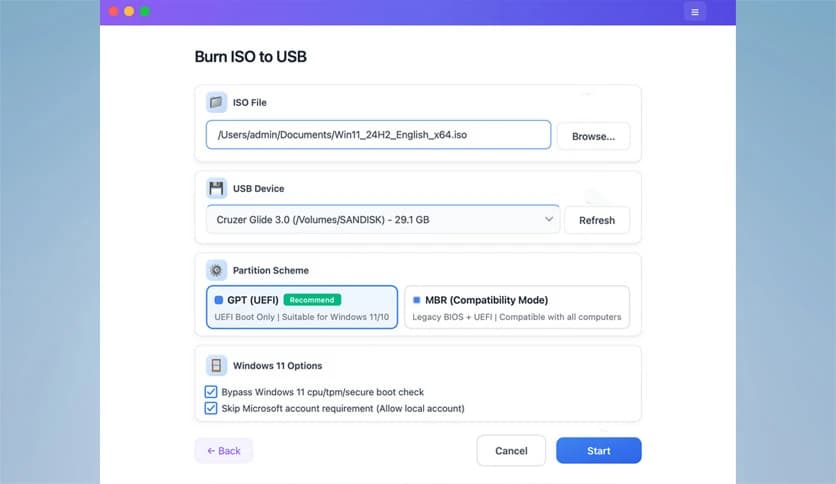
Every major function is clearly visible. Users simply select an ISO file, choose a USB drive, and start the process. It feels almost like copying files to a flash drive. The software handles the technical work behind the scenes.
This simplicity makes it suitable for both beginners and professionals. Even someone with no technical experience can create a bootable drive within minutes.
Creating a bootable USB drive is the tool's main purpose, and it performs this task extremely well. The program allows users to burn ISO files directly to external storage devices such as USB flash drives, CDs, or DVDs.
Once the ISO file is selected, the software automatically prepares the drive and writes the data correctly. The process ensures that the disk becomes bootable, meaning it can start an operating system when a computer is turned on.
This feature is extremely helpful when installing Windows, repairing system errors, or recovering files from a damaged computer. Instead of struggling with complicated commands, users can complete everything with just a few clicks.
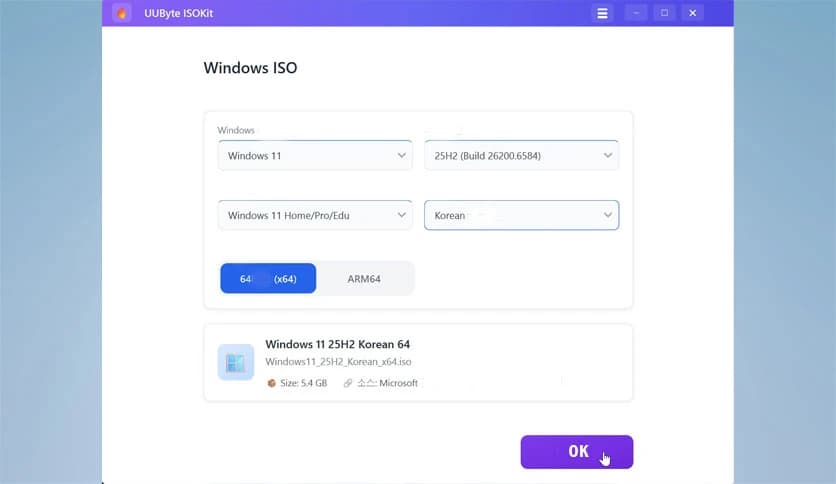
Finding a reliable Windows ISO file online can sometimes feel risky. Many websites provide modified or outdated versions that may cause problems later. The software solves this problem by integrating a built-in Windows ISO downloader.
With this feature, users can download official ISO images for Windows 11, Windows 10, and Windows 8 directly from Microsoft servers. The process is fast, secure, and verified.
Think of it as buying a product directly from the manufacturer rather than from a random seller. It ensures the file is genuine and safe to use. This built-in downloader saves time and removes unnecessary steps.
Another powerful feature is the ability to create a multi-boot USB drive. Instead of carrying several flash drives for different operating systems, users can combine them into a single drive.
The software allows adding multiple ISO files to a single USB device. When the computer starts, a boot menu appears, allowing the user to select which operating system to run.
This is especially useful for technicians, developers, and system administrators. For example, someone might carry Windows installers, Linux distributions, and system repair tools on one portable drive.
It is like having an entire toolbox stored inside a tiny USB stick.
Creating Windows installation drives on certain systems can be tricky because of the large install.wim files. These files can exceed 4GB, which causes issues when copying them to FAT32-formatted USB drives.
The software solves this problem automatically by splitting large files into smaller parts during the creation of a bootable USB drive. This means users do not need to worry about technical limitations.
Everything happens quietly in the background. The result is a working installation drive without errors or interruptions.
Compatibility is another strong advantage. The program works smoothly with modern operating systems and supports both UEFI and Legacy BIOS boot modes.
This ensures the bootable USB drive can work on a wide range of computers, from older machines to the newest hardware. Whether installing Windows on a laptop or testing Linux on a desktop, the drive will function properly.
Support for different environments makes the tool flexible and practical for everyday use.
Burning ISO files is not just about copying data. It requires careful writing to ensure the disk structure remains correct for booting.
The software uses reliable burning technology to write the ISO image to the selected device. This guarantees that the created media can start operating systems without problems.
It also reduces the chances of failed installations or corrupted drives. For users who frequently create bootable media, this reliability becomes extremely valuable.
Sometimes computers refuse to start due to system damage or software errors. In such cases, bootable USB drives become lifesavers.
The software allows users to quickly create rescue disks or installation media. These drives can be used to repair the system, reinstall Windows, or recover important data.
Think of it as carrying a digital first-aid kit for computers. Whenever a system problem appears, the bootable USB drive can help bring the machine back to life.
UUByte ISOKit is a practical solution for anyone who needs to create bootable USB drives quickly and safely. It simplifies a task that once required complicated tools and technical knowledge. With features like ISO burning, official Windows downloads, multi-boot USB creation, and automatic file handling, it becomes a reliable companion for installing or repairing operating systems. Whether someone is a beginner or an experienced technician, the software makes bootable media creation smooth, fast, and stress-free.
Leave a comment
Your email address will not be published. Required fields are marked *