UsbToolbox Pro Download (Latest 2026) - FileCR
Free download UsbToolbox Pro 1.0 Latest full version - Create bootable USB drive from ISO file.
Free download UsbToolbox Pro 1.0 Latest full version - Create bootable USB drive from ISO file.
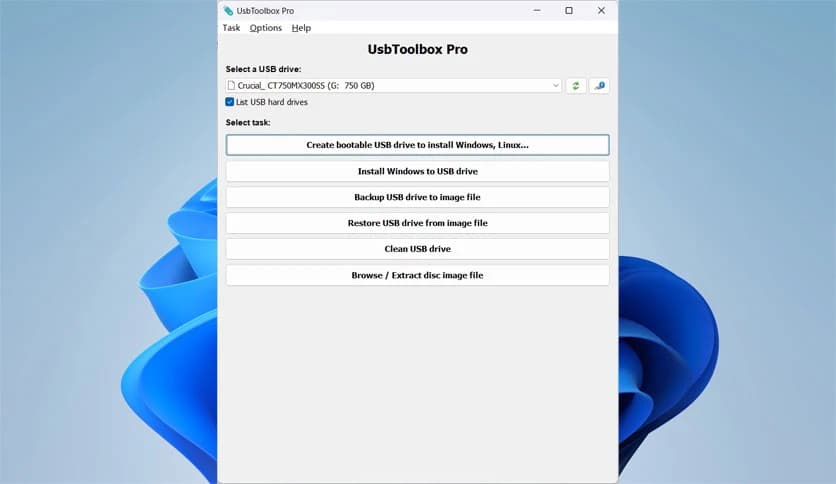
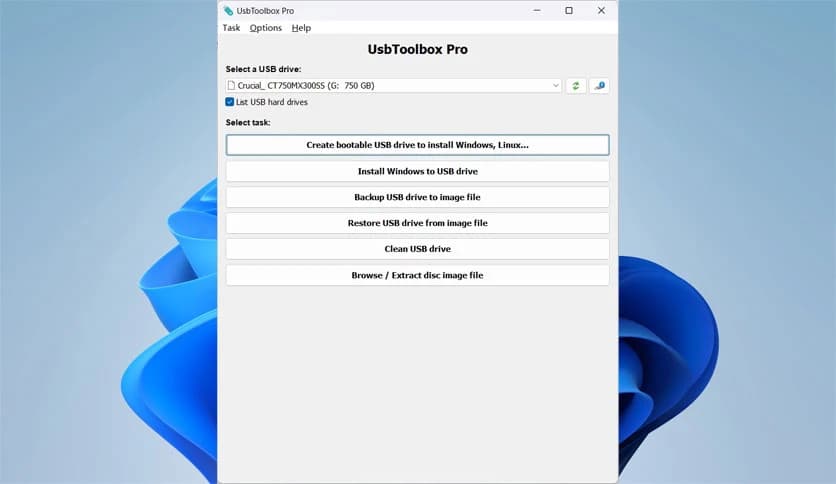
Free Download Power Software USBToolbox Pro for Windows PC. It is a reliable utility that helps users create, manage, and maintain bootable USB drives.
It is designed for users who frequently work with operating system files and USB drives. It simplifies tasks that usually feel technical or time-consuming. Whether you want to create a bootable USB drive, install an operating system on a flash drive, or back up important data, this software keeps everything straightforward and organized.
The tool supports ISO files from Windows, Linux, and many other popular systems. Instead of juggling multiple programs, it consolidates all essential USB-related functions into a single, clean workspace. This makes it useful for beginners and power users alike.
One of the first things you will notice is how clean the layout feels. Everything is placed logically, so you are not lost clicking random buttons. Options are labeled clearly, and each process follows a step-by-step flow.
Think of it as a toolbox, with each tool in its own slot. You pick what you need, use it, and move on without confusion. This approach saves time and reduces mistakes.
Creating a bootable USB drive is one of the software's core strengths. You select an ISO file, choose your USB drive, and let the tool handle the rest. It prepares the drive correctly so it can boot on supported systems.
This is especially helpful when installing or repairing operating systems. Instead of burning discs, you can rely on a fast and portable USB drive that works on modern computers.
The software supports ISO files from Windows, Linux, and other well-known operating systems. This flexibility means you are not limited to a single platform. You can keep different system installers ready on separate USB drives.
It feels like having multiple keys for different doors, all created using a straightforward process. This makes it ideal for technicians, students, and anyone experimenting with operating systems.
Another powerful feature is the ability to install Windows directly onto a USB drive. This allows you to run a portable version of Windows on compatible systems.
It works like carrying your own workspace in your pocket. Plug in the drive, boot from it, and you have access to a familiar environment without touching the main system files.
Cleaning a USB drive is sometimes necessary, especially before reuse or sharing. The software includes a data cleaning option that removes existing content properly.
This is useful when you want a fresh start or need to ensure that old data is unrecoverable. It treats the USB drive like a chalkboard, wiping it clean before new data is written.
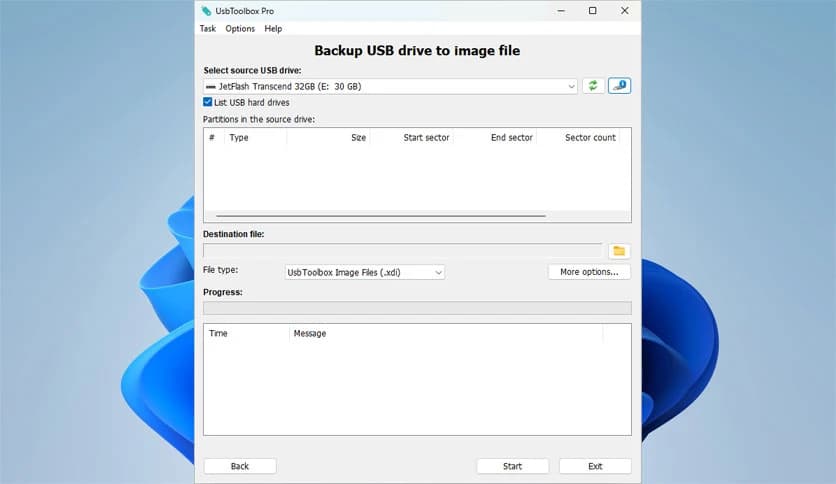
Backing up a USB drive can help prevent data loss. The tool lets you create an image file of your USB drive, capturing everything precisely as it is.
This image works like a snapshot. If something goes wrong later, you can restore the drive to its previous state without rebuilding everything from scratch.
Restoring is just as simple as backing up. You select an image file and write it back to a USB drive. The software ensures that the structure and data are restored correctly.
This feature is handy for repeating setups. Instead of manually configuring multiple drives, you can clone the same image repeatedly.
Sometimes you only need specific files from an image. The built-in browsing feature lets you open image files and extract selected data without restoring the entire image.
It feels like opening a suitcase and selecting only what you need, rather than unpacking everything. This saves storage space and time.
The software prioritizes stability, which is critical when handling system files. Operations are handled carefully to minimize errors during writing or restoration.
This reliability builds trust, especially when working on essential installations or backups. You can focus on your task without worrying about unexpected interruptions.
It suits a wide range of users. Beginners appreciate the guided steps and clear layout. Advanced users value the complete control over USB management tasks.
Whether you are setting up systems, testing operating environments, or maintaining backup drives, it adapts well to a range of workflows.
Many people use it for system installation, recovery tools, or portable work environments. Others rely on it to maintain a library of bootable utilities.
In daily use, it acts as a reliable assistant, handling the technical steps behind the scenes while you focus on results.
USBToolbox Pro brings together all essential USB management features into one easy-to-use solution. It simplifies creating bootable drives, managing images, and maintaining USB data while staying reliable and user-friendly. For anyone working with operating systems and portable drives, it provides a smooth, practical experience.
Leave a comment
Your email address will not be published. Required fields are marked *