Typeless Download (Latest 2026) - FileCR
Free download Typeless 1.2.0 Latest full version - Voice dictation tool that turns speech into clean text.
Free download Typeless 1.2.0 Latest full version - Voice dictation tool that turns speech into clean text.
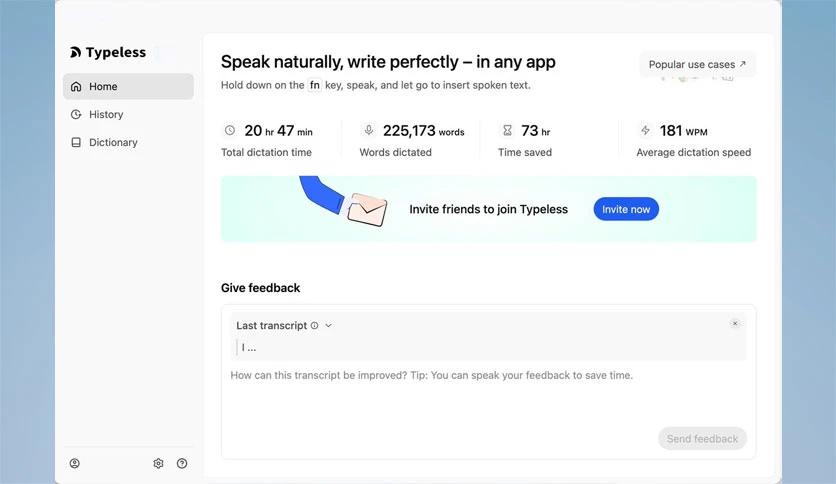
Free Download Typeless for Windows PC. It is a smart voice-powered tool that turns your spoken words into clean, polished, and ready-to-share text within seconds.
This software is designed to help you write smoothly by using your voice instead of your keyboard. It listens, understands, and shapes your speech into clear sentences, organized points, and refined content. Whether you’re creating an email, writing a document, or sending a message, it speeds up and simplifies the process.
It comes with a set of useful features that simplify everyday writing. The tool uses AI to detect your speech patterns, automatically fix errors, and create well-structured text without extra effort. It supports several languages, offers a personal dictionary, and works across platforms.
One of its strongest abilities is voice dictation with real-time results. You can speak naturally, and the software instantly converts your words into clean, readable text. It reduces the need for typing and saves time, no matter what task you're handling.
The tool does more than transcribe. It edits your speech on the go. If you correct yourself while talking, it understands your intention and keeps only the final version. This prevents messy text or repeated phrases.
You can speak in any language, or even switch languages mid-sentence. The tool automatically detects the language and continues transcribing without interruption. This is especially helpful for multilingual users.
You can add special or unique words to your personal dictionary. This ensures the tool never misses names, technical terms, or customized vocabulary that matters to you.
Instead of manually writing bullet points or steps, you simply speak them. The software automatically organizes your lists, instructions, or key ideas into structured text. It helps you stay organized without the hassle of formatting.
Whether you’re using a desktop or another device, the software works smoothly across platforms. This gives you the flexibility to work from anywhere without losing productivity.
It boosts productivity by letting you talk rather than type. This is especially useful for people who think faster than they can type. It helps students, writers, professionals, and anyone who wants to save time and get a cleaner text.
Typeless makes everyday writing faster, simpler, and far more convenient. It lets you speak naturally while the software handles the text creation, editing, and formatting. By offering multilingual support, smart corrections, and total flexibility, it ensures your ideas are always captured clearly and professionally.
Leave a comment
Your email address will not be published. Required fields are marked *