Timeline Download (Latest 2026) - FileCR
Free download Timeline 2.10.0 Latest full version - Dsplay and navigate events on a timeline.
Free download Timeline 2.10.0 Latest full version - Dsplay and navigate events on a timeline.
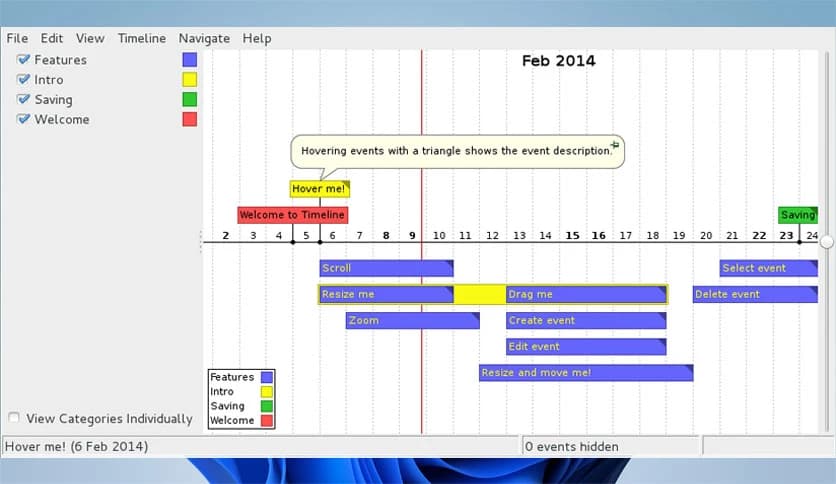
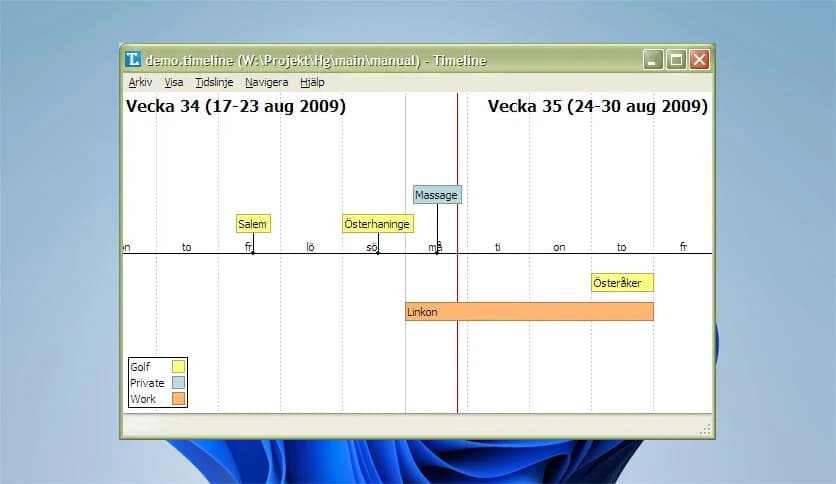
Free Download Timeline for Windows PC. It is a simple yet powerful cross-platform application that displays and navigates events in a clear, visual timeline format.
It is built for people who love structure. Whether you are planning a project, mapping historical events, tracking personal milestones, or organizing research, this tool helps you see everything in one clean visual line. It turns scattered dates and notes into an easy-to-understand story.
Instead of juggling spreadsheets or messy notes, you get a smooth visual path where events live in order. You can scroll through years like flipping pages in a book. You can zoom in for details or zoom out to see the bigger picture. It feels natural, almost like using a map for time.
One of the best things about the software is how easy it feels to move around. You simply use your mouse wheel to scroll and zoom. It is as natural as browsing a webpage. There is no complicated learning curve.
When you zoom in, you see more detailed information. When you zoom out, you see a wider view of your tool. It adjusts automatically depending on your zoom level. Think of it like looking at a city from space and then slowly zooming down to street level.
The tool changes how events appear depending on how far you zoom in or out. At a broad level, you see the main structure. At a closer level, you can read specific details. This smart behavior keeps your screen clean and organized.
You do not feel overwhelmed with too much information at once. Instead, you control how much detail you want to see. It is like adjusting the focus on a camera lens to get the perfect view.
Sometimes you do not want to scroll endlessly. You just want to jump to a specific date. That is where the direct date navigation comes in. You can quickly move to any point in time without wasting effort.
This feature is especially helpful for long timelines covering years or even decades. With just a few clicks, you land exactly where you need to be.
As your tool grows, finding a specific event can feel like looking for a needle in a haystack. That is why the search function is so important. You can search events instantly and jump straight to them.
This saves time and keeps you productive. Instead of manually scanning through entries, you let the software do the heavy lifting.
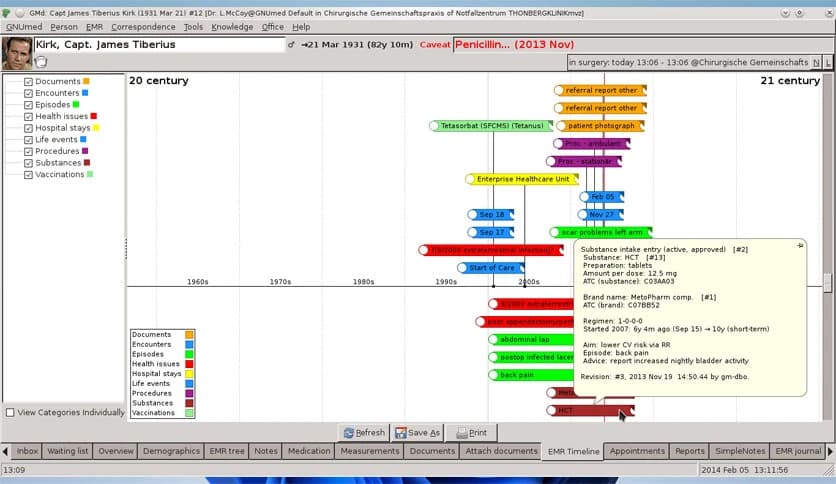
Life is rarely one-dimensional. Projects have tasks. Research has topics. Personal plans have phases. The tool allows you to organize events into hierarchical categories.
You can create parent categories and subcategories to keep everything neat. Imagine a tree where each branch holds related events. It gives structure and clarity, especially for complex plans.
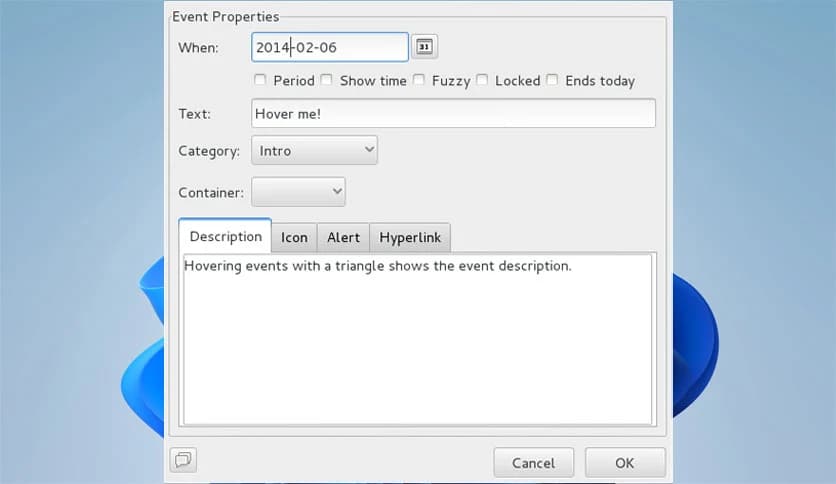
Plans change. Deadlines shift. Ideas evolve. The software understands that flexibility is key. You can move events along the tool using your mouse. You can resize them to adjust the duration. It feels simple and intuitive.
If you need similar events, you can duplicate them quickly instead of creating new ones from scratch. This small feature makes a big difference when working on recurring tasks or repeated milestones.
Sometimes you need to share your time with others. Maybe for a presentation, a report, or a meeting. The export to image feature lets you save your timeline as an image file.
You can then insert it into documents, slides, or send it via email. It is like taking a snapshot of your planning board and sharing it instantly.
The tool is available in multiple languages, making it accessible to users worldwide. This ensures that more people can use it comfortably in their preferred language.
Clear language options remove barriers and make the experience smoother for international users.
Many planning tools feel cluttered or overly complex. This one keeps things clean and focused. It does one job and does it well: helping you visualize time.
It works across different platforms, which means you are not locked into one system. Whether you are a student mapping historical events, a manager planning a product launch, or just someone organizing personal goals, it adapts to your needs.
The interface is not flashy or distracting. It is practical. It feels like a digital whiteboard dedicated to time management.
Timeline is a smart and user-friendly application that turns complex dates and events into a clear visual journey. It helps you scroll through time, zoom into details, organize information, and share your plans with ease. If you want a simple yet powerful way to manage events and see the bigger picture, this tool delivers exactly that.
Leave a comment
Your email address will not be published. Required fields are marked *