TP Clock Download (Latest 2026) - FileCR
Free download TP Clock 5.4.4 Latest full version - Elegant analog time display with full theme control.
Free download TP Clock 5.4.4 Latest full version - Elegant analog time display with full theme control.
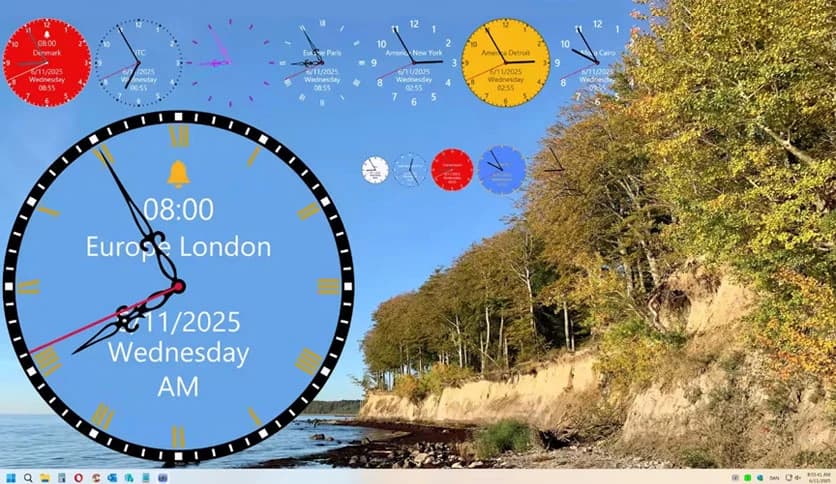


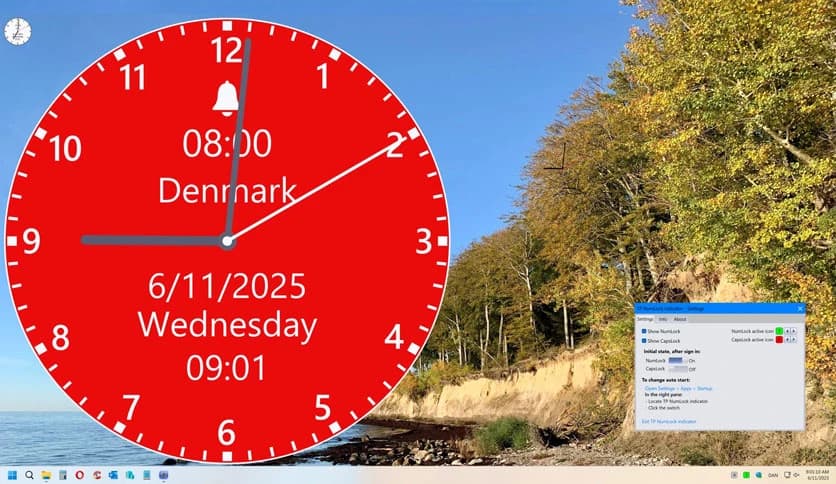
Free Download Thomas P. Olsen TP Clock for Windows PC. It is a lightweight desktop tool that places a clean analog clock on your screen with complete control over style, size, colors, and innovative alarm options.
It is designed for people who want their desktop to feel both personal and functional. It sits quietly on your screen, displaying the time in an elegant analog style while blending seamlessly with your workspace. Instead of forcing one look, it gives you freedom to customize almost everything, from colors to transparency.
The software focuses on clarity. It does not overload your system or distract you with unnecessary extras. The clock remains easy to read at a glance, making it perfect for work, study, or casual desktop use. Think of it as a wristwatch for your screen, always there but never in the way.
It includes 10 ready-made themes so that you can choose a style instantly. If you like tweaking things, you can adjust each theme to match your taste. Colors, shapes, and overall appearance can be changed smoothly, allowing the clock to feel like a natural part of your desktop rather than a pasted widget.
The tool allows complete control over themes. You can rename them, save new designs, and remove the ones you no longer need. Once you modify the default look, those changes apply automatically to new clocks, saving time and effort. Importing and exporting themes also makes sharing styles easy.
Everyone uses a different screen setup, and this software respects that. You can resize the clock to be bold and visible or small and subtle. Transparency settings help it blend into the wallpaper, creating a floating effect that feels modern and polished.
Beyond showing time, it also helps manage your day. You can set alarms with sound or keep them silent if you prefer visual reminders. This makes it a gentle nudge during work sessions or a reliable reminder for daily tasks.
For users who enjoy a classic touch, the hourly chime feature adds charm. It works like an old wall clock, quietly marking the passing hours. This feature can be enabled or disabled at your discretion, giving you complete control.
The software runs smoothly without slowing down your system. It uses minimal resources, so you can keep it active all day without noticing any performance drop. This makes it ideal even for older machines.
All settings are straightforward and beginner-friendly. You do not need technical skills to customize themes or adjust options. Everything is laid out clearly, making changes quick and hassle-free.
TP Clock offers a smooth balance between simplicity and customization, turning a basic time display into a stylish desktop companion. It blends visual appeal with practical features, making daily computer use feel more organized and personal.
Leave a comment
Your email address will not be published. Required fields are marked *