Supernotes Download (Latest 2026) - FileCR
Free download Supernotes 3.2.2 Latest full version - Create notes and collaborate with your friends.
Free download Supernotes 3.2.2 Latest full version - Create notes and collaborate with your friends.
Free Download Supernotes for Windows PC. It is a modern note-taking workspace that helps you capture ideas, organize information, and collaborate effortlessly with others.
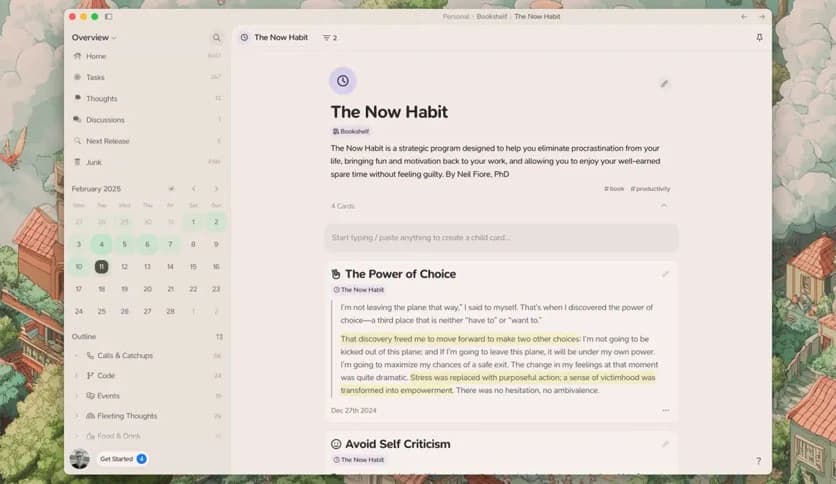
Taking notes should feel quick and natural, not slow and complicated. This tool brings a refreshing approach to note-taking by turning every piece of information into a simple card. Instead of long documents that become messy over time, information stays organized in small, flexible blocks. Each card acts like a digital sticky note that can hold text, lists, tasks, formulas, and more.
The platform is designed for speed and simplicity. Creating a note takes only seconds, and everything stays easy to find thanks to powerful tagging and searching features. Whether someone is collecting research, planning projects, writing quick reminders, or studying complex subjects, the software makes it easy to keep everything structured.
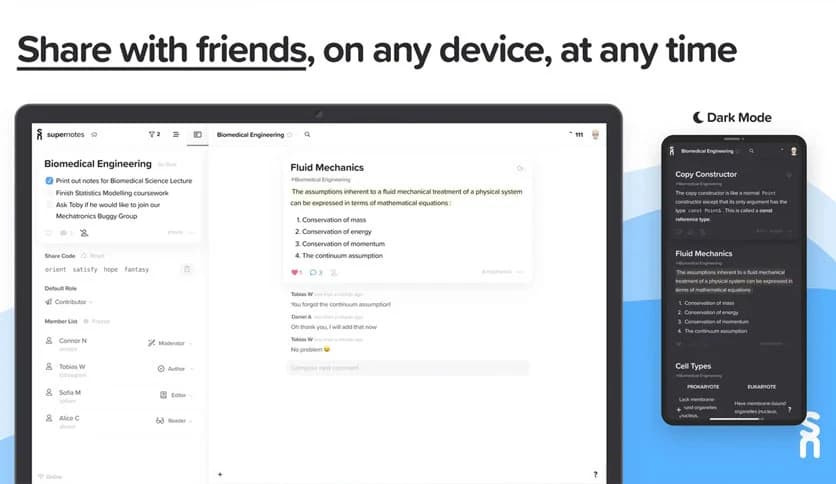
Another strong point is collaboration. Notes can be shared instantly with friends, classmates, or team members. People can comment, edit, and work together in real time. This turns note-taking into a team activity rather than a solo task. As a result, learning, brainstorming, and project planning become more interactive and efficient.
One of the biggest advantages of the tool is its speed. Instead of opening a long document and searching for the right place to type, users can simply create a new card. Each card works like a small container for information. It keeps ideas separate while still connecting them.
This card-based system makes information easier to manage. Imagine having a desk full of sticky notes, each holding a single idea. Now imagine being able to search, sort, and organize those notes instantly. That is exactly what the system provides.
Creating notes is also flexible. A single card can include text paragraphs, task lists, bullet points, and even formulas. It works well for both simple reminders and complex study materials.
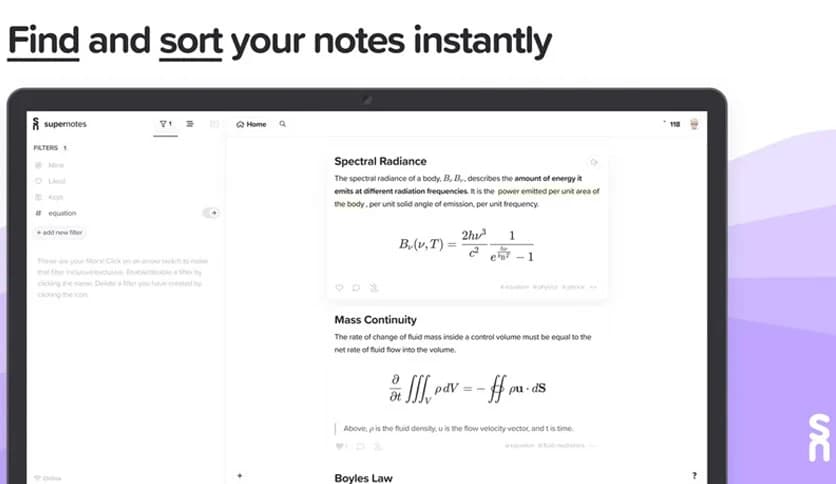
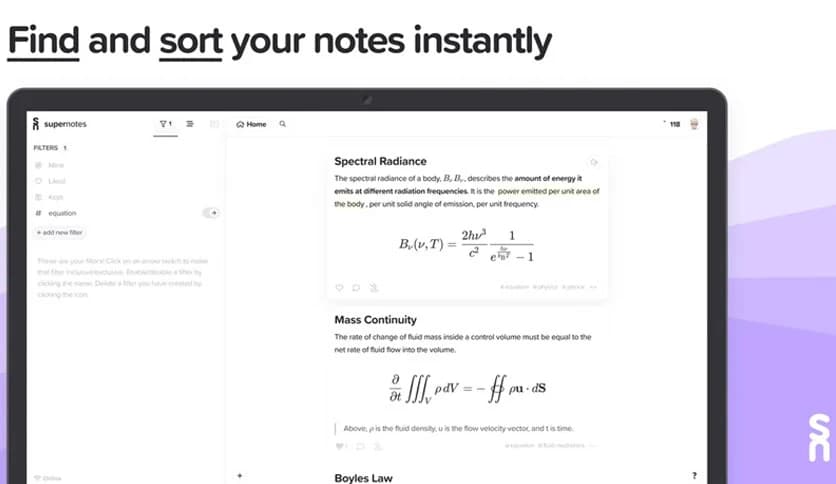
As notes grow, organization becomes extremely important. The software solves this problem through tagging. Each card can be labeled with keywords, making it easy to group related ideas.
For example, a student could tag cards with subjects such as “math,” “physics,” or “history.” Later, searching for a tag instantly shows all related notes. It feels like having a smart filing cabinet that automatically sorts every document.
Searching is also quick and accurate. Keywords inside notes can be found in seconds. This saves time and eliminates the frustration of scrolling through long documents to find a single detail.
The platform supports powerful formatting tools that make writing more efficient. Markdown allows users to format text quickly without complicated menus. With simple symbols, you can create headings, lists, links, and structured content.
For students and professionals working with mathematics or technical subjects, LaTeX support becomes incredibly useful. Mathematical equations can be written clearly and displayed beautifully inside notes.
This combination of Markdown and LaTeX makes the tool suitable for both everyday notes and academic work. Writers, developers, researchers, and students can all benefit from its flexibility.
Collaboration is where the software truly shines. Instead of sending files back and forth, notes can be shared instantly. Multiple people can work on the same card, add comments, or make edits together.
This real-time editing feature makes teamwork smooth and efficient. It feels similar to working on a shared whiteboard, where everyone can contribute ideas simultaneously.
Teachers and students can share study notes, teams can organize project tasks, and friends can collaborate on ideas. Everything stays synchronized, so everyone always sees the latest version.
The design focuses on clarity and ease of use. The interface avoids unnecessary complexity and keeps everything clean and straightforward. New users can start creating notes almost immediately without needing tutorials.
The layout is built to reduce distractions. Instead of overwhelming menus, the main focus stays on writing and organizing ideas. This creates a smooth experience where creativity flows naturally.
The card layout also makes the workspace visually organized. Notes appear like neatly arranged blocks rather than endless walls of text. This structure helps users stay focused and productive.
Another important advantage is accessibility. Notes are available wherever users need them. Ideas can be written down at home, reviewed at school, or edited while working with teammates.
This flexibility makes it perfect for busy lifestyles. Whether someone is planning tasks, collecting research, or writing daily reminders, the information remains available whenever inspiration strikes.
It becomes like a personal digital notebook that travels everywhere. Instead of losing ideas on scraps of paper, everything stays safely stored and organized.
The software works well for a wide range of users. Students can organize lecture notes, equations, and study materials. Each topic can be separated into its own cards, making revision easier.
Teams can use it for project planning and brainstorming. Ideas can be shared quickly, and tasks can be listed clearly inside cards. Collaboration tools allow everyone to stay involved in the process.
Content creators and writers can also benefit from the card system. It allows them to store research, outlines, and drafts in a structured way. Over time, these notes can build a powerful personal knowledge base.
Supernotes offers a refreshing and efficient way to capture ideas, organize information, and collaborate with others. Its card-based note system keeps everything structured while remaining flexible enough for different kinds of work. With powerful tagging, Markdown formatting, LaTeX support, and real-time collaboration, it turns note-taking into a faster and smarter experience. Whether someone is studying, planning projects, or simply recording ideas, it provides a reliable workspace that keeps thoughts organized and accessible anytime.
Leave a comment
Your email address will not be published. Required fields are marked *