Snipaste Download (Latest 2026) - FileCR
Free download Snipaste Latest full version - Smart screenshot tool with pin feature.
Free download Snipaste Latest full version - Smart screenshot tool with pin feature.
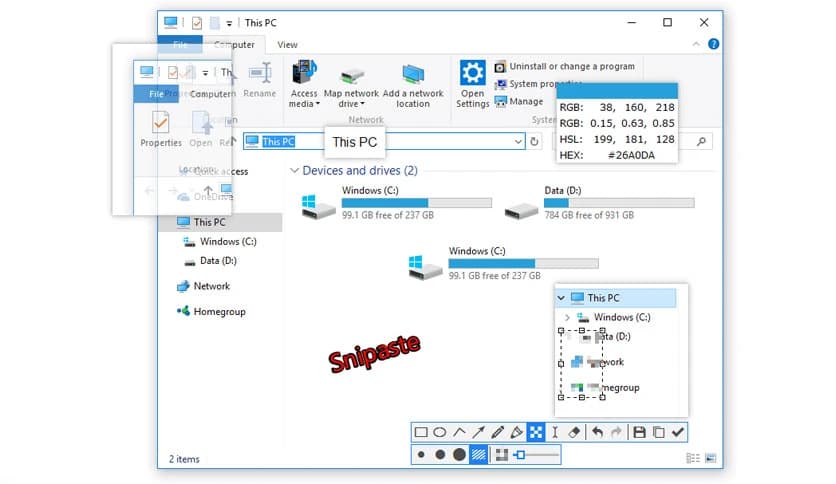
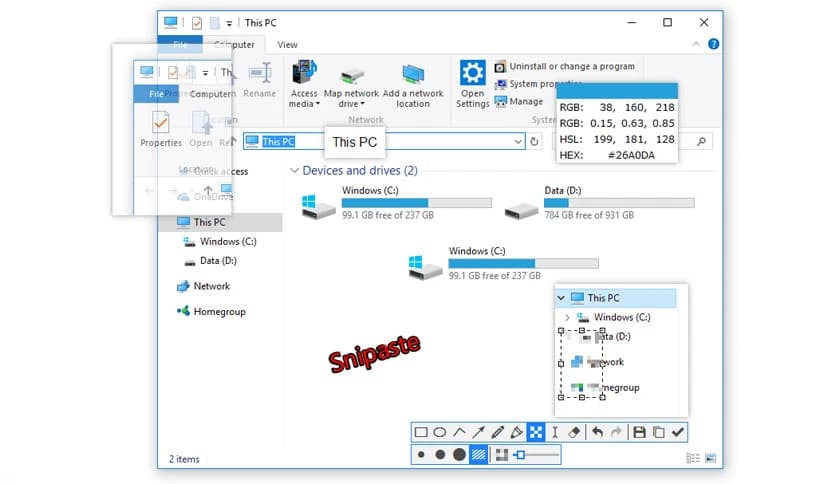
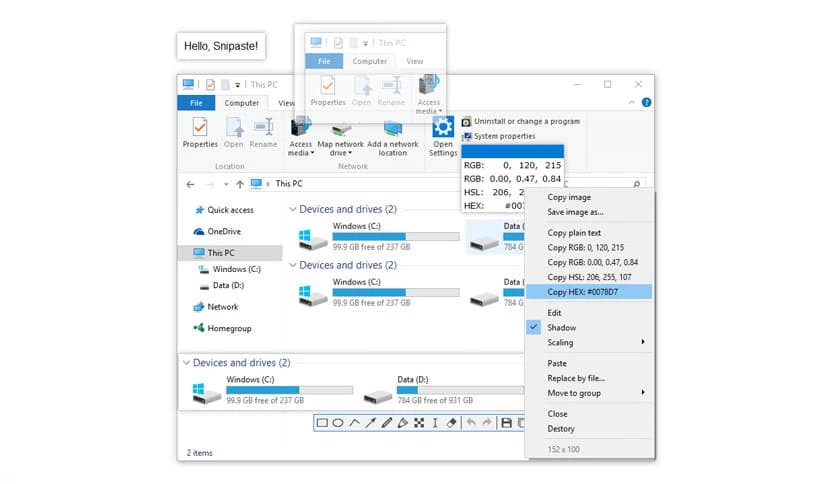
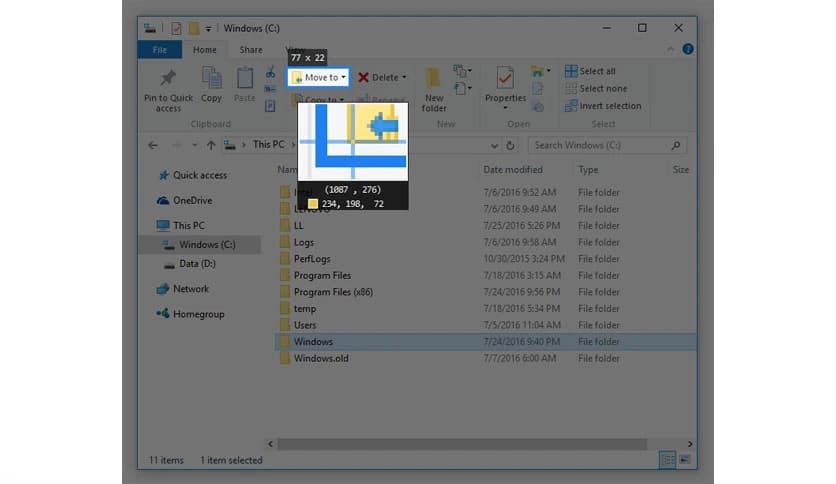
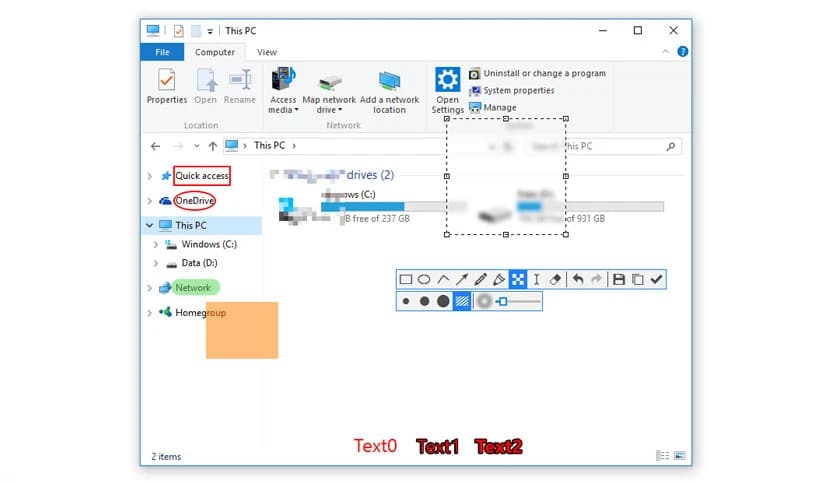
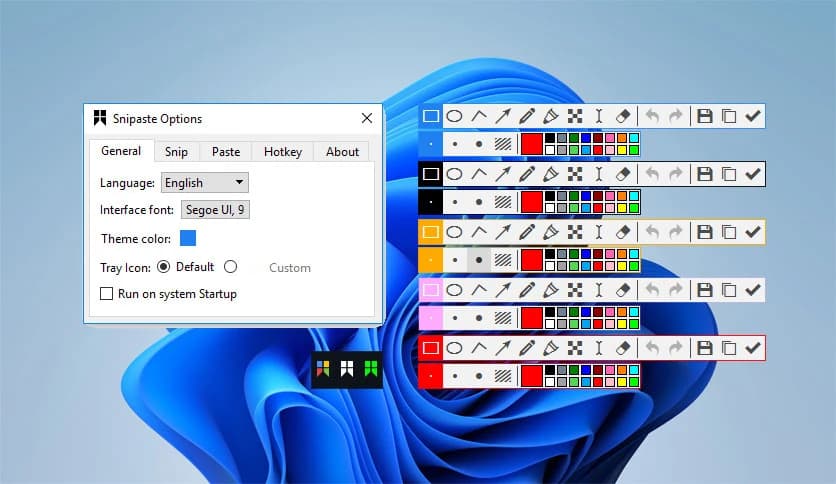
Free Download Snipaste for Windows PC. It is a simple yet powerful snipping tool that lets you capture screenshots and pin them back onto your screen for better productivity.
It is not just another screenshot app. It feels more like a smart assistant that quietly sits on your desktop, ready to grab anything you see and turn it into a floating window. Instead of taking a screenshot and losing it in a folder, this tool lets you pin it directly to your screen. Think of it like sticking a digital note on your monitor without using real paper.
It is designed for people who spend long hours in front of a computer. Whether you are coding, designing, writing, or managing data, the software helps you keep important visuals right where you need them. You capture, pin, and continue working without breaking your flow.
At first glance, the interface looks clean and minimal. But once you start using it, you quickly realize how capable it is. You can capture any area of your screen with precision. The selection is smooth and fast, allowing you to focus only on what matters.
After capturing, you can pin the image back onto your desktop. This feature changes everything. Instead of switching between windows, you can keep reference material floating on top. It is like having multiple mini monitors inside one screen.
The pin feature is where the magic happens. Once an image is pinned, it stays above other windows. You can place it next to your workspace, resize it, or move it around as needed. It feels natural and flexible.
Imagine you are coding and need to follow a design mockup. Instead of constantly alt-tabbing, you can pin the mockup beside your editor. The tool turns your desktop into a customizable workspace, almost like building your own digital command center.
It does not stop at simple pinning. The floating images can be zoomed in and out for better visibility. You can rotate or flip them if needed. This is especially useful when working with graphics, diagrams, or UI layouts.
You can also make them translucent. This means you can slightly see through the image while still keeping it visible. Even better, you can enable click-through mode. That allows you to interact with the window behind the pinned image without moving it. It is like having a transparent layer of helpful information floating above your work.
One of the software's hidden gems is its ability to convert clipboard content into floating image windows. If you copy text or color information, it can transform that data into a visual window.
For designers, this is incredibly helpful. You can copy a color code and instantly see it in a floating panel. For programmers, copying snippets and pinning them visually can make referencing easier. It turns simple clipboard data into something you can see and manage visually.
If you spend hours in front of a screen, you know how small interruptions can slow you down. This tool reduces those interruptions. By keeping reference materials visible, it saves time and mental energy.
It feels like having sticky notes that never fall off, never clutter your desk, and never get lost. The workflow becomes smoother. You stop switching between tabs and start focusing more on actual work.
Although it is easy to use, there are many advanced options under the surface. Keyboard shortcuts make capturing and pinning even faster. You can fine-tune behavior, adjust transparency levels, and customize how floating windows behave.
For users who love tweaking settings, exploring the manual can unlock even more productivity tricks. The more you use it, the more you discover small features that quietly improve your daily tasks.
The software runs smoothly without slowing down your system. It does not feel heavy or complicated. Installation is quick, and the learning curve is short. Within minutes, you can start capturing and pinning like a pro.
The interface avoids unnecessary clutter. Everything is where it should be. This simplicity makes it suitable for beginners while still powerful enough for advanced users.
Programmers can pin documentation or UI designs. Designers can keep color palettes and references floating nearby. Writers can pin research notes. Even students can use it to keep study materials visible during assignments.
It adapts to different workflows. No matter what you do on your computer, having visual references on screen can speed things up and reduce frustration.
Snipaste is a smart, practical solution for anyone looking for a faster, more organized workflow. It goes beyond basic screenshots, turning simple captures into powerful floating tools on your desktop. If you value efficiency and want your screen to work with you instead of against you, this software can become an essential part of your daily routine.
Leave a comment
Your email address will not be published. Required fields are marked *