ServBay Download (Latest 2026) - FileCR
Free download ServBay 1.12.3 Latest full version - All-in-one local web dev powerhouse tool.
Free download ServBay 1.12.3 Latest full version - All-in-one local web dev powerhouse tool.
Free Download ServBay for Windows PC. It is a powerful all-in-one local development environment that lets web developers install and manage servers, databases, languages, and AI tools with a single click.
It is designed to make local development simple, fast, and stress-free. If you have ever tried setting up a web server, connecting a database, configuring SSL, and installing multiple programming languages manually, you already know how messy it can get. It often feels like assembling a complex machine without instructions. This software changes that experience completely.
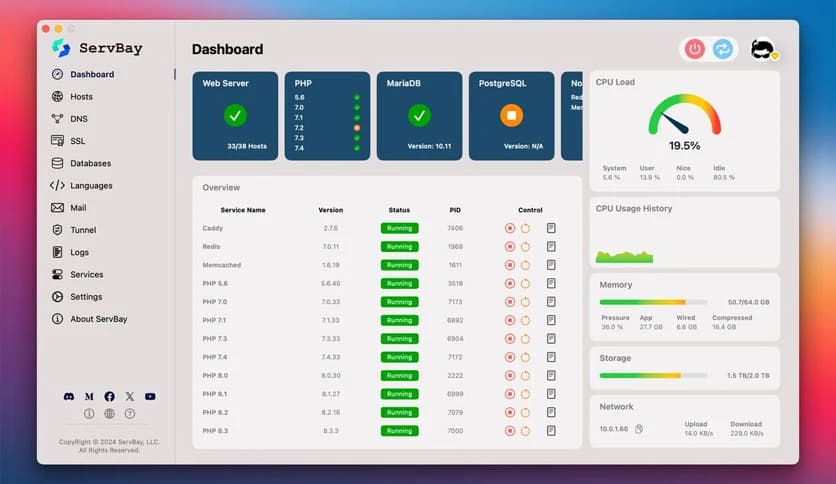
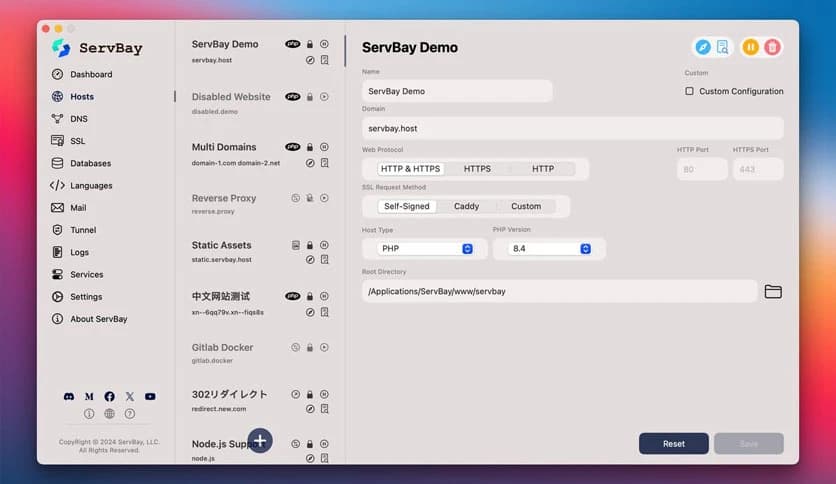
It provides an integrated graphical interface that organizes everything in one place. Instead of switching between command lines and configuration files, you manage services with clear buttons and toggles. The tool brings together web servers, databases, programming languages, DNS, email services, SSL systems, and even large language models. You install what you need with one click and start building right away.
This platform is specially crafted for web developers who want efficiency. Think of it as a fully equipped workshop. Instead of buying tools separately and figuring out how they fit together, you open the door, and everything is already arranged.
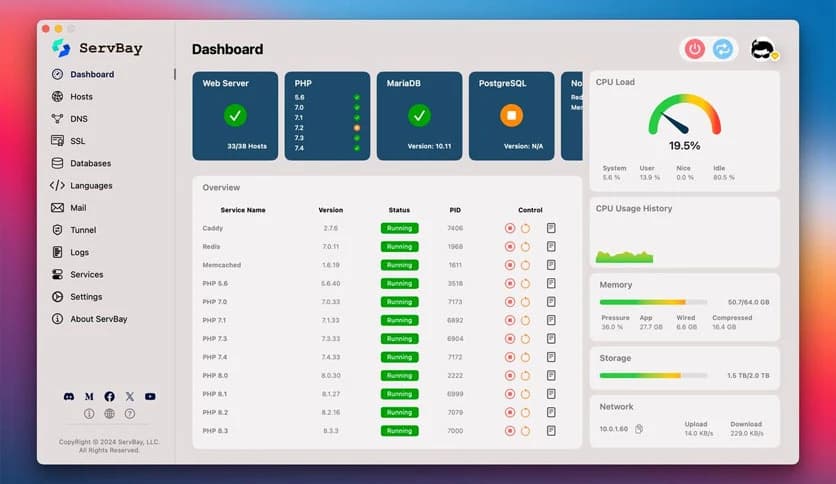
It includes web servers, SQL and NoSQL databases, mail services, queue systems, reverse proxy features, and SSL certificate management. You no longer need to jump between different software packages. Everything works under one roof, reducing compatibility problems and saving valuable time.
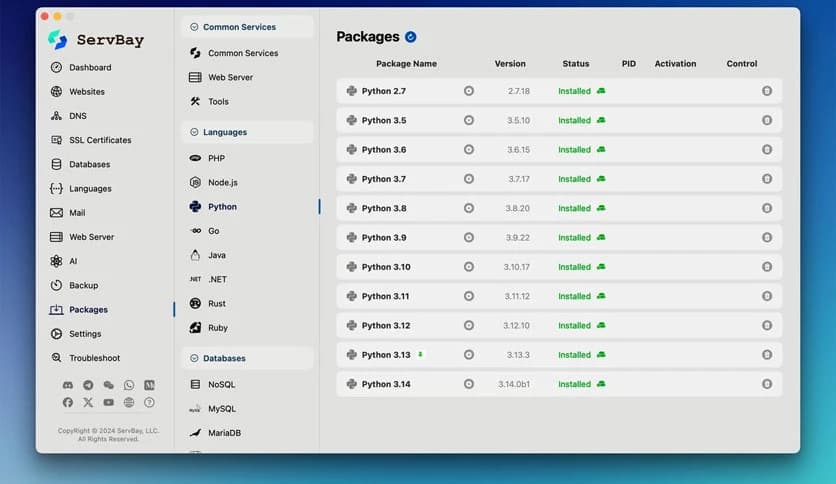
Modern development rarely sticks to one language. One project might use PHP, another may rely on Node.js, and yet another could be powered by Python or Go. This solution supports a wide range of development languages, including PHP, Node.js, Python, Golang, Java, .NET, Ruby, and Rust.
Instead of installing each language manually, you can enable them through the graphical panel. It feels like flipping switches on a control board. Within seconds, your chosen environment is ready. This flexibility is ideal for freelancers, agencies, and teams handling multiple projects simultaneously.
Databases are the backbone of web applications. Without them, your project is just a static shell. The software includes popular database systems such as MySQL, MariaDB, PostgreSQL, MongoDB, and Redis.
Whether you are building a blog, an e-commerce platform, or a real-time chat app, you can activate the database you need instantly. No complicated manual setup. No confusing configuration files. Everything is ready to work out of the box, so you can focus on writing code rather than troubleshooting installations.
A local development setup is incomplete without a reliable web server. This environment includes commonly used web servers and reverse proxy options. You can simulate real-world hosting conditions on your own machine.
It also provides DNS services and reverse-proxy or tunneling features. That means you can test domains, subdomains, and routing behavior locally before pushing your project live. It is like rehearsing a performance before stepping onto the main stage. You see how everything behaves and fix issues early.
Testing email functionality is often overlooked during development. With built-in mail services, you can check forms, notifications, and automated messages directly in your local environment. This makes debugging smoother and faster.
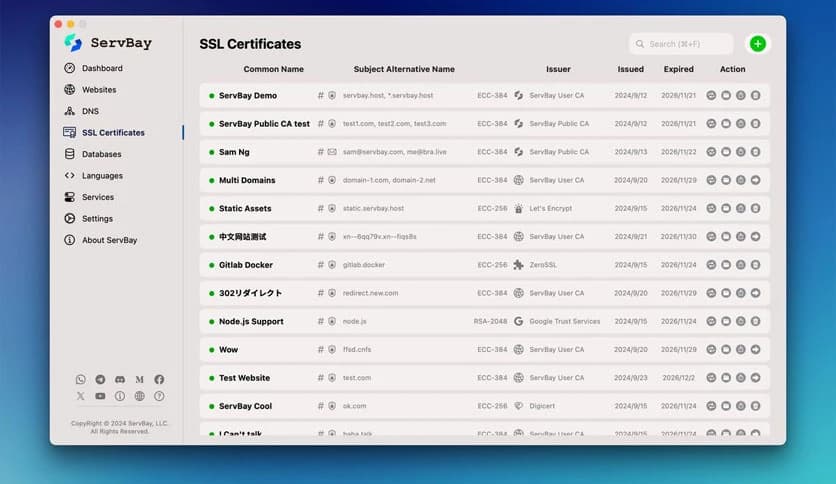
SSL and PKI systems are also integrated. Generating and managing local SSL certificates becomes simple. You can simulate secure HTTPS environments without extra hassle. This ensures that your project behaves just like it would on a production server.
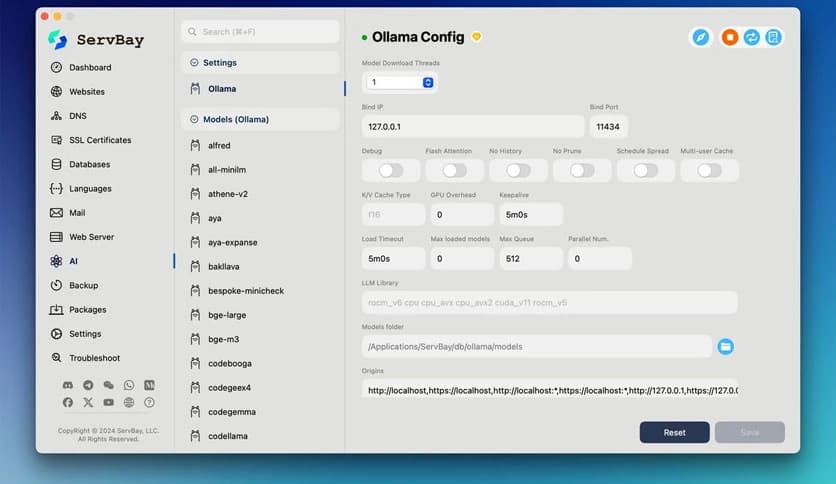
One of the standout features is support for large language models, including integration with tools like Ollama. Developers can experiment with AI-powered applications directly in their local setup.
Imagine building a chatbot, smart search engine, or content assistant and testing it without relying on external cloud services during early development. The software makes that possible. It brings AI capabilities closer to your codebase, helping you prototype and refine ideas quickly.
Not everyone enjoys typing endless commands in a terminal window. This solution provides a clean graphical interface that lets services be installed and managed with a single click.
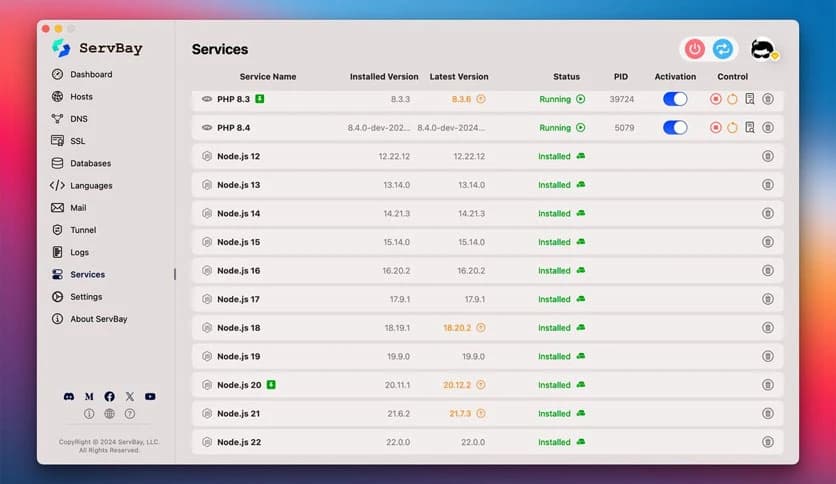
Starting or stopping servers becomes as easy as pressing a button. You can view service status, switch between versions, and manage configurations visually. It feels more like managing apps on your phone than handling complex backend systems.
This approach reduces human error. You do not need to remember long commands or worry about syntax mistakes. The interface guides you, making development more accessible, especially for beginners.
Daily development involves constant testing, switching environments, and debugging. This platform is built with that routine in mind. Everything is optimized to support fast iteration.
You can quickly enable a database for one project and disable it for another. You can test different language versions without uninstalling anything. It adapts to your workflow instead of forcing you to adapt to it.
For teams, this consistency is extremely helpful. Everyone can use the same setup, reducing the classic “it works on my machine” problem. The environment becomes predictable and stable across multiple systems.
Despite offering a wide range of tools, it remains lightweight and efficient. You are not installing unnecessary components. You choose what you need, and the rest stays out of the way.
This modular structure keeps your system clean. It is like having a toolbox where you only carry the tools required for the current task. Performance stays smooth, and your computer does not feel overloaded.
ServBay is a smart, practical solution for web developers seeking a reliable, all-in-one local development environment. It combines servers, databases, programming languages, networking tools, SSL systems, and even AI features into one easy-to-use platform. With its one-click installation and graphical interface, it removes the usual headaches of manual setup and lets you focus on building, testing, and improving your projects with confidence.
Leave a comment
Your email address will not be published. Required fields are marked *