Screego Download (Latest 2026) - FileCR
Free download Screego 1.12.2 Latest full version - Open-source, multi-user screen sharing tool.
Free download Screego 1.12.2 Latest full version - Open-source, multi-user screen sharing tool.
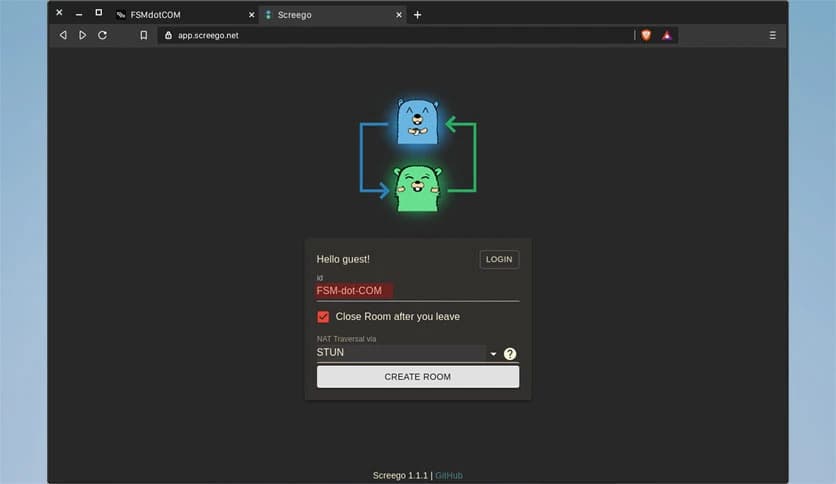
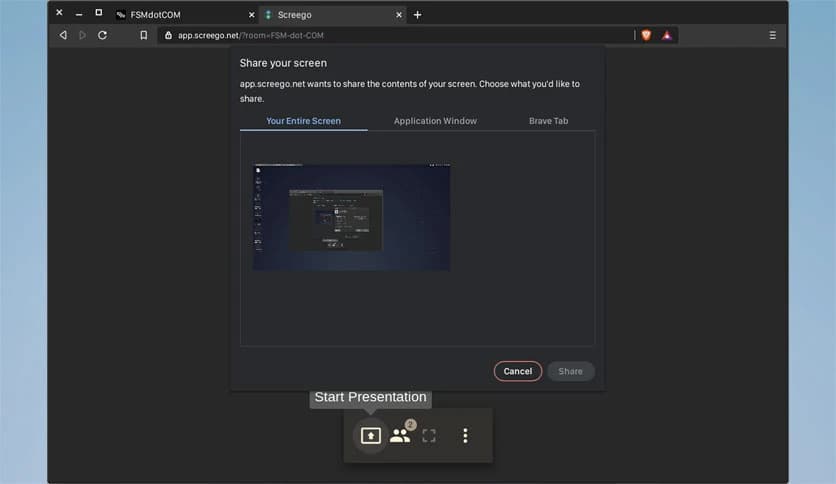
Free Download Screego for Windows PC. It is a high-definition screen-sharing tool designed for developers who need crystal-clear visuals and real-time collaboration without lag.
Modern collaboration demands clarity, speed, and reliability, especially when working with code, UI designs, or technical documents. Traditional screen-sharing tools often compress visuals to save bandwidth, making small text blurry and delaying updates. This is where the tool stands out. It focuses on delivering high-quality, low-latency screen sharing that allows teams to collaborate efficiently without sacrificing clarity.
Instead of optimizing for presentations or slides, this solution is built specifically for developers and professionals who require precision. Whether reviewing code, debugging software, or conducting technical walkthroughs, it ensures every detail remains visible. The tool uses WebRTC technology to provide secure and smooth screen sharing while maintaining high resolution and minimal delay.
Another strong advantage is its lightweight deployment. With support for Docker and single binary installation, it is simple to set up and manage. The integrated TURN server further improves connectivity, even behind strict network configurations. This makes it a practical choice for remote teams, development groups, and technical professionals.
Clarity is the backbone of productive collaboration. Many screen-sharing tools degrade quality to save bandwidth, resulting in unreadable text and poor visuals. This software changes that experience by prioritizing high-resolution, clear visuals.
Whether working with code editors, terminal windows, or UI designs, users can view every detail without repeatedly zooming in. It feels like sitting right next to a colleague instead of watching a compressed stream. This level of clarity improves communication and reduces misunderstandings.
Delays during screen sharing can interrupt workflow and slow productivity. Waiting for updates or refreshing screens repeatedly wastes valuable time. This tool solves that problem by offering low-latency streaming that updates in real time.
Actions appear instantly, allowing teams to collaborate smoothly. Whether demonstrating code changes, navigating through software, or troubleshooting issues, everything happens without delay. It feels natural and responsive, similar to local collaboration.
Collaboration becomes more powerful when multiple participants can share screens. This feature allows several users to share their displays during meetings or discussions. It makes teamwork more flexible and interactive.
Instead of switching between presenters, participants can instantly share their screens. This improves brainstorming sessions, technical reviews, and collaborative development. Everyone can contribute without interruptions.
Security plays a vital role in remote collaboration, especially when sharing sensitive information. This software uses WebRTC technology to ensure secure data transmission. It protects screen-sharing sessions from unauthorized access.
WebRTC also enables peer-to-peer communication, which improves speed and reliability. This ensures both performance and privacy. Teams can collaborate confidently knowing their sessions remain secure.
Complex installation processes can discourage users from adopting new tools. This solution removes that barrier by offering easy deployment options. It supports Docker installation and a single binary setup.
This flexibility allows quick setup across different environments. Whether deploying on a server or local machine, installation remains straightforward. Even teams with limited technical expertise can easily configure it.
Network restrictions can sometimes prevent screen-sharing tools from working properly. This software includes an integrated TURN server to handle NAT traversal and connectivity issues.
This ensures reliable connections even in restrictive networks. It improves accessibility and reduces technical complications. Teams can focus on collaboration rather than troubleshooting connectivity issues.
Performance matters when running collaboration tools alongside development environments. This solution remains lightweight and efficient, consuming minimal system resources.
Users can continue working smoothly without experiencing slowdowns. It integrates seamlessly into workflows without affecting performance. This makes it ideal for developers and technical professionals.
Remote work has become the norm for many development teams. Clear communication and collaboration tools are essential for productivity. This tool supports remote workflows effectively.
Teams can review code, discuss features, and troubleshoot issues together. It bridges the gap between remote members and fosters collaboration. The experience feels close to working in the same office.
Consistency is crucial during meetings and collaboration sessions. This solution provides stable streaming without sudden drops or interruptions.
Users can rely on smooth performance even during extended sessions. This reliability enhances productivity and reduces frustration.
The interface is simple and focused. Users can quickly start sharing without navigating complex menus. The clean design improves usability and reduces learning time.
Developers especially benefit from its straightforward workflow. It integrates naturally into technical collaboration sessions.
Screego provides a powerful and reliable screen-sharing experience designed for developers and technical professionals. It delivers high-definition visuals, low-latency streaming, and secure collaboration features that improve productivity. With easy installation, multi-user support, and integrated connectivity, it is a practical choice for remote teams and professionals. This tool transforms screen sharing into a smooth and efficient collaboration experience.
Leave a comment
Your email address will not be published. Required fields are marked *