SayPaste Download (Latest 2026) - FileCR
Free download SayPaste 1.20251223.0 Latest full version - A locally running speech-to-text app.
Free download SayPaste 1.20251223.0 Latest full version - A locally running speech-to-text app.

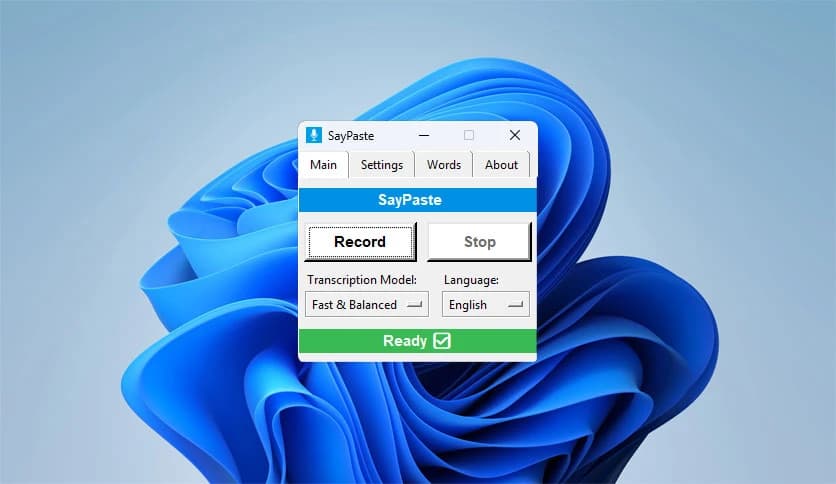

Free Download SayPaste for Windows PC. It is a lightweight voice-to-text utility that turns spoken words into clean text instantly, working fully offline with simple keyboard shortcuts.
This solution is designed for users who want fast dictation without noise, clutter, or privacy concerns. It runs quietly in the background and stays inactive until you trigger it. Once you speak, the spoken words are converted into text and copied straight to your clipboard, ready to paste anywhere. No cloud syncing, no accounts, and no waiting screens.
It works like a silent assistant waiting for your signal. Press a shortcut to start talking, press another to stop, and the transcription is done. The text appears instantly on your clipboard, so you can paste it into emails, documents, chats, or notes. This flow feels natural, like flipping a switch rather than opening a full application.
Everything happens on your own computer. Audio never leaves your system, which makes it ideal for private notes, professional writing, or sensitive research. Since it does not require an internet connection, it remains reliable even when you are offline. Think of it as a personal stenographer who never shares your words.
The tool does not interrupt your workflow. It does not constantly listen or pop up unless you ask it to. You can keep it minimized and forget it exists until you need it. This design keeps distractions low and productivity high, especially during focused work sessions.
Global hotkeys allow you to control recording from anywhere in Windows. Whether you are inside a browser, text editor, or design tool, the shortcuts work consistently. For users who prefer visuals, a simple control window is also available. Both options give you full control without slowing you down.
Some users like sound cues, while others prefer silence. You can enable or disable audible feedback as needed. This flexibility makes it suitable for shared spaces, quiet offices, or personal rooms where sound is not an issue.
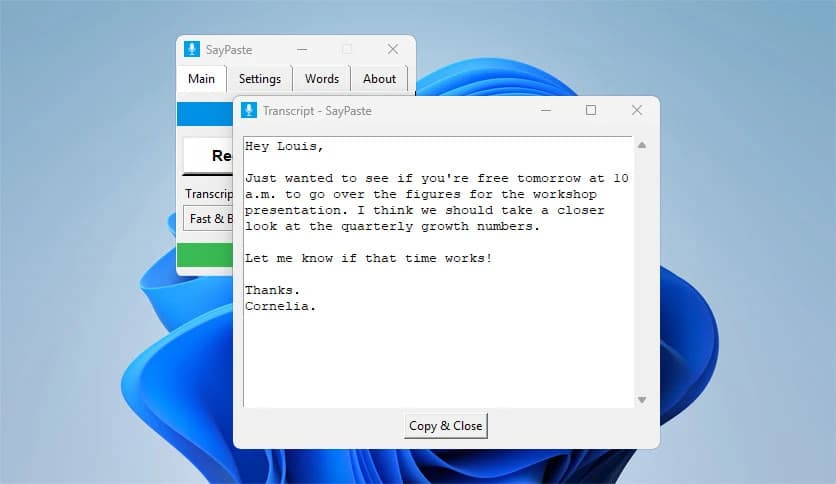
After each dictation, you can choose whether a small transcript window appears. This helps you quickly review the text before pasting. If you prefer a cleaner experience, you can turn this off and rely entirely on the clipboard output.
Punctuation can be handled automatically to keep sentences readable. If you like more control, you can speak punctuation yourself. This balance helps both casual users and professional writers maintain their preferred writing style.
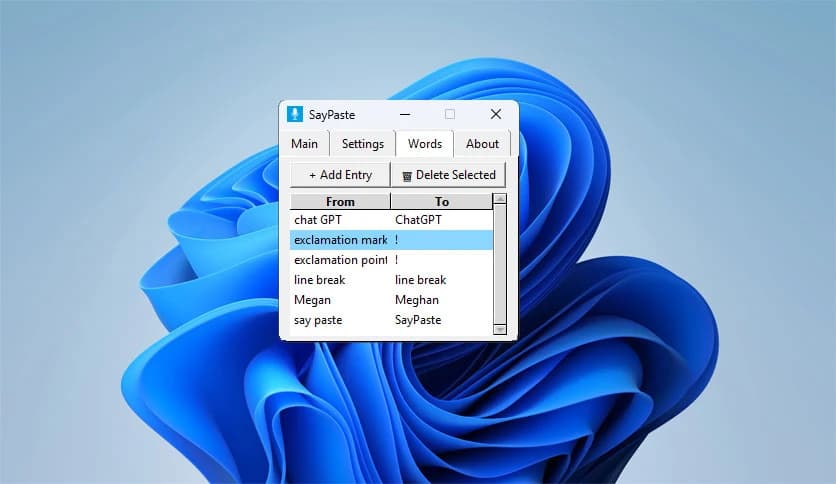
Names, technical terms, or unique phrases can be added to a custom dictionary. This improves accuracy over time and reduces the need for corrections. It feels like teaching the software your personal language habits.
You can choose between different speech recognition models, ranging from very fast to highly accurate. This allows you to prioritize speed on older systems or precision on more powerful machines. The choice puts performance control directly in your hands.
Writers can quickly draft ideas without disrupting their creative flow. Researchers can capture thoughts during reading sessions. Office users can respond to messages faster. Anyone tired of typing long texts will find it refreshing, like switching from walking to riding a bike.
The interface stays clean and unintimidating. There are no complicated menus or confusing steps. Even first-time users can start dictating within minutes, making it accessible to all skill levels.
SayPaste is a privacy-focused, offline voice-typing companion that delivers speed, control, and simplicity. It removes friction between speaking and writing, allowing ideas to flow naturally from voice to text. For users who value quiet efficiency and full ownership of their data, it delivers a smooth and dependable experience.
Leave a comment
Your email address will not be published. Required fields are marked *