Reqable Download (Latest 2026) - FileCR
Free download Reqable 3.0.40 Latest full version - Powerful network debugging and API testing tool.
Free download Reqable 3.0.40 Latest full version - Powerful network debugging and API testing tool.
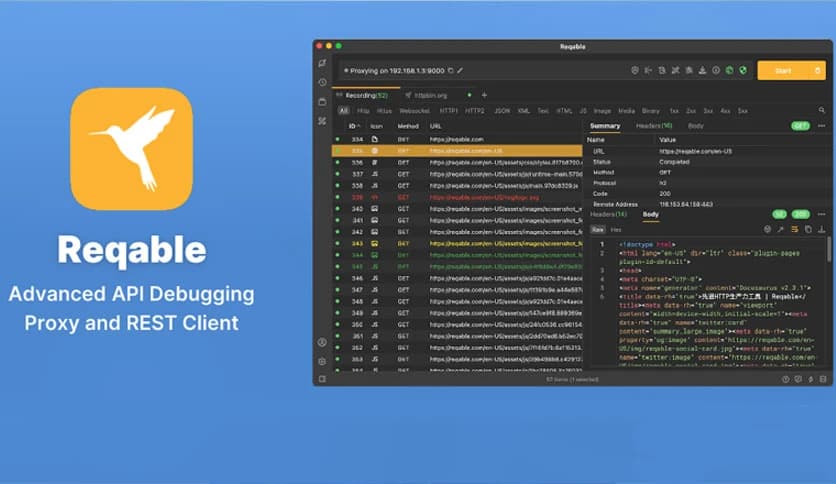
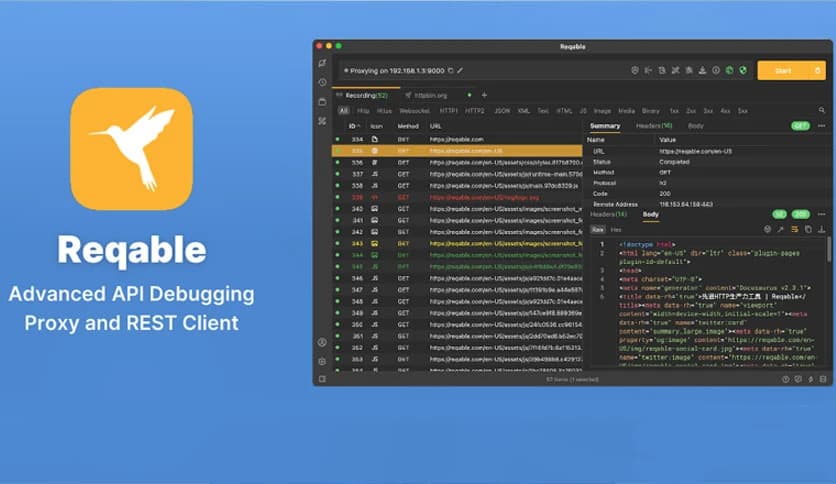
Free Download Reqable for Windows PC. It is a powerful network debugging and API testing tool that combines the best features of multiple developer utilities into a single, clean, and efficient platform.
Modern developers and testers often rely on different tools to analyze network requests, debug APIs, and inspect data traffic. Switching between multiple utilities can slow down workflow and make troubleshooting more complicated. This is where the tool becomes extremely useful. It combines several powerful capabilities into one streamlined application that helps developers monitor, analyze, and debug network traffic efficiently.
Built on a classic MITM proxy architecture, the platform acts like a bridge between applications and the internet. It captures network traffic in real time and allows users to inspect requests and responses in detail. Whether you are debugging an API, testing mobile apps, or analyzing web requests, the software provides a clear, organized interface that simplifies the process.
Unlike many traditional network debugging tools that feel complex or outdated, this one focuses on a minimalist design while still offering powerful features. Think of it like a control tower for your network traffic where every request can be monitored, inspected, and adjusted with ease.
One of the most noticeable aspects of the software is its clean and modern interface. Many network debugging tools overwhelm users with complicated panels and technical layouts. This tool takes a different approach by presenting information in a structured and easy-to-read format.
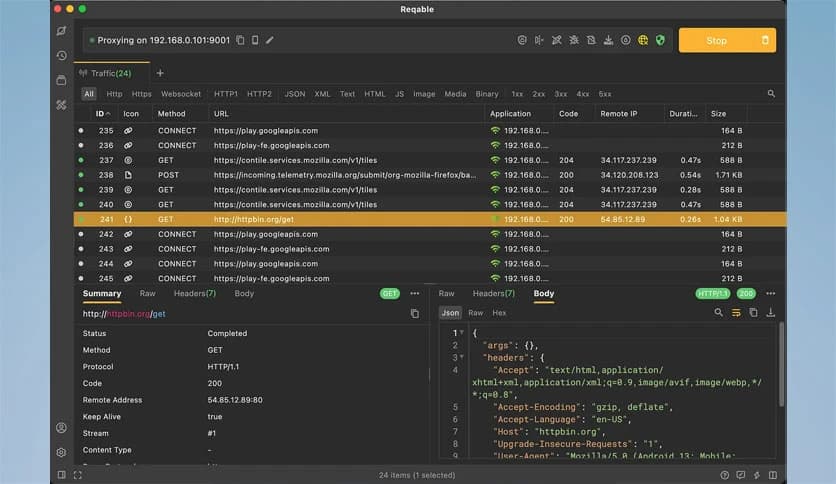
The interface organizes requests, responses, headers, and payloads in a logical way, so users can quickly find what they need. Instead of feeling lost in complex menus, developers can navigate through traffic logs and debugging tools smoothly.
The design philosophy focuses on efficiency. Every element in the interface has a clear purpose. This makes it easier for beginners to start using it while still providing advanced functionality for experienced developers.
Debugging network communication often requires detailed visibility into requests and responses. The tool acts as a powerful traffic inspector, capturing data flowing between applications and servers.
Users can analyze HTTP and HTTPS requests in real time. Each request contains useful details such as headers, cookies, parameters, and response content. By examining these components, developers can quickly locate errors, performance issues, or unexpected behavior.
Imagine it as a microscope for internet traffic. Instead of guessing what an application is sending or receiving, the software shows everything clearly. This transparency helps developers fix problems faster and improve application reliability.
Another major strength is its ability to work with multiple proxy protocols using a single port configuration. The tool supports HTTP, HTTPS, SOCKS4, and SOCKS5 connections without requiring complicated setup procedures.
This flexibility makes it suitable for many testing environments. Developers can analyze web applications, mobile apps, and other network-based software using the same tool. The ability to adapt to multiple protocols allows the software to fit into different development workflows.
Instead of configuring separate tools for different protocols, users can rely on a single centralized solution. This saves time and reduces the complexity of debugging environments.
Modern web applications increasingly rely on HTTP2 to improve performance and speed. However, debugging HTTP2 traffic can be difficult with older tools that only support traditional protocols.
The software fully supports HTTP/2, enabling developers to analyze modern network traffic accurately. This ensures that requests, responses, and multiplexed streams can be inspected without losing critical information.
With full protocol support, developers can recreate real bug scenarios and troubleshoot issues exactly as they appear in production environments. This makes testing more accurate and reliable.
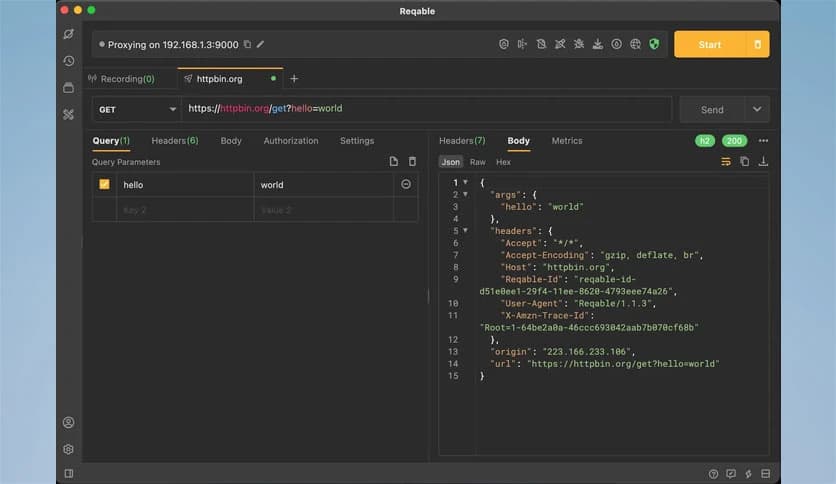
Testing APIs is an essential part of modern development. Instead of relying on multiple separate tools, the software includes built-in capabilities for sending and testing API requests.
Users can create custom requests, modify headers, and send data directly to servers. This allows developers to simulate real interactions between applications and backend services. It works similarly to popular API testing platforms but integrates seamlessly with traffic inspection features.
Think of it as having a testing lab and monitoring station combined into one environment. Developers can send requests and instantly analyze the results without switching applications.
Modern development is no longer limited to desktop environments. Mobile apps play a major role in today's digital ecosystem, and debugging mobile traffic is often necessary.
The software supports both desktop and mobile platforms, allowing developers to inspect traffic from various devices. Mobile applications can be connected via proxy settings, enabling real-time monitoring of their network traffic.
This capability is especially useful when testing mobile APIs, analyzing application behavior, or identifying network-related bugs that only appear on smartphones.
Performance is critical when dealing with large volumes of network traffic. A slow debugging tool can become a bottleneck during development.
The tool focuses on efficient performance so that capturing and analyzing traffic remains smooth even during heavy network activity. Requests are logged quickly and displayed instantly, helping developers maintain productivity.
Stability also plays a big role. Developers rely on debugging tools during critical troubleshooting sessions, and reliability ensures that no important data is lost during analysis.
The developers provide a free community edition that allows users to experience the platform's core capabilities. This version includes essential traffic inspection and debugging features, making it suitable for students, hobby developers, and small teams.
For users who require additional advanced functionality, a professional edition is available. Purchasing the professional license supports ongoing development and ensures the tool continues to improve over time.
This approach creates a balanced ecosystem where new users can start for free while professionals gain access to enhanced capabilities.
Reqable stands out as a powerful network debugging and API testing solution that consolidates multiple developer tools into a single streamlined platform. With its minimalist interface, strong proxy capabilities, HTTP2 support, and cross-platform debugging features, it provides everything developers need to inspect and analyze network communication effectively. Whether used for API testing, traffic monitoring, or debugging application issues, it simplifies complex network analysis and helps developers solve problems faster.
Leave a comment
Your email address will not be published. Required fields are marked *