Free Download LibRaw RawDigger full version standalone offline installer for Windows. It is used to visualize & examine raw data as the camera has recorded.
Overview of LibRaw RawDigger
This program is a tool for visualizing and examining pure raw data as the camera has recorded it. In essence, it is a microscope that lets you drill down into raw data.
It doesn’t alter the raw data in any way. It is not a raw converter. Instead, it lets you see the data raw converters will use.
Features of LibRaw RawDigger
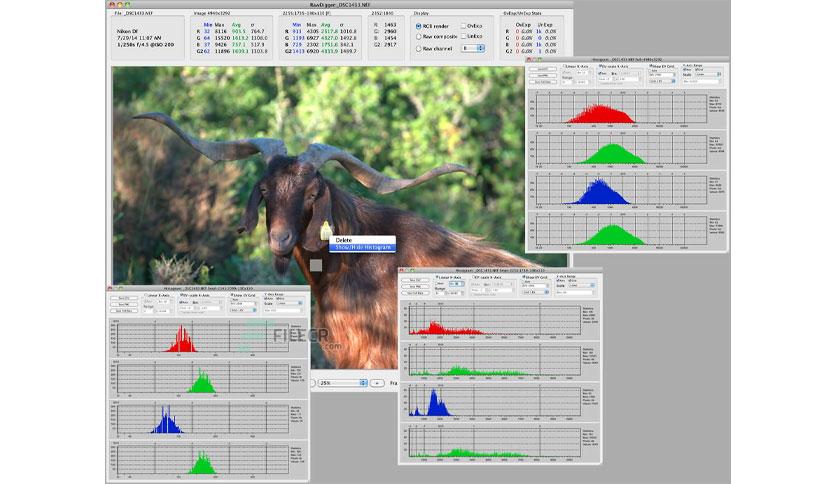
- It displays the true histogram of the raw data, which differs significantly from the in-camera histogram and those presented by most raw converters.
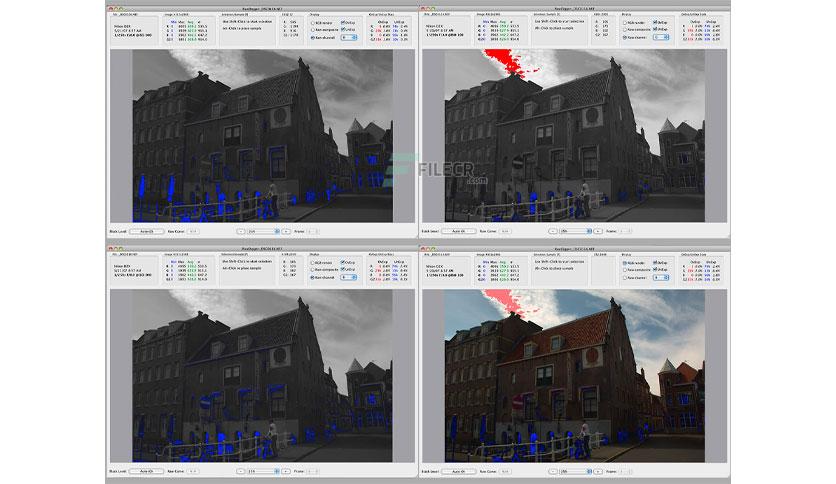
- The overexposure (OE) indicator shows which areas of the shot are blown out and which color channel(s) they appear in (best used in channel view).
- It allows you to determine how the exposure meter is calibrated and what raw level corresponds to the midpoint of the in-camera histogram. RawDigger lets you establish the headroom in highlights and obtain optimal exposures.
- For ETTR practitioners, RawDigger makes it very simple to compare raw histograms to in-camera histograms and account for the differences, resulting in exposures as close to “to the right” as possible.
- Helps determine the raw level at which the overexposure “blinkies” start on the camera LCD and how much headroom is still available after the blinkies start showing.
- If the shadows look blotchy or colorless, or details in shadows are poorly resolved, you can determine how much they are underexposed and set the Underexposure (UE) indicator in RawDigger accordingly.
- A useful tool for examining how the relative per-channel underexposure depends on the color of light.
- It is more precise than any exposure meter for evaluating the uniformity of fill and reproduction light setups (in terms of the evenness of both color balance and luminosity across the background).
- RawDigger helps establish the proper light filtration for studio photography to achieve the cleanest possible shadows on the shots.
- Landscape photographers may want to use RawDigger to determine the effect of filters on the lens, check the neutrality of polarizing and neutral density filters, and possibly select color-correction and color-compensation filters for different lighting conditions.
- It can be used to check the amount of vignetting caused by the lens and the sensor.
- It helps determine the idiosyncrasies of both the camera and the raw converter by providing a true view of the raw data and comparing it with the results of raw conversion.
Technical Details and System Requirements
- Supported OS: Windows 11, Windows 10, Windows 8.1, Windows 7
- RAM (Memory): 2 GB RAM (4 GB recommended)
- Free Hard Disk Space: 200 MB or more
Leave a comment
Your email address will not be published. Required fields are marked *