PsTube Download (Latest 2026) - FileCR
Free download PsTube 3.1.3 Latest full version - Watch and download Youtube videos without ads.
Free download PsTube 3.1.3 Latest full version - Watch and download Youtube videos without ads.
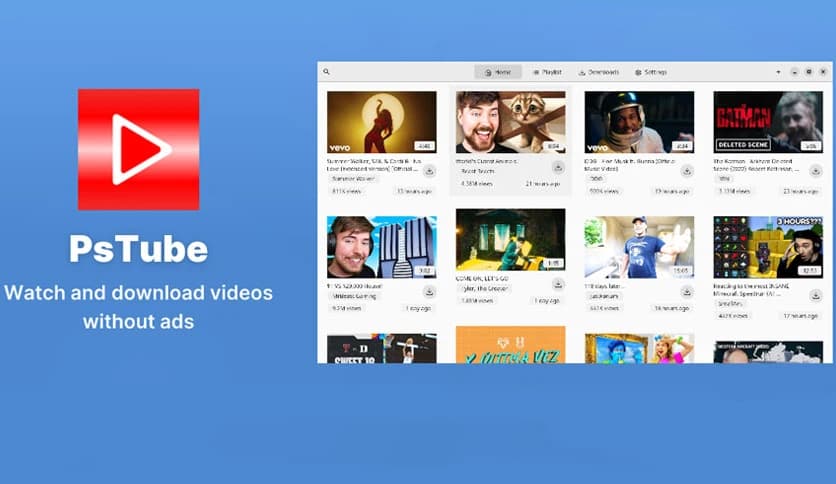
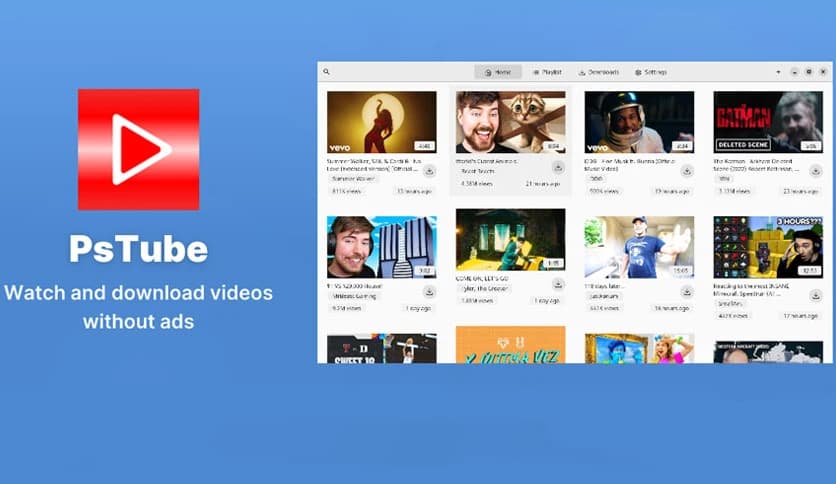
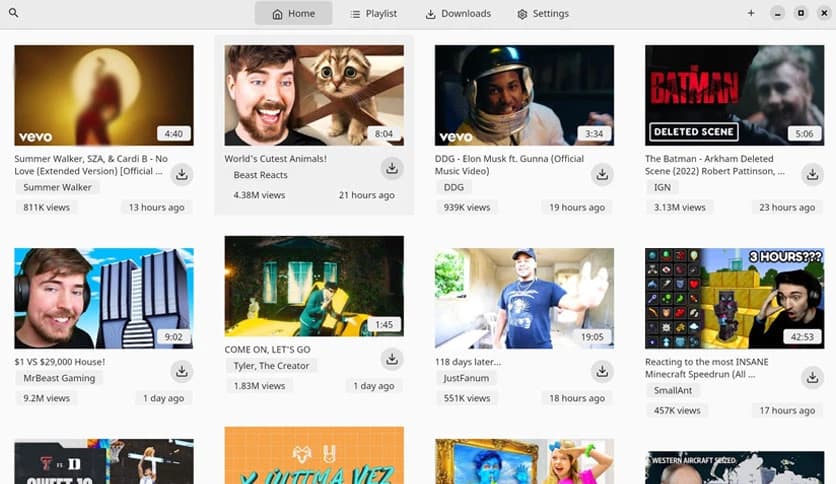

Free Download Prateek Sunal PsTube for Windows PC. It is a lightweight, fast YouTube viewer and downloader designed for a smooth, ad-free, multi-platform experience.
It is a modern YouTube viewer and downloader built with Flutter, available across multiple platforms with consistent performance and design. Previously known as FluTube, the software has evolved into a powerful yet simple tool that focuses on speed, privacy, and usability. It provides a clean interface, smooth playback, and quick download options without unnecessary complexity.
The software is designed for users who want a distraction-free viewing experience. Unlike traditional streaming platforms filled with ads and cluttered layouts, it focuses on simplicity and performance. Everything feels lightweight, fast, and responsive, even on low-end systems.
One standout feature is that it does not require login credentials. Users can watch videos, download content, and manage playlists without signing in. This makes it ideal for those who value privacy while still enjoying their favorite content.
The software offers a clean and modern interface that feels smooth and easy to navigate. Everything is logically arranged, making it easy to search for videos, open playlists, and manage downloads. Even new users can understand the layout within minutes.
The design focuses on usability rather than complexity. Buttons are easy to find, menus are well organized, and playback controls are responsive. This ensures that users spend more time watching content rather than figuring out how things work.
The dark mode adds another layer of comfort. It reduces eye strain, especially during nighttime viewing. Switching between themes is smooth, giving users flexibility based on preference.
The software is designed to run smoothly without consuming heavy system resources. It launches quickly, loads videos fast, and handles downloads efficiently. Even older systems can run it without lag or performance issues.
This lightweight nature makes it suitable for everyday use. Whether you are browsing videos, downloading content, or creating playlists, everything feels fast and responsive. It behaves like a well-tuned engine, delivering performance without noise.
Because it is built using Flutter, performance remains consistent across platforms. The smooth animations and responsive interface provide a premium experience without requiring powerful hardware.
The tool makes downloading content extremely simple. Users can save videos for offline viewing, extract audio, or download thumbnails. This flexibility gives complete control over content.
Downloads are quick and reliable. It allows users to choose quality levels depending on storage and preference. Whether saving high-quality videos or smaller audio files, the process remains straightforward.
This feature is especially useful for offline viewing, educational content, or saving favorite media. It works like a personal library builder, helping users keep important content available anytime.
The software includes built-in playlist support to easily organize videos. Users can create playlists, manage them, and watch content without interruption. This makes it convenient to group videos by category or interest.
Liked videos and comments can also be saved locally. This helps users track their favorite content without needing an account. It provides a personalized experience without compromising privacy.
This organizational feature functions like a digital shelf, allowing users to store and access content quickly. Everything stays arranged and easy to access.
One of the most attractive features is that no login is required. Users can watch, download, and organize videos without creating accounts. This reduces privacy concerns and simplifies the process.
Without login requirements, the experience becomes quicker and smoother. There is no need to manage credentials or worry about data tracking. It simply opens and starts working instantly.
This approach makes it ideal for users who prefer minimal data sharing. It runs quietly in the background while giving the user full control.
The software offers a completely ad-free experience. Users can watch videos without interruptions or distractions. This creates a more enjoyable viewing environment.
Without ads, playback becomes smoother and faster. It eliminates delays and provides uninterrupted content consumption. Watching videos feels like reading a book without interruptions.
This feature alone makes it stand out from many alternatives. It improves user satisfaction and creates a clean environment for media consumption.
The software supports multiple languages, making it accessible worldwide. Users can easily switch languages based on their preferences. This improves usability and accessibility.
Language support ensures that users from different regions can comfortably navigate the interface. It removes language barriers and improves user experience.
This flexibility makes it suitable for global users who want a simple and understandable interface.
The software is free, open source, and community-driven. This means users can use it at no cost while developers continue to improve it. Open source development also ensures transparency.
Being open source enables community contributions of improvements, bug fixes, and feature additions. It creates a reliable and constantly evolving tool.
This approach builds trust and reliability. Users know the software is designed for performance and privacy rather than profit.
Because it is built using Flutter, it works across multiple platforms. Users can enjoy a similar experience on different devices. The interface remains consistent and smooth.
This multi-platform support increases convenience. Users can switch devices without learning a new interface. Everything remains familiar and easy.
This flexibility makes it suitable for users who work across multiple systems.
PsTube is a powerful yet simple YouTube viewer and downloader that focuses on speed, privacy, and usability. It delivers a clean interface, fast performance, ad-free viewing, and flexible download options. With multi-language support, an open-source nature, and no login requirement, it is an excellent choice for users who want a lightweight and reliable video tool. Whether watching content, downloading media, or organizing playlists, it delivers a smooth, distraction-free experience.
Leave a comment
Your email address will not be published. Required fields are marked *