Planner 5D Download (Latest 2026) - FileCR
Free download Planner 5D Latest full version - Draw a floor plan and create a 3D home design.
Free download Planner 5D Latest full version - Draw a floor plan and create a 3D home design.
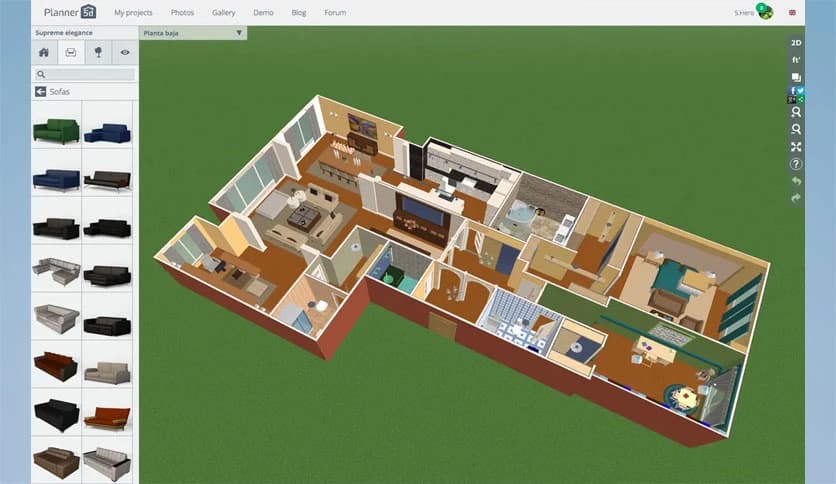
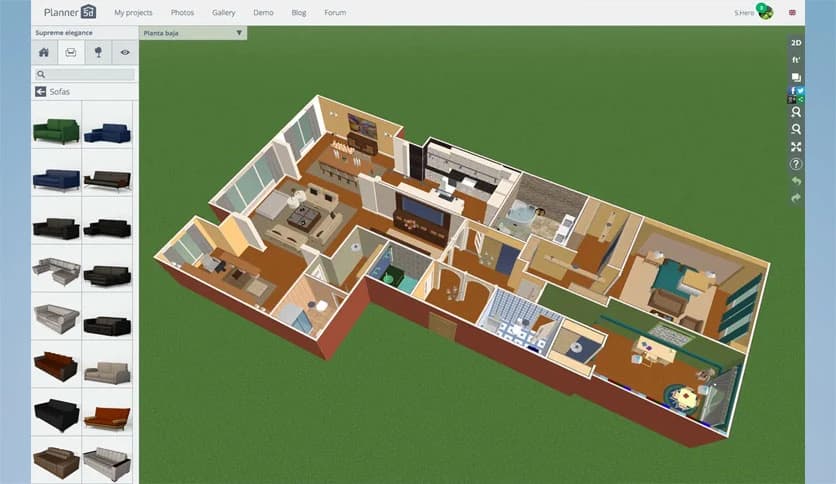
Free Download Planner 5D for Windows PC. It is a powerful interior design tool that helps you create beautiful home layouts with realistic furniture and smart customization features.
Designing a home used to require professional software, technical knowledge, and hours of complicated work. Now, things are much simpler. This software makes interior planning feel as easy as arranging furniture in a real room. It provides an intuitive environment where users can build layouts, decorate spaces, and visualize ideas without needing design experience.
The tool is built for everyone. Whether you're planning your dream home, redesigning a single room, or experimenting with layout ideas, it offers a smooth experience. The interface is clean and beginner-friendly, making it easy for users to quickly understand how everything works.
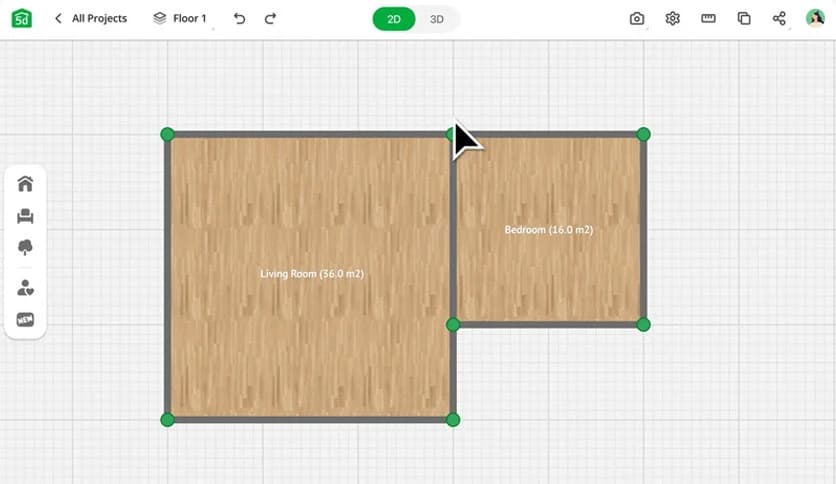
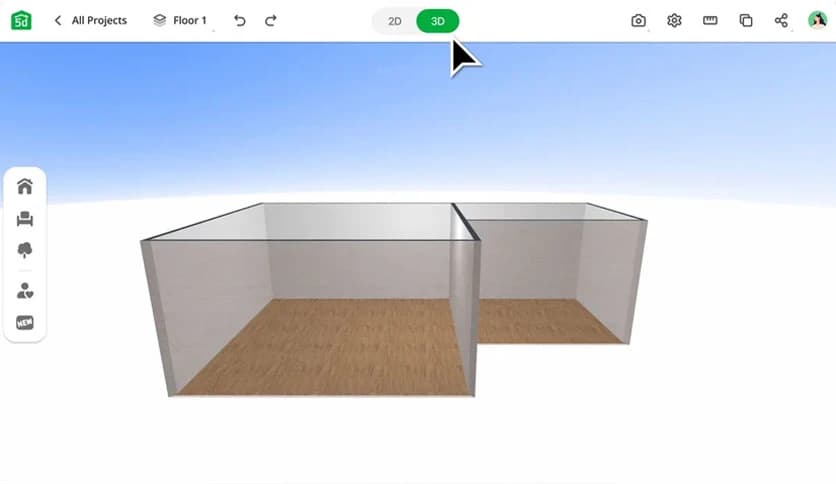
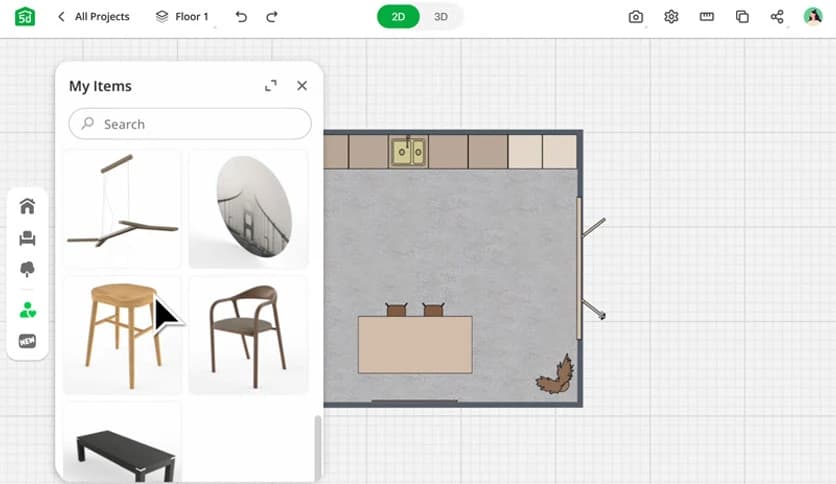
It provides both 2D and 3D design modes. Users can switch between them instantly. The 2D view helps in planning layouts and measurements, while the 3D view brings designs to life with realistic visuals. This combination makes planning easier and more enjoyable.
Another great aspect is the collaboration feature. Users can work together on projects. This makes it useful for families, designers, and teams who want to share ideas and build layouts together.
One of the best features is the drag-and-drop functionality. Instead of complicated controls, users simply select items and place them on the layout. It feels natural and smooth, like moving furniture in a real room.
This feature saves time and reduces frustration. Users can quickly test multiple ideas without having to start from scratch. Want to move a sofa? Just drag it. Need to change a table? Replace it instantly.
This flexibility encourages creativity. Users can experiment with layouts, try new arrangements, and discover the best possible design.
The software includes a large catalog of real furniture from manufacturers. This makes designs more realistic and practical. Users can visualize how actual furniture would look in their space.
This feature is helpful when planning purchases. Instead of guessing, users can see how items fit before buying them. It reduces mistakes and helps create better layouts.
The catalog includes furniture, decor items, accessories, lighting, and more. This allows users to design complete interiors with ease.
Visualizing designs is simple with the built-in 2D and 3D modes. The 2D mode helps with layout planning. It shows measurements, room sizes, and structural details.
The 3D HD mode transforms designs into realistic environments. Users can walk through their rooms virtually. This helps understand how the final space will look.
This feature is especially useful when planning renovations. Users can preview changes before making real decisions.
Customization plays a major role in interior design. The tool provides extensive customization features. Users can change colors, textures, materials, and styles.
Walls can be painted with different colors. Floors can be customized with various textures. Furniture can be adjusted to match design preferences.
These options allow users to create unique designs. It gives full creative freedom without limitations.
Once designs are complete, users can export high-resolution images. These images are perfect for presentations, planning, or sharing with others.
The software also allows sharing directly on social media. This makes it easy to showcase designs and gather feedback.
Users can share ideas with friends, family, or clients. This improves collaboration and creativity.
Working together is easier with collaboration tools. Multiple users can contribute to the same project. This is useful for teams and families.
Everyone can share suggestions and make adjustments. This speeds up decision-making and improves results.
It also makes remote collaboration simple and effective.
The interface is designed to be simple and clean. Beginners can quickly understand how everything works.
Menus are easy to navigate. Tools are clearly labeled. Users can focus on design rather than learning complex controls.
This makes the experience enjoyable and efficient.
The tool works well for beginners and professionals alike. Beginners can easily create basic layouts. Professionals can build advanced designs.
This flexibility makes it suitable for a range of users. Whether designing a small room or a large house, it handles everything smoothly.
Planner 5D makes interior design simple, creative, and enjoyable. It combines easy controls, realistic visualization, and powerful customization features. Users can design rooms, experiment with layouts, and collaborate effortlessly with others. Whether planning a home makeover or designing from scratch, it offers everything needed to turn ideas into reality.
Leave a comment
Your email address will not be published. Required fields are marked *