ModernFlyouts Download (Latest 2026) - FileCR
Free download ModernFlyouts 0.9.3.0 Latest full version - Replace the default volume, brightness, and system flyouts.
Free download ModernFlyouts 0.9.3.0 Latest full version - Replace the default volume, brightness, and system flyouts.
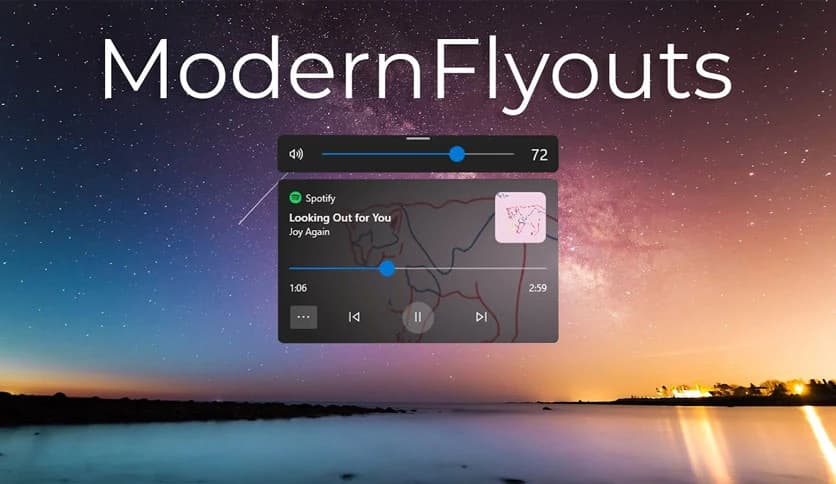
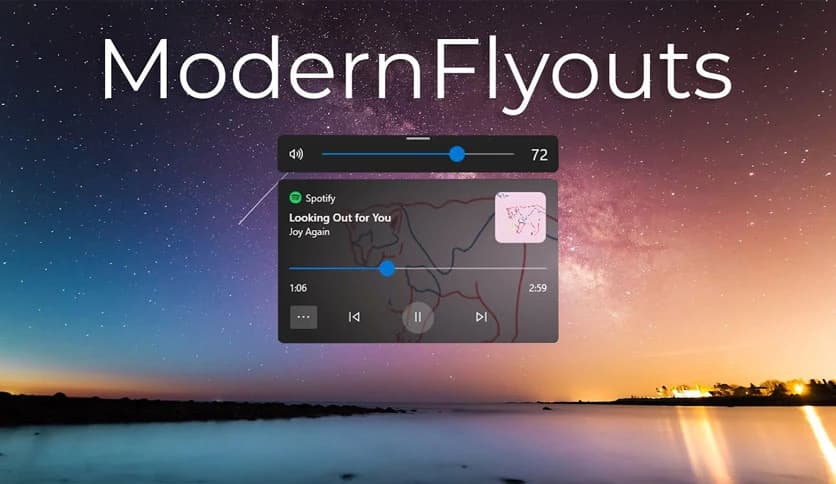
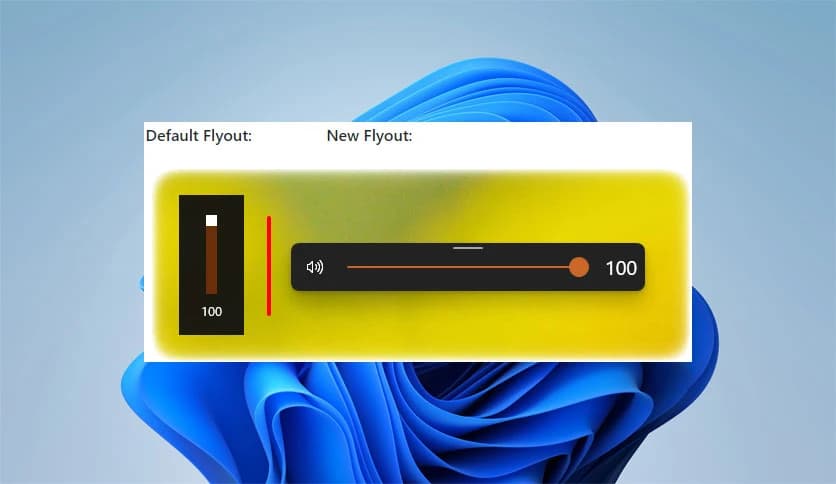
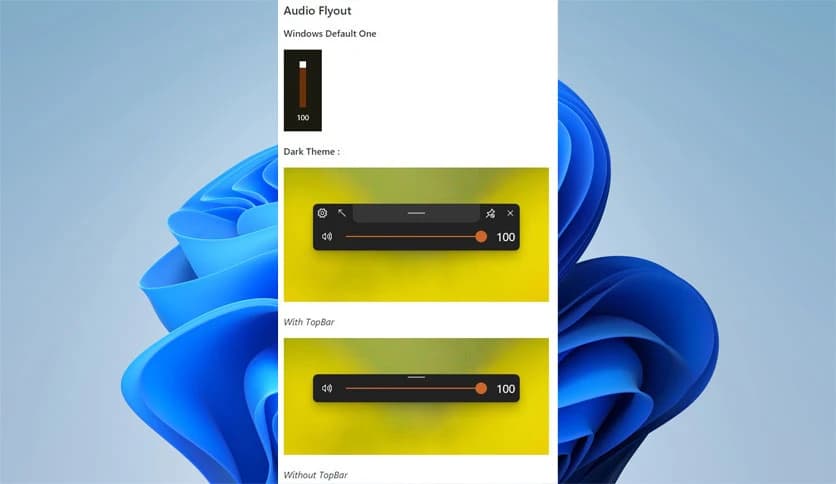
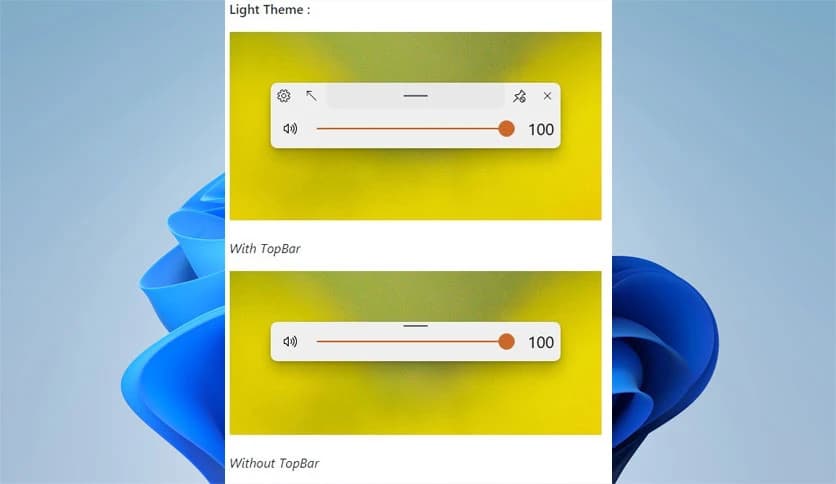
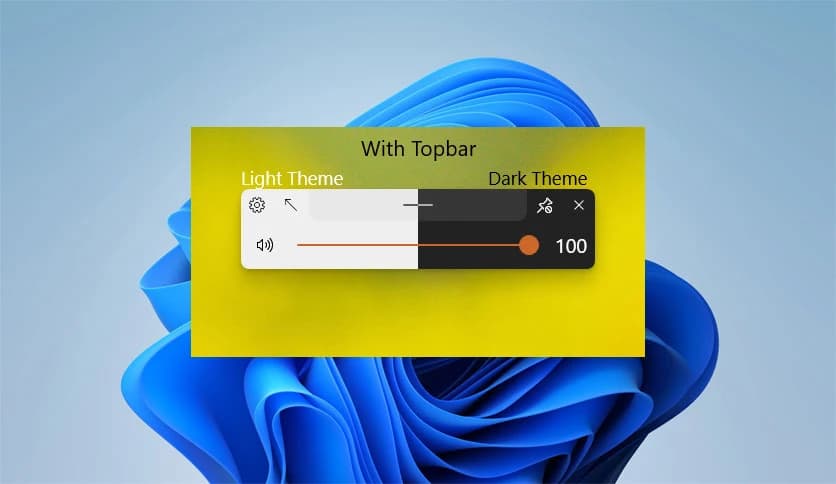
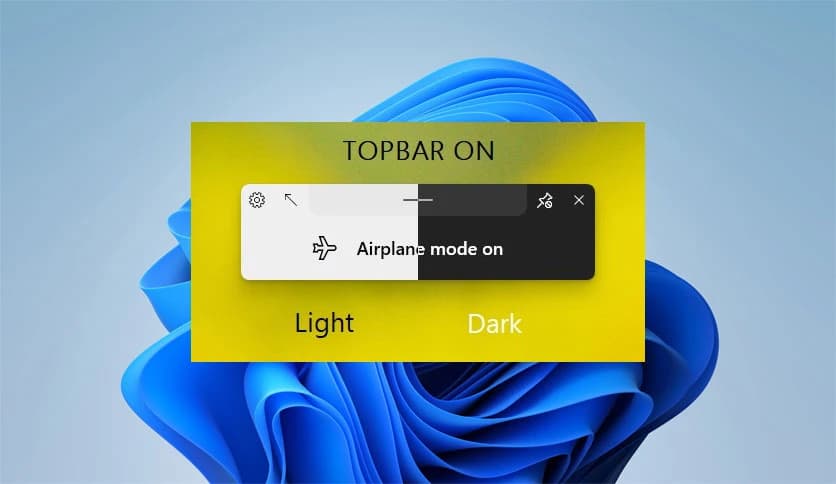
Free Download ModernFlyouts for Windows PC. It is a lightweight utility that replaces the default Windows volume, brightness, and system flyouts with a clean, modern, and customizable interface.
It is designed to give your Windows system a fresh, modern feel by replacing the old-style pop-ups that appear when you adjust volume or brightness or toggle certain keyboard keys. Instead of the plain and limited default flyouts, it delivers a sleek interface that looks right at home on Windows 10 and Windows 11.
Think of it like upgrading your car's dashboard. The engine stays the same, but the display becomes smarter, clearer, and more stylish. The tool quietly runs in the background and instantly replaces system flyouts without slowing down your PC.
Windows flyouts are functional, but they often feel outdated and limited. They show basic information, and that is about it. This software improves the experience by offering better visuals and more control over how these notifications look and behave.
It transforms small popups into interactive panels that match modern UI design. You get smoother animations, improved layout, and the ability to tweak settings according to your preferences.
The tool supports a wide range of system flyouts. Each one can be customized or turned off independently, giving you full control.
This means whenever you press your volume keys, adjust screen brightness, or toggle Caps Lock, you will see a refined, modern pop-up instead of the default one.
When adjusting volume, the new interface feels smooth and responsive. It not only shows the volume level but also integrates with active media sessions. If you are playing music or watching a video, it can display media controls and track information in a clean layout.
It feels more like a compact control center rather than a simple slider. You can quickly manage playback without switching windows. It keeps things simple while adding extra convenience.
Toggling airplane mode usually shows a small and plain notification. With this utility, the pop-up becomes more polished and visually consistent with modern Windows themes. It blends naturally with your desktop instead of looking like a leftover element from older versions.
The brightness flyout also gets a visual upgrade. When you adjust screen brightness, you see a clearer slider with smoother animation. It may seem like a small detail, but these little changes add up and make daily use more enjoyable.
Many users rely on visual feedback for keys like Caps Lock, Num Lock, Scroll Lock, and Insert mode. The default Windows indicators are basic and sometimes easy to miss.
This software replaces them with stylish notifications that clearly show when a key is turned on or off. It is like having a small assistant whispering, “Caps Lock is on,” but in a visual and elegant way. You can also disable any of these flyouts if you prefer a quieter experience.
One of the strongest features is independent control over each flyout. You are not forced into an all-or-nothing setup. If you only want the audio and brightness flyouts replaced, you can disable the others.
Customization options let you adjust the appearance, placement, and behavior. You can fine-tune the interface to match your workflow. It is flexible enough for minimalists and powerful enough for users who love tweaking settings.
The design language follows modern Windows aesthetics. Clean lines, smooth transitions, and subtle animations make everything feel integrated. It does not appear to be a third-party add-on that clashes with your system.
Instead, it feels like something Microsoft could have built into Windows itself. The result is a seamless experience that improves usability without drawing unnecessary attention.
No one wants a customization tool that eats up system resources. Fortunately, this one runs quietly in the background. It uses minimal memory and does not interfere with everyday tasks.
You can install it, set it up once, and then forget about it. It does its job without slowing down your PC. Like a good referee in a game, it stays out of sight while keeping everything running smoothly.
Getting started is straightforward. After installation, the tool automatically takes over the default flyouts. You can open its settings panel to configure which flyouts you want enabled or disabled.
The interface is user-friendly and easy to navigate. Even if you are not tech-savvy, you will find it simple to adjust settings. Everything is clearly labeled and organized.
ModernFlyouts offers a simple yet powerful way to modernize your Windows experience. It replaces outdated system popups with stylish, customizable flyouts that look clean and feel responsive. Whether you care about design consistency or just want better control over notifications, this utility delivers a smooth and polished solution without slowing down your system.
Leave a comment
Your email address will not be published. Required fields are marked *