MediaPortal Download (Latest 2026) - FileCR
Free download MediaPortal 2.5 Latest full version - Smart media center for movies, music and photos.
Free download MediaPortal 2.5 Latest full version - Smart media center for movies, music and photos.
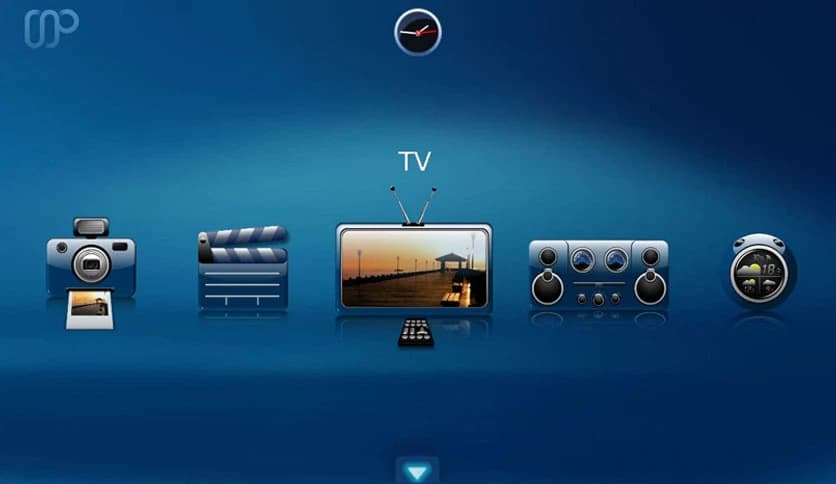
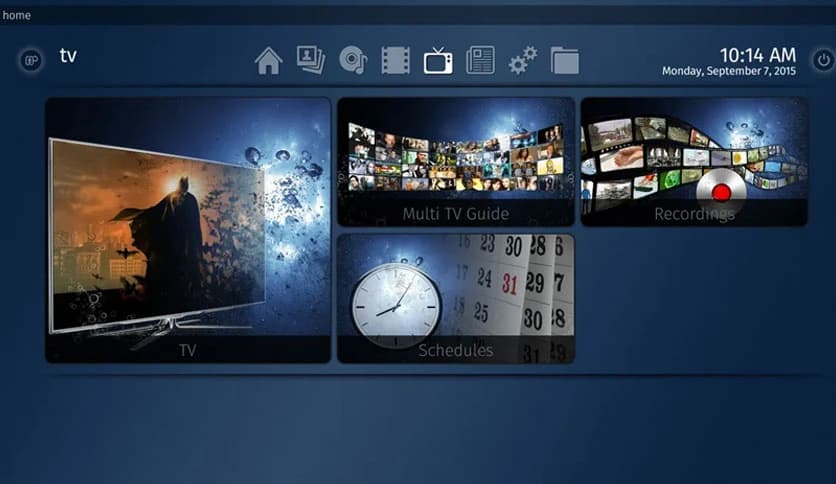
Free Download MediaPortal for Windows PC. It is a powerful media center tool that turns your computer into a complete entertainment hub for TV, movies, music, and photos.
This software is designed to transform an ordinary computer into a full media center experience. Instead of using multiple applications to play music, watch videos, or browse photos, everything can be organized and accessed from a single interface. It connects smoothly with your TV, giving you a living room-style entertainment system without the need for expensive hardware.
The tool was built to provide a free, open platform for managing digital media. Anyone with a Windows computer can install it and instantly gain access to a professional media center environment. Whether you want to watch your favorite TV series, stream music, or display a photo slideshow, the software brings everything together in one place.
What makes the project unique is its strong open source philosophy. Developers and users work together to continuously improve it. The community contributes ideas, features, and plugins, helping the tool grow into a flexible platform that adapts to modern entertainment needs.
The main goal of the tool is to convert a regular computer into a complete media system. Once installed, your PC behaves like a smart entertainment console connected to your television. You can browse movies, organize TV shows, play music playlists, and even manage large photo collections.
Imagine sitting on your couch and controlling your entire media library with a simple interface. That is exactly what the software offers. Instead of navigating folders or opening multiple programs, everything is presented in a clean, interactive dashboard.
It supports a wide range of media formats, allowing users to enjoy videos, music, and images without compatibility issues. The tool acts like a digital librarian, keeping all entertainment content neatly organized and ready to play.
The software's development philosophy emphasizes openness and teamwork. Rather than being controlled by a single company, it evolves through the efforts of developers and contributors worldwide.
This approach encourages innovation and constant improvement. New features are added regularly, bugs are fixed quickly, and the community shares solutions that benefit everyone. Users are often treated like co-developers, meaning their feedback helps shape future updates.
Such collaboration creates a strong ecosystem where knowledge is freely shared. The result is a stable media platform that continues to improve over time while remaining free for all Windows users.
One of the most exciting aspects of the software is its plugin support. Think of plugins as small tools that extend the media center's capabilities. By installing them, you can add new features without modifying the main program.
There are hundreds of plugins available. Some focus on streaming services, others enhance music libraries, while many introduce completely new capabilities such as weather updates or online media browsing.
This modular design makes the platform extremely flexible. Instead of forcing users into one fixed setup, it allows everyone to build their own entertainment system. You simply install the plugins you need and skip the ones you do not.
Installing these add-ons is simple thanks to the integrated extensions installer. From a single interface, users can download, update, and manage plugins with just a few clicks.
Visual customization plays a major role in the experience. The software supports a wide variety of skins that completely change its appearance. These skins are not just cosmetic themes. Many of them also adjust how menus work and how users interact with the system.
Some skins focus on simplicity with large icons and clean layouts, perfect for TV screens viewed from a distance. Others introduce advanced menu structures and stylish graphics for a more modern look.
With dozens of skins available, users can easily find one that matches their personal taste. It feels a bit like changing the interior design of a house without rebuilding the structure.
Plugins and skins are fully integrated into the platform, which makes customization smooth and effortless. Instead of manually editing files or performing complicated installations, everything is handled through the built-in extension manager.
This installer lets users browse available extensions, install them instantly, and keep them up to date. It works like an app store for media center features, ensuring every component stays compatible with the system.
Configuration is also straightforward. Once installed, extensions appear within the standard settings interface. From there, users can adjust options, enable features, and personalize the environment without the complexity of technical expertise.
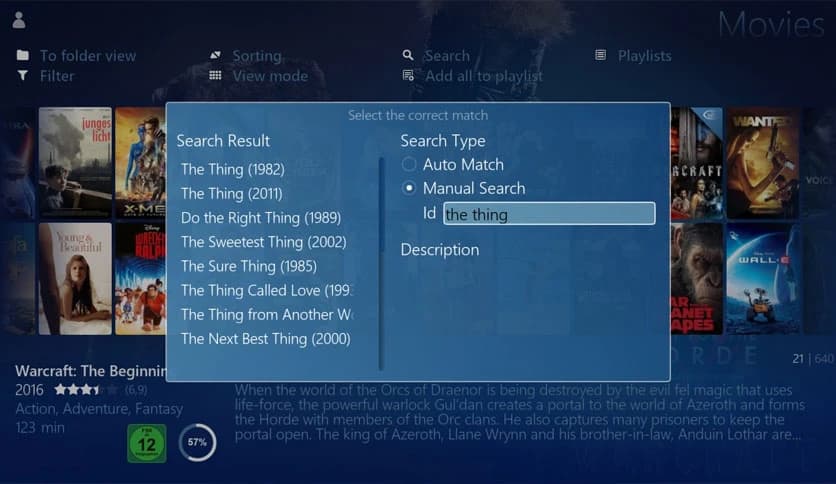
Another standout feature is the dynamic way media content is displayed. Movies, shows, and music albums appear with artwork, descriptions, and organized categories. This creates an immersive browsing experience similar to modern streaming platforms.
Instead of scrolling through plain file names, you see posters, cover art, and information about each piece of content. This visual approach makes discovering and enjoying media much more engaging.
For example, a movie library can display posters in a gallery-style view. Music collections can show album covers, artist information, and playlists. Photo galleries can run slideshows that turn your TV into a digital picture frame.
Everything feels interactive and polished, even when running on basic hardware.
Despite its powerful capabilities, the software remains easy to use. The interface is designed for simplicity, so anyone can navigate it comfortably. You do not need technical expertise to set up and enjoy the system.
The installation process is straightforward, and the menus guide you through every step. Within minutes, users can start organizing media libraries and exploring the features.
Because it runs smoothly on standard computers, even older systems can become fully functional entertainment hubs. That makes it an excellent option for people who want to reuse an existing PC rather than buy expensive hardware.
MediaPortal stands out as a powerful yet accessible media center solution for Windows users. It transforms an ordinary computer into a fully functional entertainment system that manages movies, music, photos, and television content from a single interface. With its open source foundation, strong community collaboration, customizable skins, and extensive plugin support, it offers flexibility that few media applications can match. Whether you want a simple home media hub or a deeply customized entertainment platform, it delivers a reliable and enjoyable experience.
Leave a comment
Your email address will not be published. Required fields are marked *