Winhance Download (Latest 2026) - FileCR
Free download Winhance 26.03.12 Latest full version - Clean, optimize, and control Windows easily.
Free download Winhance 26.03.12 Latest full version - Clean, optimize, and control Windows easily.
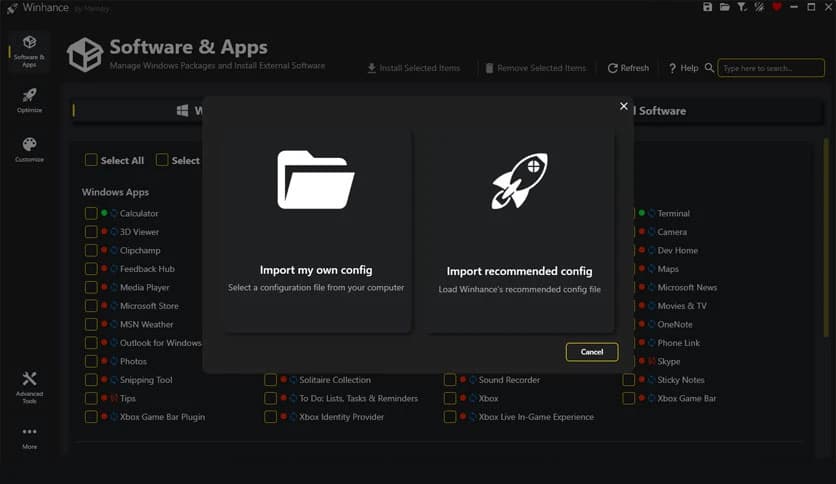
Free Download Marco du Plessis Winhance for Windows PC. It is a smart utility that helps you clean, optimize, and customize your Windows system with just a few clicks.
It is designed to give you full control over your Windows 10 and 11 experience. We all know how Windows often feels heavy right after installation. It comes loaded with apps, features, and background services that many people never use. This software works like a control panel on steroids. It lets you remove what you do not need, fine-tune what you want, and shape your PC exactly the way you like it.
Instead of digging through complex PowerShell commands or following lengthy online tutorials, the tool provides a simple, clean interface. You can manage system components without feeling like you need to be a developer. Everything is organized, clear, and beginner-friendly.
Have you ever installed Windows and then spent hours trying to remove built-in apps? That process can be frustrating. Some methods require scripts, technical knowledge, and considerable patience. This software changes that experience completely.
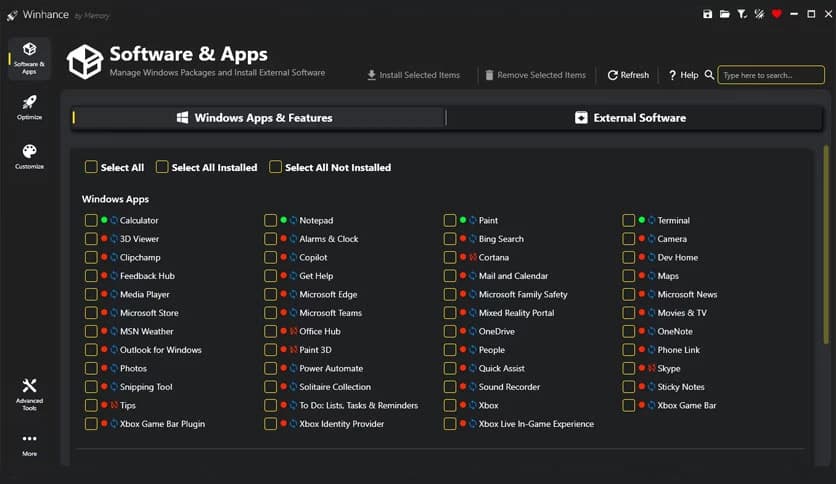
With just a few clicks, you can remove unnecessary apps, features, and capabilities. It feels like cleaning out a messy closet. Instead of blindly throwing everything away, you choose what stays and what goes. The interface guides you step by step, making the process safe and easy to understand.
It also allows you to add components when needed. If you previously removed something and later changed your mind, you are not locked in. You stay in control the whole time.
Windows often come “top-heavy.” That means it includes many built-in applications that consume storage and system resources. Some users never touch these apps, yet they still run in the background. Over time, this can slow things down.
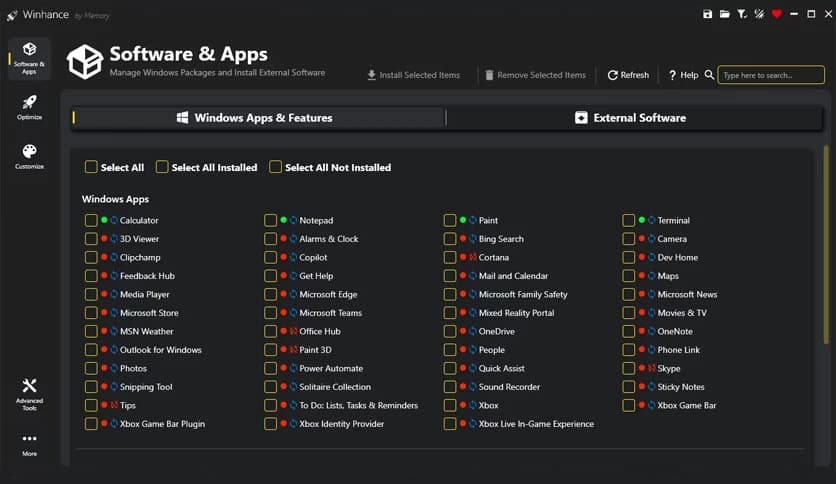
The software includes a dedicated debloat section that lets you safely remove unwanted Windows apps and features. Instead of risking system stability by deleting random files, you use a structured and tested method. It is like trimming excess weight from your PC so it can breathe better and move faster.
By removing clutter, you free up memory and reduce background activity. This can improve performance, especially on older machines or systems with limited RAM.
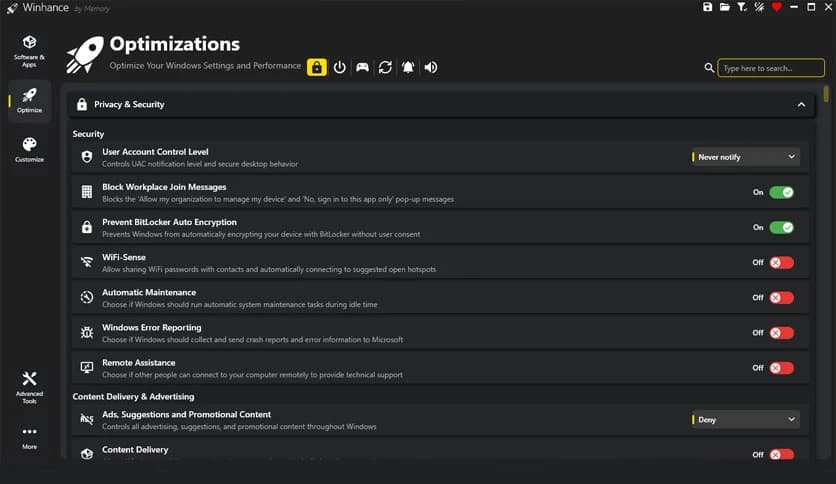
Performance is not only about speed. It is also about how efficiently your system runs. The tool offers optimization options that adjust Windows settings to improve responsiveness and reduce background load.
You can tweak privacy settings to limit unnecessary data collection. Many Windows features collect usage information by default. With this utility, you can easily manage those settings in one place instead of searching through multiple menus.
Gamers will also appreciate the performance-focused tweaks. Background services and unnecessary features can affect gaming smoothness. By tuning the system for better resource allocation, you may notice improved responsiveness and fewer interruptions during gameplay.
Windows should feel personal. After all, you use it every day. The software includes customization options to adjust themes, taskbar settings, start menu layout, and file explorer behavior.
Think of it like decorating your workspace. A clean, organized layout helps you work faster and feel more comfortable. You can disable visual elements you don't like, enable features you prefer, and tailor the interface to your preferences.
Instead of jumping between multiple settings pages, you can manage everything from a single central dashboard. It saves time and reduces confusion.
Setting up a new Windows installation can take hours. You install the system, remove unwanted apps, apply tweaks, adjust settings, and repeat the process on every new machine. It can feel like doing the same task repeatedly.
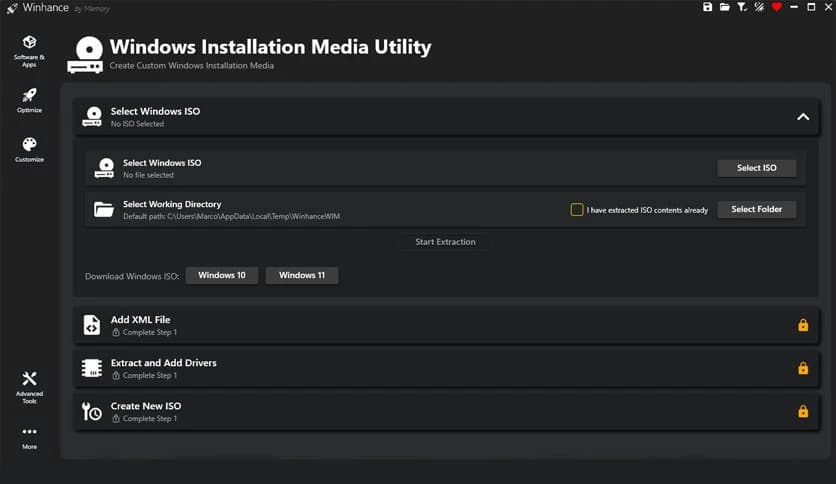
This software offers automation features that help you create custom Windows installation media and automated setup files. That means you can prepare your preferred configuration once and reuse it whenever needed.
For IT professionals, technicians, or advanced users, this is a huge time-saver. Even home users benefit by avoiding repetitive setup steps. It is like preparing a ready-made blueprint for your ideal system.
One of this tool's strongest points is its simple interface. Many system utilities are powerful but complicated. They hide options behind technical terms and advanced scripts.
Here, everything is presented clearly. Options are grouped logically, and descriptions explain what each setting does. You do not need to guess or experiment blindly. This makes it suitable for beginners while still offering enough depth for advanced users.
It balances power and simplicity in a way that feels natural. You get advanced control without feeling overwhelmed.
Modern versions of Windows include built-in apps, services, and background features designed to serve a wide range of users. While that flexibility is useful, it also adds extra weight to your system.
Some components focus on productivity, others on entertainment, and some on cloud integration. Not everyone needs all of them. Over time, these extras can slow startup time, increase memory usage, and create privacy concerns.
The software helps you strip away the unnecessary layers. You are left with a cleaner, leaner operating system that focuses on what truly matters to you.
Winhance is a practical and powerful solution for anyone who wants a cleaner, faster, and more personalized Windows experience. It simplifies debloating, improves performance, enhances privacy, and offers deep customization without complex scripts. If you want your PC to feel lighter, smoother, and fully under your control, this software is a smart addition to your toolkit.
Leave a comment
Your email address will not be published. Required fields are marked *