HyperStudio Download (Latest 2026) - FileCR
Free download HyperStudio 5.2.0.579 Latest full version - Build interactive presentations, stories, and projects.
Free download HyperStudio 5.2.0.579 Latest full version - Build interactive presentations, stories, and projects.
Free Download MacKiev HyperStudio for Windows PC. It is a modern, creative workspace that helps users build interactive digital presentations using rich media and innovative tools.
This creative platform is designed for people who love to combine visuals, sound, motion, and interaction into a seamless experience. It supports storytelling, learning, and entertainment in a single workspace. Everything feels hands-on, simple, and flexible, making it ideal for classrooms, students, and creative minds who prefer doing over watching.
It blends text, images, video, audio, and animation into one interactive flow. Instead of switching between multiple apps, everything comes together in one place. Think of it like a digital studio where ideas are stitched together seamlessly, much like editing a movie on a single timeline.
The tool shines in educational environments. Users can create lessons, quizzes, and visual stories that react to clicks and inputs. Text actions let you save answers, compare responses, and move content without writing a single line of code, keeping the focus on creativity rather than technical hurdles.
Hardware integration adds a hands-on twist. Arduino support allows physical devices to interact with on-screen projects. This makes learning feel alive, like watching a science experiment respond instantly to your actions.
Video creation feels playful and powerful. Green-screen support lets users easily swap backgrounds, while narration options enable voice-overs for movies. It feels similar to stepping into a small film studio without the complexity.
Path animation gives complete control over how objects move across the screen. Onion skin views show previous and next frames, helping fine-tune motion like flipping through an animated sketchbook.
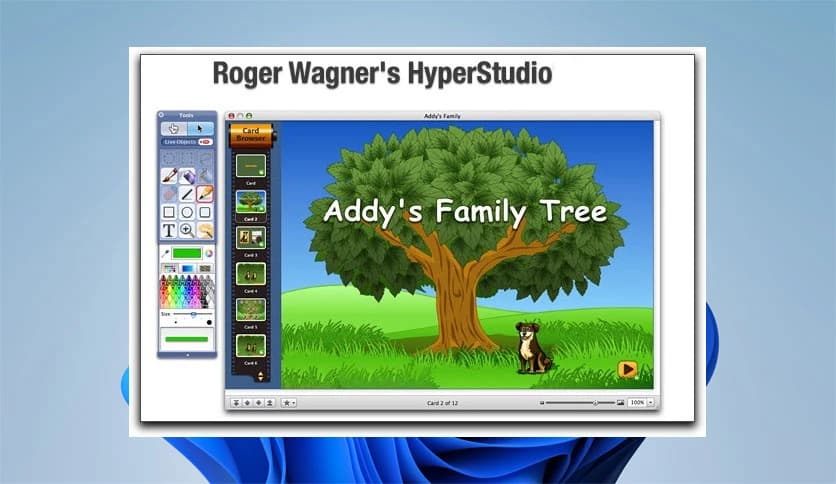
The Inspector and Object Browser keep everything organized. Users can adjust appearance, actions, and layers from one place. It works like a control panel, making even complex projects feel manageable.
Adding elements is as easy as dragging files onto the canvas. Images, videos, sounds, and text appear instantly. This keeps creative flow uninterrupted, which is especially useful when time is limited.
Projects can be exported as videos for mobile devices or shared through podcast platforms. Music can be pulled directly from iTunes, and videos can be imported from YouTube, making content sharing smooth and fast.
Painting tools offer editable brush strokes with various styles, including 3D effects. Filters like blur, zoom, and antique effects add polish, turning simple visuals into expressive artwork.
Whenever online content is used, the source is automatically recorded. This encourages responsible creation and saves time when giving credit.
HyperStudio brings creativity, learning, and interaction into one powerful space. It turns ideas into engaging digital experiences and helps users express thoughts through motion, sound, and visuals in a way that feels natural and enjoyable.
Leave a comment
Your email address will not be published. Required fields are marked *