Lockbook Download (Latest 2026) - FileCR
Free download Lockbook 26.3.20 Latest full version - Tool for writing notes sketching ideas and storing files.
Free download Lockbook 26.3.20 Latest full version - Tool for writing notes sketching ideas and storing files.
Free Download Lockbook for Windows PC. It is a privacy-focused workspace that keeps your notes, files, and sketches fully protected while syncing smoothly across devices.
This software is still young, but it already shows strong potential for people who care deeply about privacy and control. It brings together note-taking, file storage, and sketching in one secure place. Everything is designed around the idea that your data belongs only to you, not to a company or a server that collects personal details.
At its core, it uses end-to-end encryption, meaning your content is encrypted before it ever leaves your device. Even the service itself cannot read what you store. This makes it feel like a personal vault rather than a typical cloud app.
Security is not treated as an extra feature here; it is the foundation. All notes, files, and drawings are encrypted from the moment they are created. Think of it like writing in a notebook that only you have the key to, even while it travels between devices.
No personal information is required to get started. There are no email addresses, passwords, or tracking systems involved. This approach reduces risk and builds trust, especially for users who want a clean, private digital space.
Working with others does not mean giving up control. The tool enables collaboration while maintaining the same strong protection. Shared content stays encrypted, and only the people you invite can access it.
This makes teamwork feel safer and more relaxed. You can focus on ideas and creativity rather than worrying about leaks or unauthorized access.
Internet access is not always guaranteed, and this software understands that. You can read, write, and edit your content even when you are offline. Changes are saved locally and synced automatically once you are back online.
It feels like using a traditional notebook that just happens to sync later. This is especially useful for travel, study sessions, or focused work without distractions.
For users who enjoy structured writing or technical documents, built-in Markdown support is a big plus. You can write clean text, organize headings, and format content without switching tools.
SVG editing support adds another creative layer. Diagrams, icons, and vector sketches can be edited directly, making it a handy space for both writers and designers.
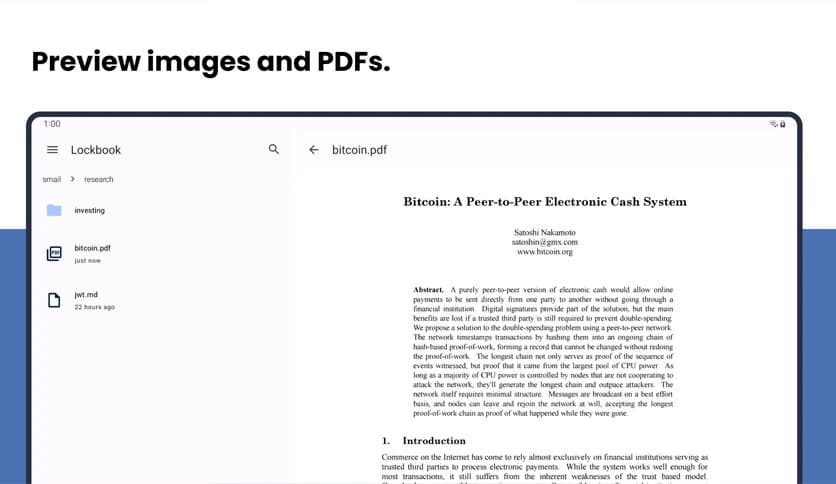
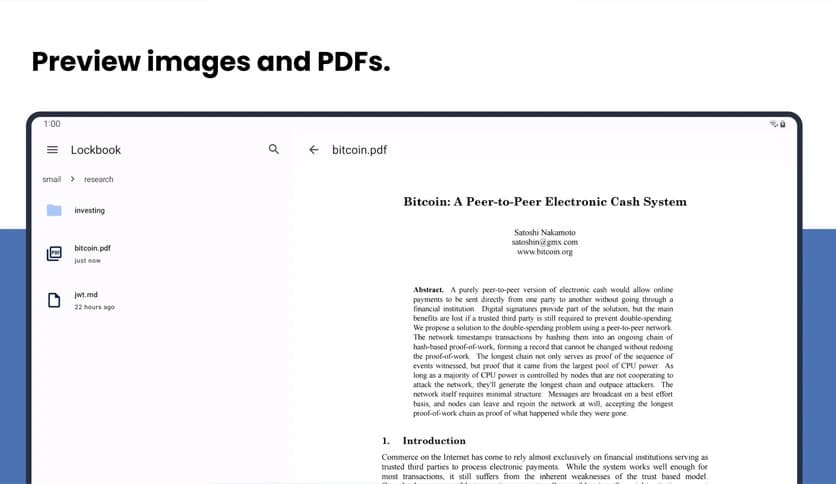
Opening files should be quick and smooth, and this software delivers on that. PDFs and images can be previewed directly without exporting or using extra apps.
This keeps your workflow simple. Everything stays in one place, like a desk where all your papers are spread out and easy to reach.
For those who prefer working in the terminal, CLI support is included. This allows advanced users to manage notes and files through scripts or automation.
It adds flexibility and speed, especially for developers or technical users who enjoy customizing their workflows.
Transparency matters, and the project's open-source nature proves it. Anyone can review the code, understand how encryption works, and verify that no hidden data collection exists.
This openness builds confidence and encourages community involvement. Bugs can be found faster, features can improve more quickly, and trust grows naturally.
Basic usage is available without forcing upgrades. Optional premium storage is available for users who need more space, while the core experience remains accessible.
This feels fair and respectful. You choose what you need, when you need it, without pressure or intrusive prompts.
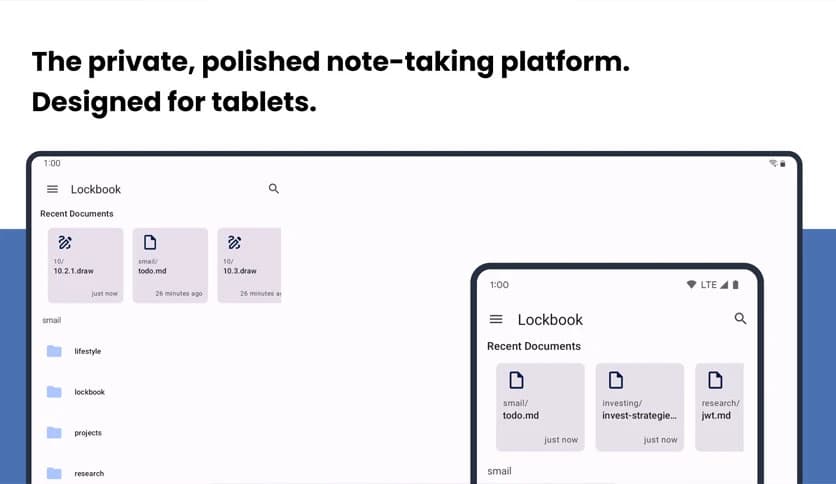
The interface is clean and distraction-free. It feels like a quiet room where your thoughts can breathe. Nothing jumps out or interrupts your flow.
This design choice helps you stay focused, whether you are writing, sketching, or organizing files.
Lockbook stands out as a thoughtful solution for anyone who values privacy, simplicity, and control. It combines strong encryption, flexible editing tools, and cross-platform syncing into a calm and focused environment. While still evolving, it already feels like a secure digital notebook that grows with your needs rather than exploiting them.
Leave a comment
Your email address will not be published. Required fields are marked *