Input Leap Download (Latest 2026) - FileCR
Free download Input Leap 3.0.2 Latest full version - Use one keyboard and mouse to control multiple computers.
Free download Input Leap 3.0.2 Latest full version - Use one keyboard and mouse to control multiple computers.
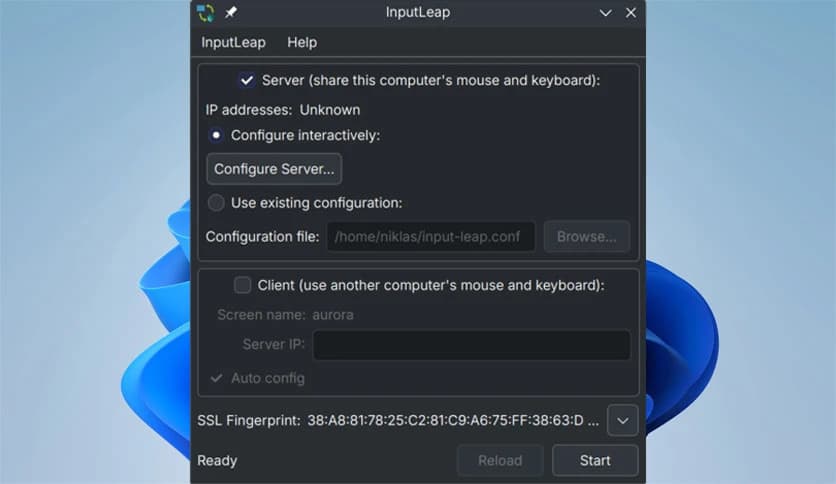

Free Download Input Leap for Windows PC. It is a smart productivity tool that lets one keyboard and mouse flow across multiple computers as smoothly as moving between rooms in the same house.
It is designed to replace the old-style hardware KVM switches with a modern, software-based approach. Instead of plugging cables into a physical box and turning a dial, this solution enables seamless control across multiple systems with simple mouse movements or keyboard shortcuts. Once set up, it feels as if all connected machines are part of a single extended workspace.
The idea is simple yet powerful. Move your cursor to the edge of one screen, and it instantly appears on the next computer. The keyboard follows along, making it easy to type, click, and work across devices without breaking focus. For people who juggle multiple PCs daily, this feels like removing a wall between desks.
The software runs quietly in the background on each connected machine. One system acts as the main controller, while the others respond as soon as the cursor crosses screen boundaries. Think of it as sliding a notebook across the table rather than standing up to fetch another.
Switching control does not require extra hardware or complex steps. A gentle mouse movement or a quick keypress changes focus instantly. This makes daily tasks faster and keeps hands where they belong, on the keyboard and mouse.
Traditional KVM switches address the same problem, but often feel stiff and slow. Physical devices need cables, ports, and manual switching. This tool removes that friction by working entirely through software.
There is no need to buy extra boxes or worry about cable clutter. Everything happens over the network, giving a cleaner setup and a more flexible experience. It feels less like operating machinery and more like extending your desktop.
This solution fits perfectly in offices, home studios, and developer setups. People who code on one system while testing on another can move between machines without losing rhythm. Designers can drag files, copy text, and adjust settings across computers with ease.
Even casual users benefit. If you keep a work PC and a personal system side by side, switching between them becomes effortless. It turns multiple devices into a single, seamless workspace rather than separate islands.
The biggest strength lies in how natural the interaction feels. There is no lag that breaks concentration and no complicated menus to open. The cursor movement itself becomes the control mechanism.
Keyboard input follows the cursor automatically, so typing feels continuous. It is like walking through an open doorway rather than stopping to unlock the door each time.
Control settings let users determine how switching behaves. Screen layouts can be arranged to match physical desk placement, reducing confusion. Shortcut keys offer quick switching for those who prefer precise control.
Network-based communication is managed carefully to ensure connections remain stable and responsive. This balance between flexibility and control makes it reliable for daily professional use.
Performance remains smooth even during long sessions. Cursor movement stays responsive, and keyboard input registers without noticeable delay. This reliability is essential when moving between systems frequently.
Once configured, it requires little maintenance. The software simply works, allowing users to focus on tasks rather than tools.
Getting started does not feel overwhelming. The setup process is straightforward, guiding users through linking machines and arranging screen positions. Even first-time users can be up and running quickly.
After initial configuration, daily use feels intuitive. The experience becomes second nature, much like switching between tabs in a browser.
Input Leap brings a modern twist to an old idea by turning multiple computers into a single, seamless workspace. It removes physical limitations, reduces desk clutter, and keeps work moving without interruption. For anyone who uses more than one PC, it feels like upgrading from stepping stones to a smooth bridge.
Leave a comment
Your email address will not be published. Required fields are marked *