Grist Download (Latest 2026) - FileCR
Free download Grist 0.3.11 Latest full version - Build relational data apps that feel like a spreadsheet.
Free download Grist 0.3.11 Latest full version - Build relational data apps that feel like a spreadsheet.
Free Download Grist for Windows PC. It is a modern data workspace that integrates spreadsheets, databases, and app development into a single, flexible platform.
It is built for people who live inside data but want more control and clarity than traditional tools allow. It takes the familiar look of a spreadsheet and quietly upgrades it with database-level structure and lightweight app features. The result feels comfortable on day one, yet powerful enough to grow with complex projects.
Instead of forcing users to choose between rigid databases or messy sheets, it brings both worlds together. You can store information in clean tables, link records like a relational system, and still edit cells as easily as typing into a grid.
One of the strongest points is how natural everything feels. Rows and columns behave like a classic spreadsheet, so there is no steep learning curve. At the same time, behind the scenes, the data behaves like a structured database, keeping everything organized and connected.
Think of it like upgrading a notebook into a brilliant filing cabinet. You still write notes the same way, but everything stays neatly categorized without extra effort.
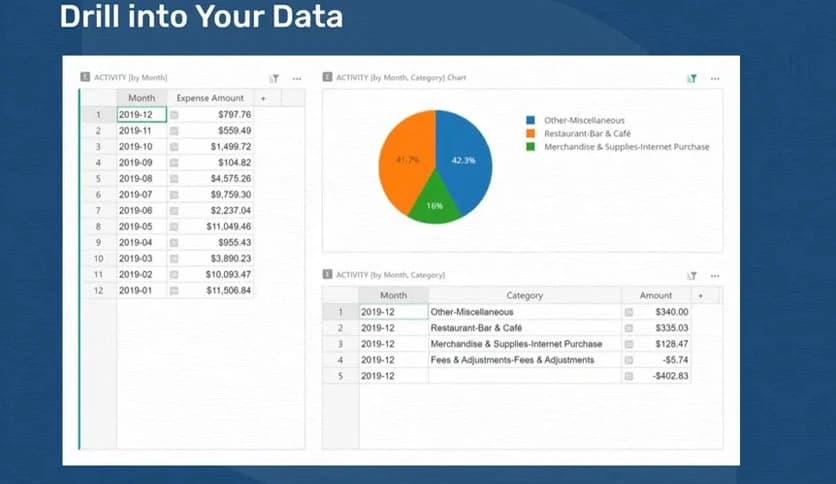
While it looks simple, the tool supports relational data, allowing tables to reference one another cleanly. This helps avoid duplication and keeps large datasets tidy. Relationships between records are easy to create, even for users who have never worked with a database.
This structure makes reporting and filtering more reliable, especially when working with growing datasets that would otherwise become chaotic in standard spreadsheets.
Instead of limiting users to basic spreadsheet formulas, it uses Python as its calculation engine. This enables far more expressive logic while remaining optional for beginners.
For non-technical users, everyday tasks still feel simple. For advanced users, Python functions as a precision tool, enabling them to shape data exactly as they want.
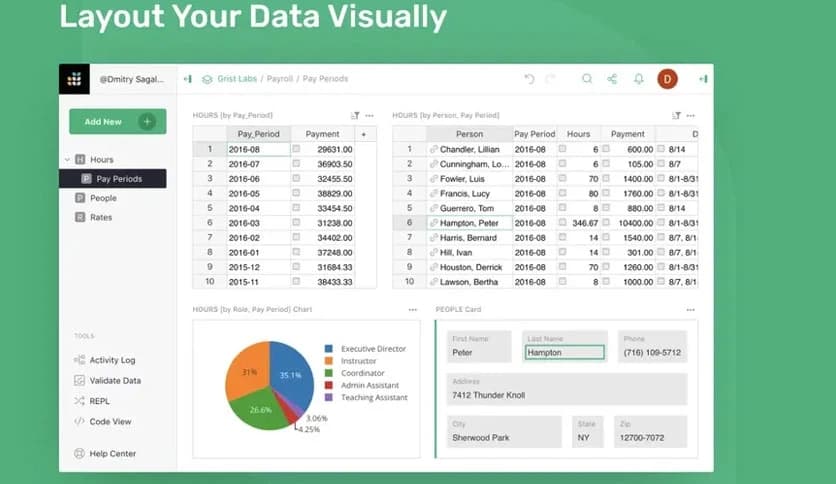
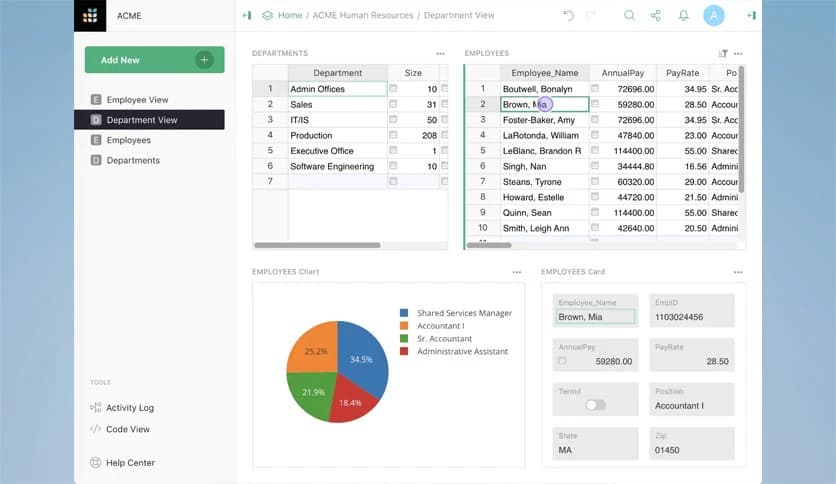
Data is much more helpful when presented clearly. The software allows users to create different views of the same information, including charts, cards, and dashboards.
These views are built using drag-and-drop controls, so turning raw numbers into something readable feels more like arranging furniture than writing code.
Working with a team feels smooth thanks to real-time collaboration. Multiple people can view and edit the same data without conflicts or confusion.
What really stands out is cell-level access control. Permissions can be configured so that users can only see or edit what they are authorized to access. It is like giving each teammate a key that opens only the doors they need.
Flexibility is another strong advantage. You can use a hosted version for convenience or run it on your own server for complete data ownership.
This choice makes it attractive to privacy-focused teams and organizations that need to meet strict compliance requirements without sacrificing usability.
Being open-source means transparency and control. Users can inspect how things work, customize features, or even contribute improvements.
An active community and ongoing updates help keep the platform fresh, stable, and aligned with real-world needs.
Small teams can get started without financial pressure thanks to free team account options. This makes it easier to test workflows and prove value before committing to larger plans.
It lowers the barrier to entry while still offering room to scale when projects grow.
The tool fits well in many scenarios, from project tracking and research databases to customer management and internal tools.
It works exceptionally well for teams that have outgrown simple spreadsheets but are not ready for heavy enterprise systems.
Grist stands out as a smart bridge between simplicity and power. It preserves the ease of spreadsheets while adding structure, security, and the flexibility typically found in advanced systems. For individuals and teams who want control over their data without drowning in complexity, it is a well-balanced solution that grows with your needs.
Leave a comment
Your email address will not be published. Required fields are marked *