Gologin Download (Latest 2026) - FileCR
Free download Gologin Latest full version - Anti-detect browser for managing multiple accounts.
Free download Gologin Latest full version - Anti-detect browser for managing multiple accounts.
Free Download Gologin for Windows PC. It is an advanced anti-detect browser designed to help users manage multiple online accounts safely and seamlessly, without triggering platform restrictions.
It is designed for people who manage multiple accounts across the same or different platforms. It creates a separate, clean digital identity for each profile, making every login appear to come from a completely different physical device. This approach helps users avoid bans, blocks, and unwanted verifications that usually happen when multiple accounts are detected.
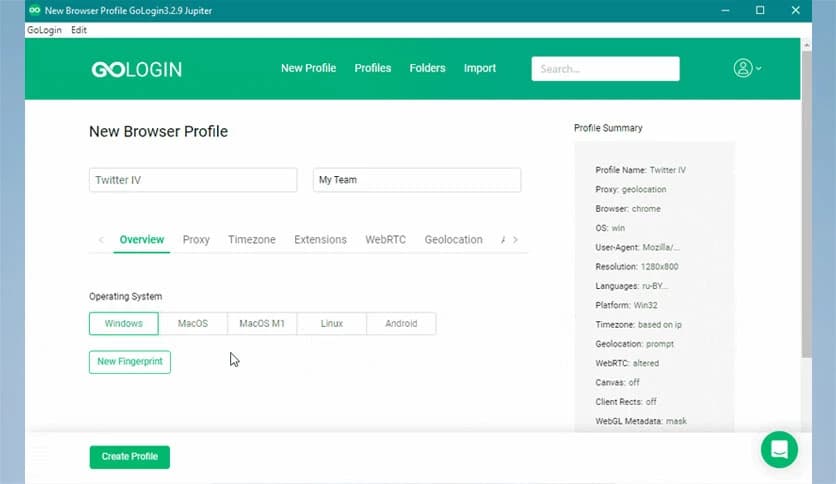
Instead of juggling browsers, extensions, or virtual machines, it brings everything together in one smart workspace. Each profile runs independently, with its own fingerprint, system details, and connection settings. This makes daily account handling feel organized rather than chaotic.
The tool focuses heavily on protection at every level. Each profile has a unique browser fingerprint that includes screen size, fonts, WebGL, time zone, and other parameters websites use to identify users. These fingerprints are realistic and consistent, which helps accounts blend in naturally.
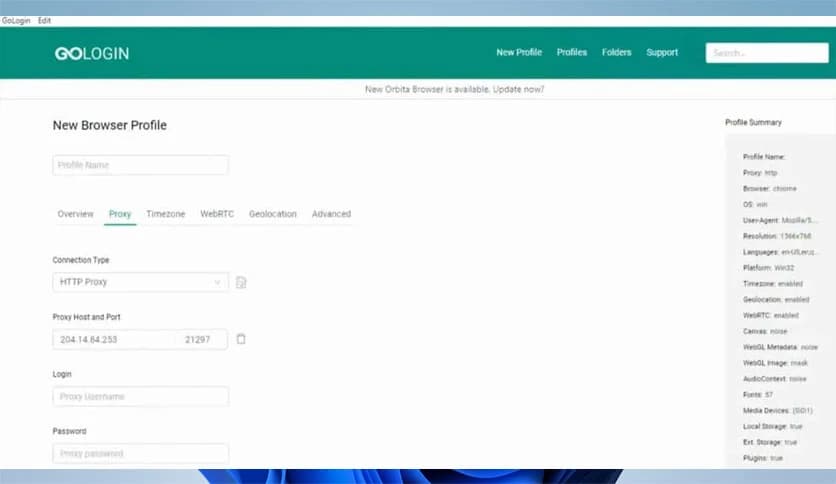
Additionally, it allows assigning different IP addresses to different profiles. This separation is crucial when platforms track login locations and network behavior. Keeping profiles isolated reduces the risk of links between accounts.
One of the strongest points is its natural mimicry of real devices. Instead of random or broken fingerprints, it uses real browser environments that behave like genuine machines. This makes actions feel human rather than automated.
Think of it like wearing different outfits when visiting different places. Each appearance matches the environment, so nothing feels out of place. This consistency plays a big role in long-term account safety.
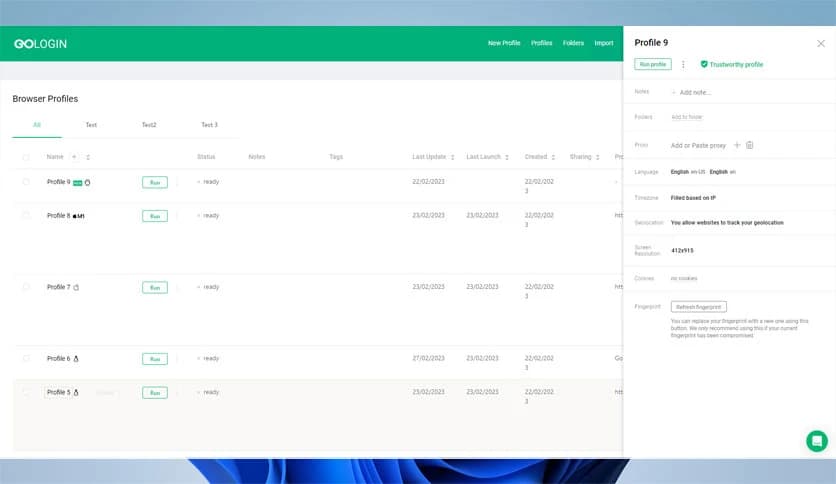
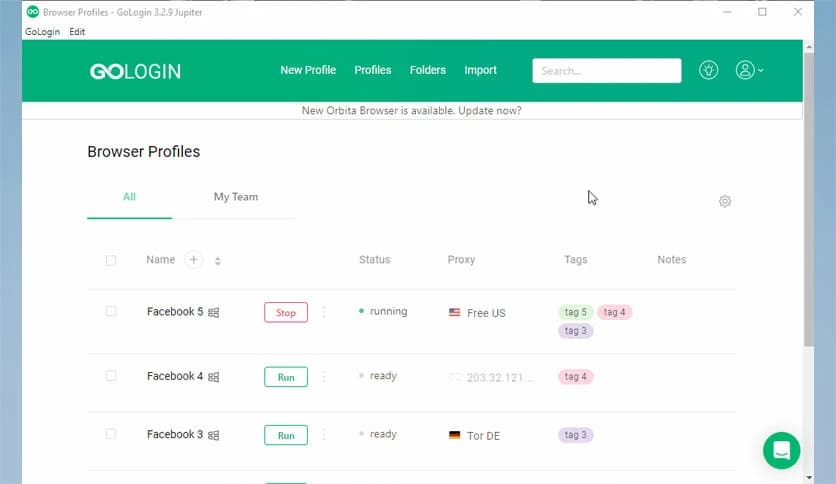
Managing many profiles can quickly become overwhelming. This is where the software shines: it offers a unified dashboard. All profiles are clearly listed, making it easy to launch, pause, or organize them by task.
The interface is fully customizable, allowing users to arrange elements the way they prefer. Whether someone works alone or manages a large team, the layout can be shaped to match their workflow.
Beyond the basics, it includes many advanced features that are often overlooked. These include flexible fingerprint tuning, profile sharing controls, cloud profile storage, and automation-friendly options.
Everything is included, so there is no need to hunt for add-ons or third-party tools. Users can fine-tune profiles for specific platforms and use cases, all from one place.
The platform works equally well for individuals and businesses. Solo users can keep personal projects separate, while teams can collaborate without sharing sensitive login data. Profiles can be assigned, transferred, or restricted by role.
This structure helps teams stay organized and secure, especially when multiple people work on similar tasks across different accounts.
Despite its advanced capabilities, the interface stays clean and approachable. Buttons, menus, and settings are easy to understand, even for beginners. Nothing feels buried or overly technical.
It feels more like setting up workspaces than configuring complex software. This simplicity saves time and reduces mistakes during daily use.
Running multiple profiles does not feel heavy or slow. Each environment is optimized to run smoothly, even when multiple sessions are active simultaneously. This balance between power and performance makes long working sessions comfortable.
Profiles launch quickly, settings load reliably, and overall stability remains strong across different system setups.
Account data is kept isolated within each profile, providing an additional layer of protection. Cookies, cache, and local storage do not leak between sessions. This isolation is key to maintaining clean identities.
Users also retain control over their data, choosing how their profiles are stored and accessed. This flexibility helps meet different privacy and security needs.
It adapts well to a range of scenarios, including social media management, e-commerce operations, affiliate work, and testing environments. Each profile behaves like a new device, making switching between tasks effortless.
This versatility is why many users rely on it as a daily work companion rather than a one-time solution.
Gologin stands out as a powerful yet user-friendly solution for safe multi-account management. It combines realistic browser fingerprints, strong isolation, and a customizable workspace into one smooth experience. By keeping profiles separate and natural-looking, it helps users work confidently without constant fear of restrictions or bans.
Leave a comment
Your email address will not be published. Required fields are marked *