Fluig AI Download (Latest 2026) - FileCR
Free download Fluig AI Latest full version - Turn ideas into clear diagrams easily with AI.
Free download Fluig AI Latest full version - Turn ideas into clear diagrams easily with AI.




Free Download Fluig AI for Windows PC. It is a software that helps you transform documents or ideas into clear and professional diagrams in seconds without any design skills.
It is an AI-native tool built to simplify diagram creation. With it, you can instantly convert documents, images, or webpages into structured diagrams, such as mind maps, flowcharts, Kanban boards, tables, and cards. The tool enables you to chat naturally with AI, allowing it to do the heavy lifting for you. There’s no need for a learning curve or advanced skills, making it ideal for professionals, students, and businesses.
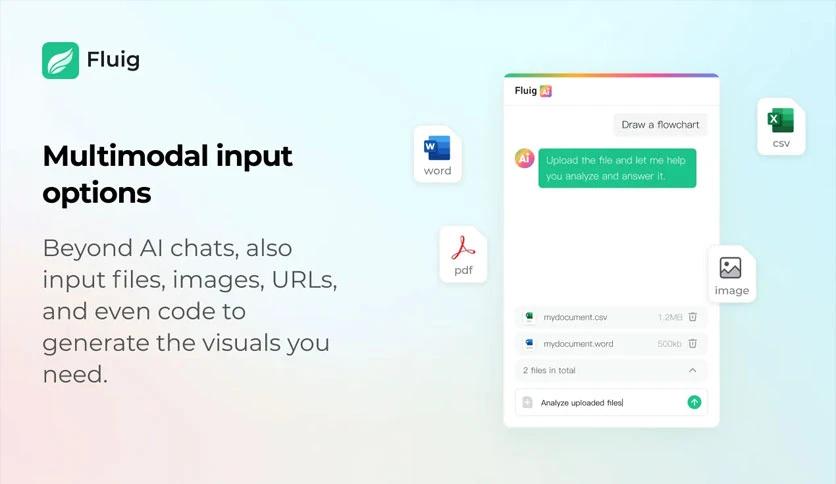
The tool functions through simple interaction. You can upload a file, paste text, or even connect to a webpage. With just one click, your input is turned into a clean diagram. For example, a lengthy PDF can be transformed into a structured table or mind map that’s much easier to understand. This saves time, boosts productivity, and improves clarity.
For those in corporate or academic environments, this software removes the struggle of creating diagrams manually. Reports can be summarized into flowcharts, making meetings more efficient and effective. Research data can be transformed into tables for quicker decision-making. Competitive analysis becomes straightforward with automated visualization of strengths and weaknesses.
Students and educators can utilize its features for brainstorming sessions or presentations. By converting raw notes into structured diagrams, learners can more easily grasp information. Creative professionals can map out project ideas or workflows without having to spend hours designing layouts.
One of the strongest aspects of the tool is its ability to process PDF documents. Instead of manually reading lengthy content, you can instantly turn it into diagrams that highlight key points. This function makes studying, analyzing reports, and preparing presentations significantly easier.
Unlike traditional diagram software, this one does not require extensive training or prior experience. You can upload, click, and receive a ready-to-use diagram. Its accessibility makes it suitable for anyone—from beginners to advanced users—who want to save time and effort.
From product flow analysis to mind maps of creative ideas, the tool offers unlimited potential. It adapts to your needs, whether you’re working on business strategies, learning material, or creative projects. With constant improvements and AI support, it continues to evolve, providing even more possibilities.
Fluig AI is a powerful yet simple solution for turning raw data, documents, and ideas into professional diagrams within seconds. It eliminates the need for design skills, saves valuable time, and helps you grasp information faster. Whether you’re a student, a business professional, or a creative thinker, this tool provides clarity and productivity with every click.
Leave a comment
Your email address will not be published. Required fields are marked *