Exaile Download (Latest 2026) - FileCR
Free download Exaile 4.2.1 Latest full version - Powerful music manager with smart tools.
Free download Exaile 4.2.1 Latest full version - Powerful music manager with smart tools.
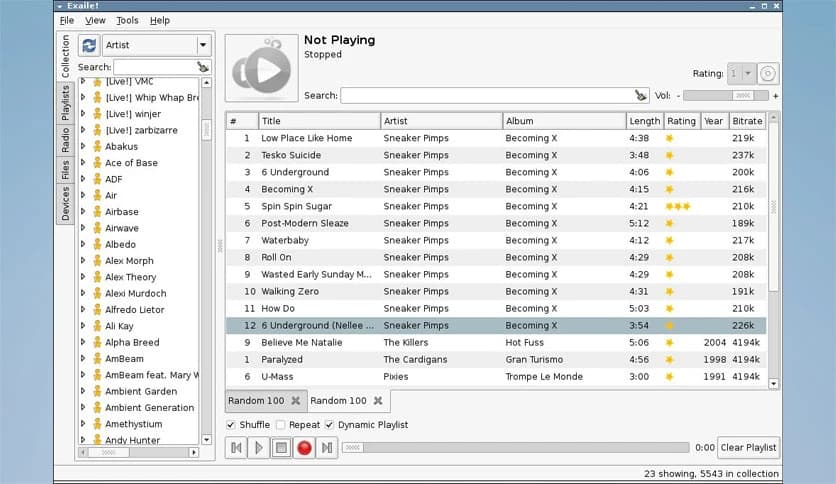
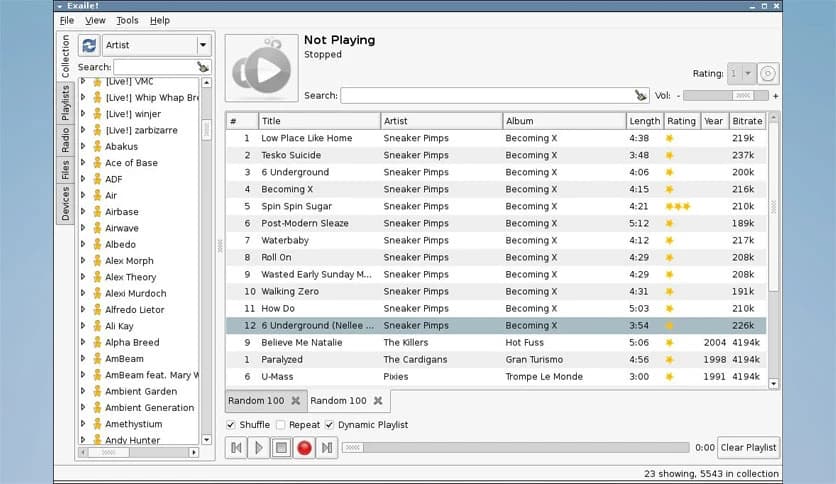
Free Download Exaile for Windows PC. It is a lightweight yet powerful music player that helps you organize, manage, and enjoy your entire music collection with ease.
It is a cross-platform music manager and player built with Python and GTK+. It is designed for users who want greater control over their music without a cluttered interface. The layout is clean and simple, but behind that simplicity lies a strong engine capable of handling large music libraries smoothly.
It automatically fetches album art, grabs lyrics, and even pulls artist information from online sources like Wikipedia. You can stream internet radio, manage smart playlists, and enjoy a seamless listening experience. The software is like a digital music shelf, with everything neatly organized and always within reach.
The first thing you notice is how easy it is to use. The interface does not overwhelm you with unnecessary buttons. Everything is placed where you expect it to be. Browsing through songs, albums, and artists feels natural.
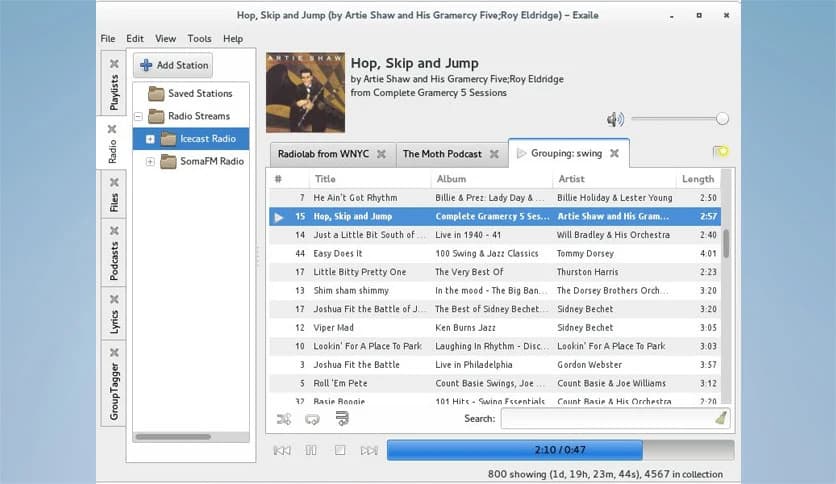
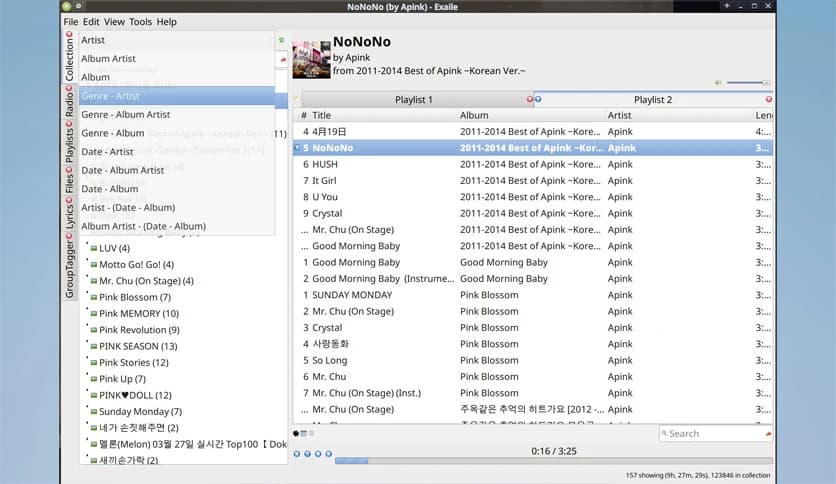
It supports tabbed playlists, allowing you to keep multiple playlists open simultaneously. Think of it like having different tabs in a browser, but instead of websites, you switch between music moods. One tab for workouts, another for study sessions, and another for relaxing evenings.
If you have thousands of songs, you know how messy things can get. This tool handles large libraries without slowing down. It scans your music collection and organizes it in a structured way.
You can easily search, filter, and sort tracks. Smart playlists take things to the next level. These playlists update automatically based on rules you set. For example, you can create a playlist that shows only songs added in the last month or tracks with a certain rating. It is like having a personal assistant managing your music taste.
No one likes blank album covers. The software automatically downloads album art for your songs. Your library suddenly looks alive and colorful.
It also fetches lyrics, so you can sing along without opening a browser. Everything happens inside the player. This makes the listening experience more complete and immersive, especially when you want to connect with the music more deeply.
Listening to local files is great, but sometimes you want something new. It supports streaming internet radio, including Icecast and Soma.FM stations. You can explore different genres and discover fresh tracks from around the world.
Podcast support is also included. You can subscribe, download, and manage episodes directly inside the application. It turns your computer into a full entertainment hub, not just a music player.
One of its strongest points is flexibility. It comes with more than 50 plugins that expand its capabilities. You can enable or disable them as needed.
Some plugins provide advanced track tagging, making it easier to clean up messy metadata. Others add Last.fm scrobbling, so your listening history is tracked automatically. There is even support for portable media players, which makes transferring songs simple.
ReplayGain support ensures consistent volume levels across tracks. This means no more sudden jumps in sound when switching songs. DJs can even use a secondary output device for better control during live sessions. It feels like upgrading your music toolbox without changing the main player.
The player does more than just play music. It retrieves artist and album details from online sources, including Wikipedia. While listening to a track, you can read about the artist’s background or learn interesting facts about an album.
This feature adds context to your music. It transforms a simple listening session into a richer experience, almost like reading liner notes from a physical album, but in digital form.
Built with Python and GTK+, it runs smoothly on multiple platforms, including Windows. Despite offering advanced features, it remains lightweight. It does not consume excessive system resources, making it ideal even for older PCs.
The installation process is straightforward, and once installed, it feels stable and reliable. You do not need a high-end computer to enjoy its full potential.
Everyone has different preferences for how a music player should look and behave. The software allows customization through themes and plugins. You can adjust layouts, enable specific tools, and shape it according to your workflow.
This flexibility makes it suitable for casual listeners and advanced users alike. Whether you want to press play or dive deep into metadata organization, it adapts to your style.
Exaile is more than just a basic music player. It combines a clean interface with advanced music management tools, streaming options, plugin support, and automatic content fetching. Whether you have a small collection or a massive library, it keeps everything organized and accessible. If you want a reliable and flexible music companion for your Windows PC, this solution delivers both simplicity and power in one package.
Leave a comment
Your email address will not be published. Required fields are marked *