DDEV Download (Latest 2026) - FileCR
Free download DDEV 1.25.1 Latest full version - Local environments for smooth web development.
Free download DDEV 1.25.1 Latest full version - Local environments for smooth web development.
Free Download DDEV for Windows PC. It is a powerful tool that lets developers create local web development environments in minutes using Docker without complicated configuration.
Modern web development often requires many tools working together. Developers usually need PHP, Node.js, databases, web servers, and other services running simultaneously. Setting all of this up manually can feel like building a complicated machine from tiny parts. That is where the tool comes in.
This solution provides a simple and reliable way to create local development environments for web projects. Instead of spending hours configuring servers and software, developers can start a complete environment in seconds. It uses Docker behind the scenes but removes the complexity that usually comes with container management.
The software focuses on speed, simplicity, and flexibility. Teams can share the same environment configuration, ensuring every developer works under identical conditions. This eliminates the common “it works on my machine” problem because everyone uses the same setup.
Another advantage is its support for multiple projects simultaneously. Whether someone is working on a small website or a large enterprise application, it allows smooth project management without conflicts. Everything runs in isolated environments, keeping projects organized and stable.
Starting a new project normally involves installing many dependencies. Developers must configure web servers, databases, and development tools. With this tool, the process becomes much easier.
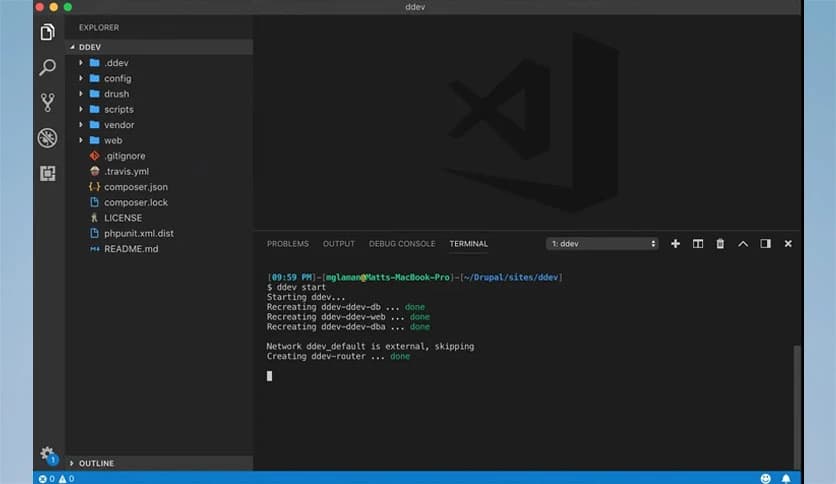
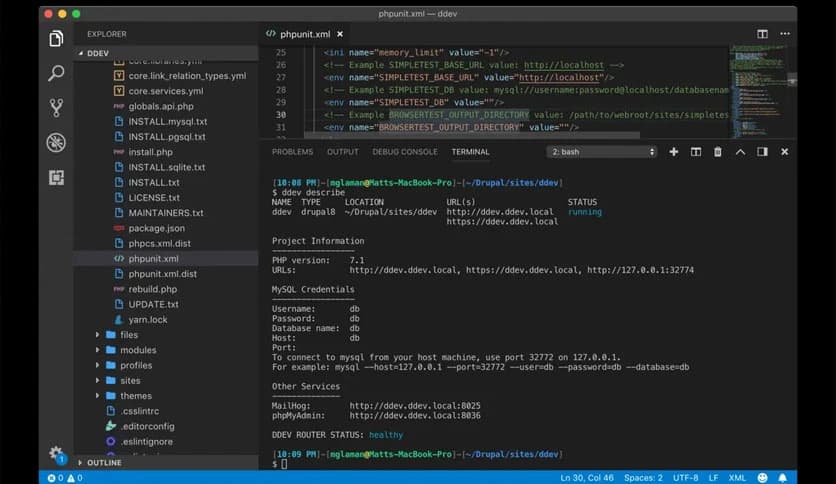
It allows users to create a project environment with just a few commands. In seconds, a fully working setup appears with the necessary services already running. It feels like flipping a switch that instantly powers up a fully equipped development lab.
This speed helps developers focus on coding instead of spending time on configuration tasks. It also makes experimenting with new frameworks or ideas much easier because environments can be created and removed quickly.
Modern web applications depend on a combination of technologies. Instead of manually installing each component, the tool provides a ready-to-use stack.
It supports technologies such as PHP, Node.js, MySQL, PostgreSQL, nginx, Apache, Redis, and Mailpit. These components are already integrated into the environment, making development smooth and efficient.
This wide support allows developers to build anything from simple websites to complex web applications. Since the environment is standardized, projects behave consistently across different machines.
Many developers work on multiple projects simultaneously. Managing several environments can become confusing and resource-heavy. This tool solves that problem by allowing unlimited projects to run independently.
Each project runs in its own containerized environment. That means different versions of PHP or databases can exist side by side without conflicts. It works like having multiple small computers dedicated to each project.
Developers can start, stop, or restart environments whenever needed. This flexibility helps keep systems organized and prevents unnecessary resource usage.
Development teams often use different operating systems. Some prefer Windows. Ensuring consistency across these systems can be challenging.
This tool solves the issue by supporting all major platforms. It works smoothly on Windows, making collaboration easier for teams with mixed setups.
Because the environment is container-based, the behavior remains consistent across operating systems. This reduces compatibility problems and improves team productivity.
Testing websites locally often requires custom domain names and HTTPS connections. Setting this up manually can be confusing for beginners.
The built-in router automatically manages custom domains and SSL certificates. Developers can test their projects using realistic domain names without complicated steps. This feature is especially useful when working with frameworks or applications that rely on secure connections. It creates a development environment that closely matches real production conditions.
Modern web development relies heavily on frameworks and content management systems. Setting them up locally usually involves additional configuration.
The software simplifies this process by providing presets for popular platforms. These include Laravel, WordPress, Drupal, TYPO3, Magento, Craft CMS, and many others. With these presets, developers can start building projects immediately. Instead of spending time on setup, they can jump directly into development.
Performance is important in any development workflow. Slow environments can interrupt productivity and make testing frustrating.
This tool is designed with performance in mind. It continuously evolves to adopt modern practices that improve speed and efficiency.
The environment runs smoothly even when handling multiple services at once. This ensures developers experience minimal delays while building and testing applications.
Every development project has unique requirements. Some projects need extra services or special configurations.
The tool allows developers to easily extend environments. Add-ons can be installed to add extra functionality, and custom scripts can run during different lifecycle stages.
Advanced users can even bring their own Docker configurations to further customize the setup. This flexibility makes it suitable for both beginners and experienced developers.
Development environments are only part of the workflow. Projects eventually need to be deployed to staging or production servers.
The software integrates smoothly with various providers and hosting platforms. This helps developers create a streamlined workflow from development to deployment.
Instead of manually recreating environments, teams can maintain consistency throughout the entire development lifecycle.
One of the biggest strengths of this tool is its open-source nature. It is released under the Apache 2.0 license, which means anyone can use, modify, or share it.
The open development model encourages community contributions. Developers around the world help improve the software, add features, and fix issues.
This community-driven approach ensures continuous improvement and keeps the platform reliable for long-term use.
DDEV provides a powerful yet simple solution for modern web development environments. It helps developers build and manage projects quickly without dealing with complicated server configurations. With Docker-powered environments, multi-platform support, framework presets, and flexible customization, it becomes an essential tool for efficient development workflows. DDEV allows teams to work consistently, collaborate easily, and focus on what matters most: creating great web applications.
Leave a comment
Your email address will not be published. Required fields are marked *