Claude AI Download (Latest 2026) - FileCR
Free download Claude AI Latest full version - Smart assistant helping solve complex tasks faster.
Free download Claude AI Latest full version - Smart assistant helping solve complex tasks faster.


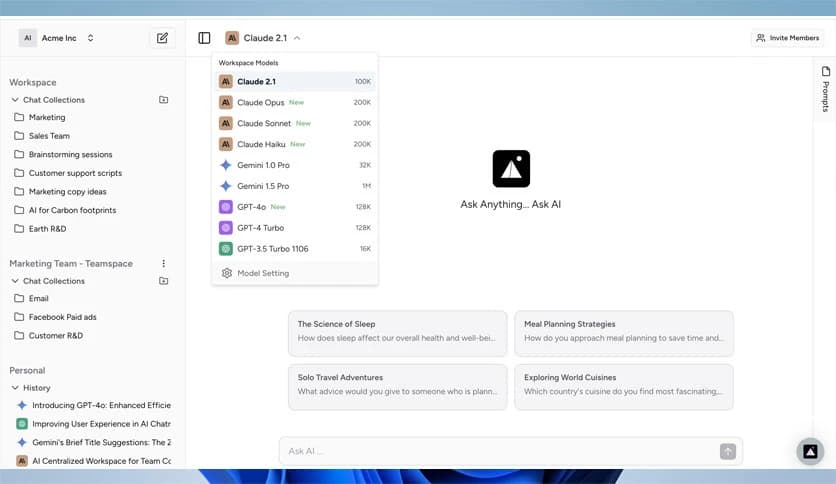
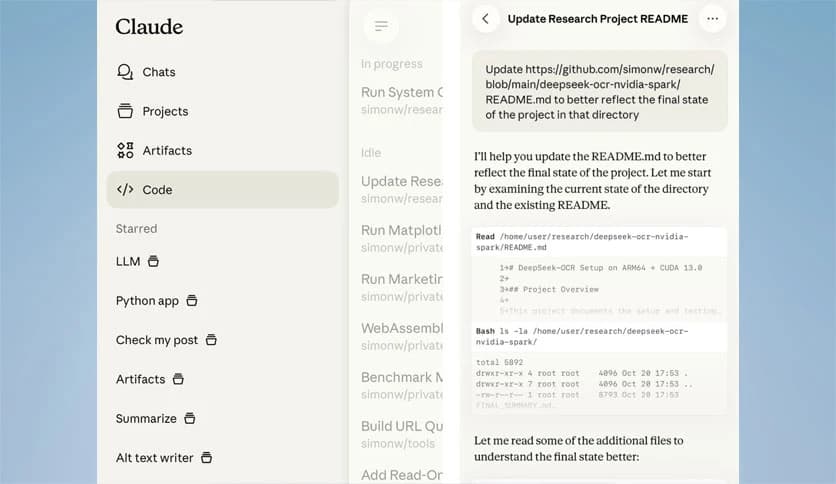
Free Download Claude AI for Windows PC. It is a powerful AI assistant designed to help you think, create, and solve complex tasks with clarity and speed.
This modern AI assistant works like a thoughtful partner, helping you organize ideas, analyze information, and produce high-quality results faster. Instead of simply generating text, it focuses on understanding the problem and guiding you toward smarter solutions.
The platform is designed for people who deal with challenging work every day. Whether someone is writing code, planning a project, or analyzing complicated data, this intelligent assistant makes the process smoother and more efficient. It works step by step with the user, breaking large problems into smaller and more manageable pieces.
Think of it like having a digital expert sitting beside you. When an idea feels messy or confusing, the system helps organize it, refine it, and turn it into something clear and useful.
One of the most powerful things about this assistant is how it collaborates with users. Instead of just providing quick answers, it works through problems together with you. The software helps you analyze situations, understand logic, and explore new possibilities.
Imagine brainstorming with a highly skilled teammate who never gets tired. That is how the experience feels. You share an idea or problem, and the tool expands on it, suggests improvements, and provides helpful insights.
This collaborative approach makes it perfect for students, developers, researchers, and professionals who need more than simple automation.
Large tasks often feel overwhelming. When there are too many steps, too much information, or unclear directions, productivity slows down. This intelligent assistant acts as a guide, simplifying complicated situations.
It analyzes the problem and breaks it into smaller pieces. Each piece becomes easier to understand and solve. Instead of facing a wall of confusion, users can move forward step by step.
Think of it like solving a puzzle. Instead of staring at hundreds of pieces at once, the tool helps you organize them into sections. Suddenly, the picture starts making sense.
The tool is designed for people who want to get meaningful work done. From coding new software to performing deep data analysis, it supports demanding tasks that require focus and logic.
Developers can use it to write or review code, troubleshoot errors, and improve project structure. Analysts can ask it to study datasets, explain patterns, or generate summaries that highlight key insights.
Instead of spending hours searching for solutions, users receive helpful guidance instantly. This speeds up decision-making and keeps projects moving forward.
Sometimes the hardest part of a project is not the work itself but the ideas behind it. Creativity can stall when someone runs out of inspiration or direction.
This assistant helps unlock new possibilities. When users present an idea, the software expands on it by offering alternative approaches, improvements, and fresh perspectives.
It works like a creative partner. Just as two people brainstorming together often produce stronger ideas, the system helps transform simple thoughts into detailed concepts.
For writers, designers, entrepreneurs, and researchers, this ability can make a huge difference.
Modern work rarely happens alone. Most projects involve teams sharing ideas, feedback, and responsibilities. The software fits naturally into collaborative environments.
Teams can use it to summarize discussions, generate project outlines, or analyze information together. This keeps everyone aligned and reduces misunderstandings.
Think of it like a shared digital assistant that helps the whole team stay organized. Instead of losing time searching through documents or notes, important insights are always within reach.
Despite its powerful capabilities, the system remains simple to use. The interface focuses on clarity, making interactions feel natural and intuitive.
Users simply describe what they want to accomplish, and the assistant begins working with them to achieve the goal. There is no complicated setup or technical barrier to getting started.
This simplicity allows beginners and professionals alike to benefit from advanced AI technology without feeling overwhelmed.
Working with this intelligent assistant often feels like a learning experience. Instead of just receiving results, users gain a deeper understanding of their work.
For example, when solving technical challenges, the system explains the logic behind the solution. When analyzing information, it highlights patterns and reasoning that might otherwise go unnoticed.
This helps people improve their skills over time. In a way, the tool acts like a teacher, explaining things clearly while helping you complete real work.
Claude AI stands out as a powerful assistant that helps users tackle complex challenges with confidence. Instead of replacing human thinking, it strengthens it by organizing ideas, simplifying difficult tasks, and offering intelligent collaboration. Whether someone is building software, exploring new concepts, or solving demanding problems, this tool acts as a trusted partner, keeping productivity moving forward.
Leave a comment
Your email address will not be published. Required fields are marked *