Sizer Download (Latest 2026) - FileCR
Free download Sizer Latest full version - Resize any window to an exact, predefined size.
Free download Sizer Latest full version - Resize any window to an exact, predefined size.
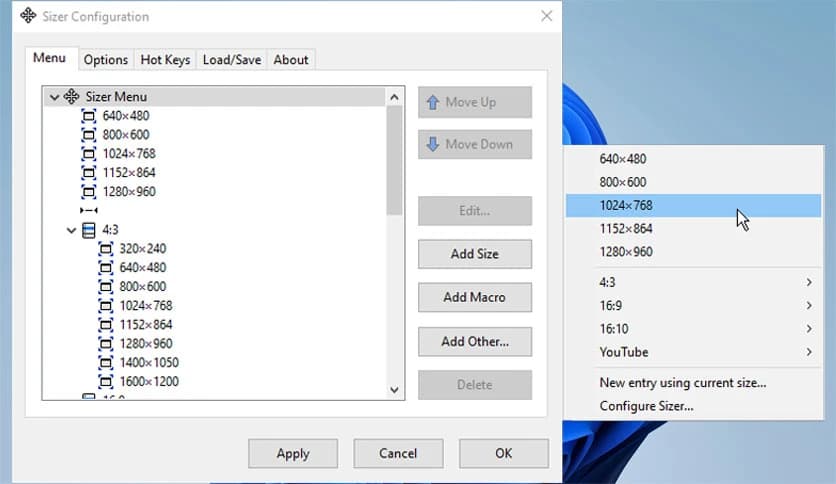
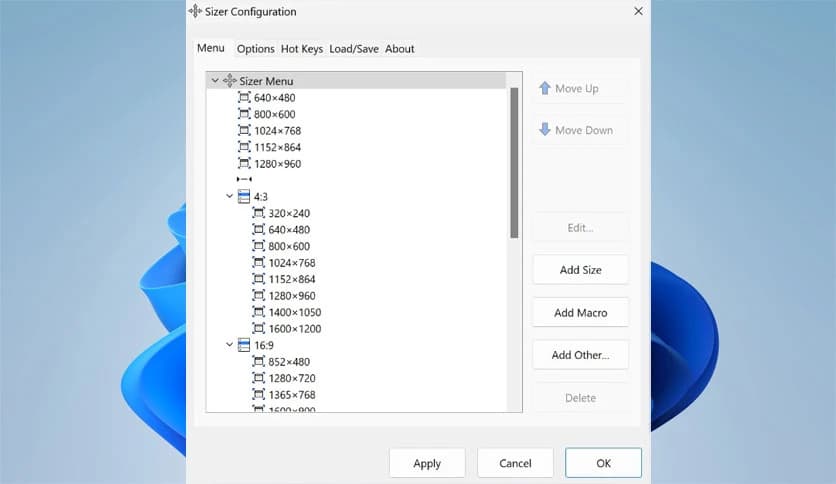
Free Download Brian Sizer for Windows PC. It is a lightweight utility that helps users quickly resize and position windows to exact dimensions, improving workspace organization.
Working with multiple windows on a desktop can sometimes feel messy and unorganized. When applications are opened side by side, they often appear in different sizes or positions, which can slow down your workflow. This handy tool solves that problem by allowing users to resize and reposition windows with precision.
The software was designed mainly for developers, designers, and professionals who frequently work with specific window dimensions. For example, web designers often need to preview how a website appears at certain screen resolutions. Instead of manually dragging window borders again and again, the tool lets you apply exact sizes instantly.
It acts like a ruler for your desktop. Instead of guessing the size of a window, you simply choose a preset dimension, and the window adjusts immediately. This saves time and keeps your workspace consistent.
When managing multiple tasks, having organized windows can improve productivity. Imagine editing documents, previewing a website, and checking reference material all at once. If every window has a consistent size and position, the workspace becomes easier to manage.
The tool allows users to define exact dimensions so windows always appear the same way. This is especially helpful for documentation work or when capturing screenshots. Consistent window sizes make images look neat and professional.
Instead of manually adjusting windows, like moving furniture around a room, the software provides quick shortcuts that arrange everything instantly. This makes everyday tasks smoother and more efficient.
The software includes several powerful features that make window management simple and flexible.
The latest version has been completely rebuilt to work smoothly with modern applications. Many utilities struggle when interacting with newer Windows environments, but this one was redesigned to better handle those challenges.
The updated architecture makes it less intrusive while still providing powerful functionality. Because of this design improvement, the software runs more reliably and causes fewer conflicts with other programs.
Although some rarely used features were removed to achieve greater stability, the result is a faster and more dependable tool. Most users will notice smoother performance and better integration with modern Windows systems.
Time is valuable when working on a busy desktop. Instead of navigating through menus or searching for window borders, the tool allows users to assign hotkeys for quick access.
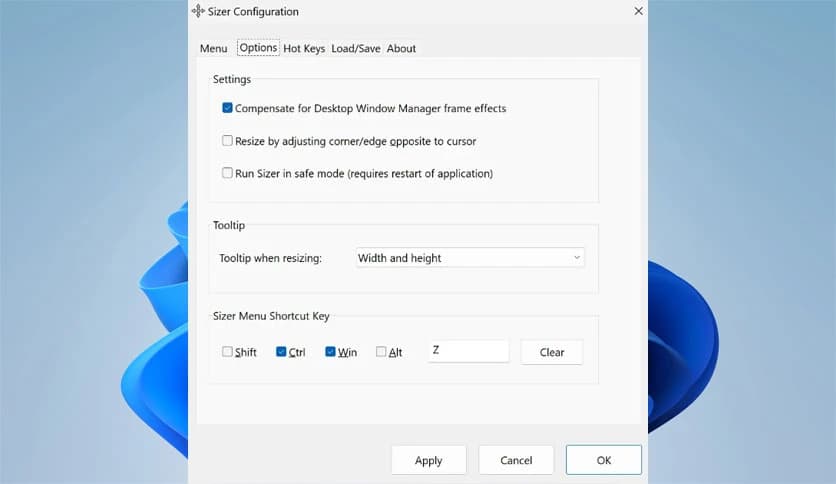
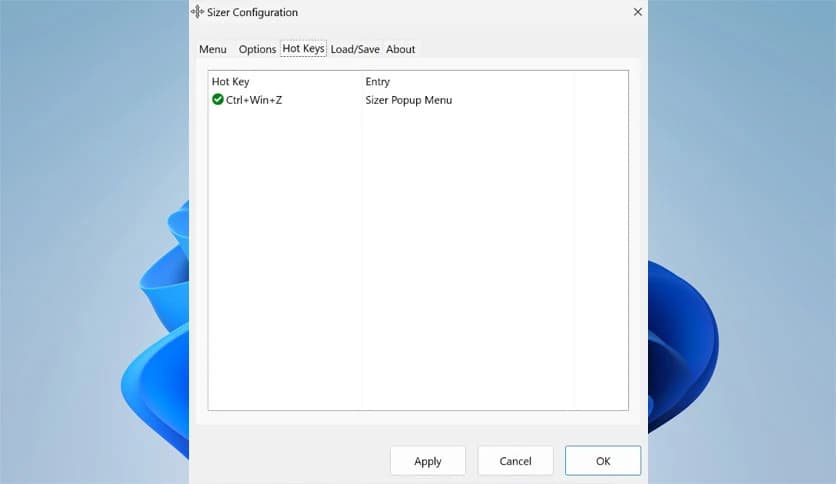
With a simple keyboard shortcut, the resizing menu appears instantly. For example, pressing Ctrl + Win + Z can open the main context menu. This feature is especially useful when working with many applications at once.
Hotkeys act like shortcuts on a highway. Rather than navigating menus, users jump directly to the action they need. This small feature can save a surprising amount of time throughout the day.
One of the most interesting capabilities is the support for formulas and expressions. Instead of entering fixed numbers only, users can define dynamic sizes based on screen dimensions.
For instance, a formula such as 0.7 multiplied by the monitor width will create a window that always takes up 70 percent of the screen. This is extremely useful when working with different monitor sizes.
Macros take this idea even further. They allow several windows to be arranged at once. With a single command, multiple applications can be positioned in an organized layout.
This makes multitasking easier because the desktop can transform instantly into a well-structured workspace.
As users create more resizing presets, the menu can become crowded. To address this, the tool includes menu-grouping functionality.
Menu groups allow users to organize different window sizes into categories. For example, one group could contain sizes for web testing, while another group may contain layouts for document editing.
This structure keeps the menu clean and easy to navigate. It works like folders on a computer, where related items are stored together for quick access.
Many utilities require installation and the storage of configuration files across the system. This tool offers a portable option that allows users to run it directly from a USB drive.
Portable mode is ideal for professionals who work on different computers. By keeping everything in one place, they can carry their preferred window layouts wherever they go.
It also simplifies backup and migration because settings remain stored within the portable folder.
Managing settings is simple thanks to built-in configuration tools. Users can export their preferences and import them later whenever needed.
This feature helps when reinstalling the system or transferring settings to another device. Instead of recreating all presets from scratch, the configuration file restores everything instantly.
Think of it as saving a blueprint of your workspace. Whenever needed, you can load that blueprint, and the desktop layout returns exactly as before.
The software is helpful in many situations where precision matters. Web developers often use it to preview websites at specific screen resolutions. By resizing the browser window, they can quickly see how a layout behaves.
Technical writers also benefit from it when creating documentation. Screenshots look consistent when every window uses the same size and position.
Even casual users can appreciate the convenience. Organizing windows for watching videos, browsing the web, or working with documents becomes faster and easier.
Sizer is a practical utility that makes desktop window management simple and precise. By allowing exact resizing, custom layouts, hotkey controls, and advanced formulas, it helps users maintain an organized workspace without effort. Whether someone is designing websites, capturing screenshots, or simply keeping their desktop tidy, the software provides a reliable and efficient solution.
Leave a comment
Your email address will not be published. Required fields are marked *