AutoZoom Download (Latest 2026) - FileCR
Free download AutoZoom 1.0.1 Latest full version - Turn Screen Recordings into Cinematic Demos.
Free download AutoZoom 1.0.1 Latest full version - Turn Screen Recordings into Cinematic Demos.
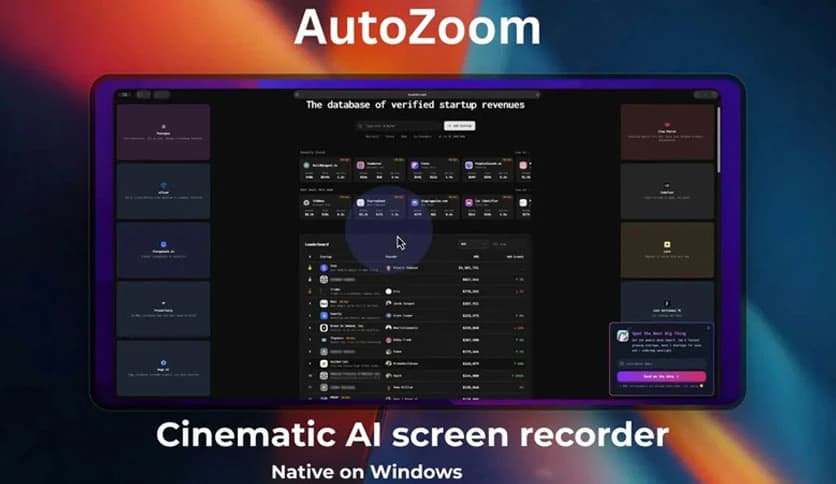
Free Download AutoZoom for Windows PC. It is a smart AI-powered screen recording tool that automatically enhances recordings with zoom, effects, captions, and visual highlights.
It is a modern screen recording application designed to make screen captures look polished without complicated editing. Many recording tools simply capture what happens on the screen, but this one goes a step further. It automatically improves the video with smart zoom effects, motion enhancements, and visual highlights.
One of the biggest advantages of this tool is that it runs natively on Windows. That means it is optimized for performance and works smoothly without needing complicated setup or external frameworks. You simply launch it, press record, and the software takes care of the rest.
Instead of spending hours editing footage in video software, creators can record and achieve professional-looking results instantly. The intelligent automation makes tutorials, product demos, online courses, and social media content much more engaging.
Think of it like having a video editor quietly working behind the scenes while you record. The software monitors your activity and automatically enhances the recording.
The biggest strength of this software is its AI-driven recording technology. Rather than recording a static screen, the tool actively analyzes activity as it captures video.
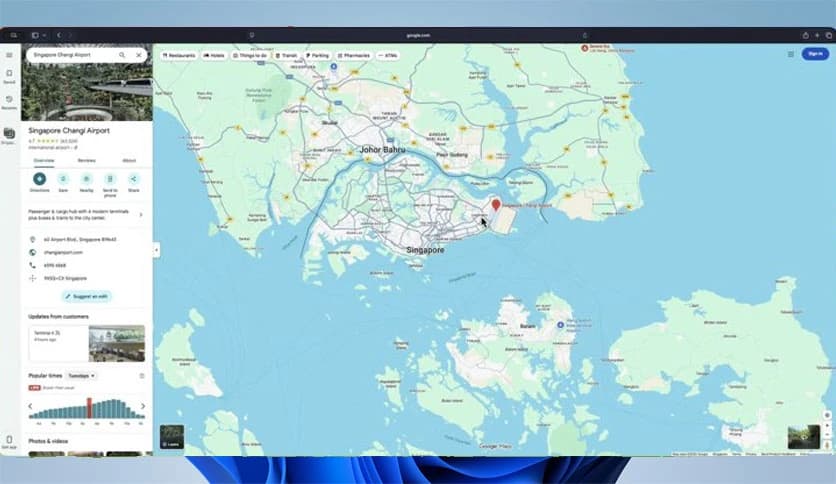
When the cursor moves or a button is clicked, the software understands that something important is happening. It automatically zooms into that area with smooth cinematic movement. This makes the recording feel dynamic and easier to follow.
For example, if you are demonstrating a feature in a program, the tool zooms toward the relevant section of the screen. Viewers instantly know where to focus. This removes confusion and makes tutorials more effective.
It works quietly in the background, so you do not need to manually add zoom effects later.
One of the most impressive features is the intelligent auto-zoom system. It tracks actions such as cursor movement, typing, window switching, and clicks.
Instead of abrupt zoom changes, the transitions are smooth and cinematic. The movement feels natural, almost like a professional camera operator controlling the shot.
This is especially useful for tutorial creators and educators. When demonstrating steps in software or websites, viewers can easily see where the action happens.
The tool acts like a virtual cameraman, always keeping the most important part of the screen in focus.
To make recordings look even more professional, the software includes motion blur and 3D perspective effects. These effects add depth and smoothness to video transitions.
Motion blur makes zoom movements feel fluid rather than mechanical. When the camera view shifts across the screen, the blur effect creates a natural cinematic look.
The 3D perspective effect adds another layer of visual polish. Instead of flat zooms, the camera slightly tilts and moves with depth, giving the recording a more modern appearance.
These enhancements transform simple screen recordings into visually engaging presentations.
Another useful feature is automatic caption generation. The software analyzes spoken words and generates readable captions that appear directly in the video.
This improves accessibility and helps viewers follow along even without audio. Captions are particularly useful for online courses, social media clips, and professional tutorials.
The tool also highlights keyboard input and mouse clicks. When a key is pressed, it appears visually on the screen. When a click happens, a ripple effect highlights the location.
These visual cues guide viewers through each step like road signs on a highway.
Desktop clutter can ruin the visual quality of a screen recording. Files, icons, and messy backgrounds can distract viewers.
To solve this problem, the software includes animated backgrounds. These backgrounds replace or hide the desktop environment, creating a clean and professional visual layout.
Instead of showing your messy desktop, the video can display stylish animated patterns or minimal designs. The result looks more polished and keeps viewers focused on the main content.
This feature is especially useful for content creators who want consistent visual branding in their videos.
Many creators like to appear on screen while explaining something. The software supports webcam overlays that can be added during recording.
These overlays are not simple camera boxes. They include shadows, framing effects, and smooth positioning options.
This makes the presenter look more integrated into the video rather than floating awkwardly in a corner. The effect feels similar to professional video presentations.
Creators can speak directly to the audience while demonstrating software or workflows, making the content more personal and engaging.
The workflow is incredibly simple. Instead of recording first and editing later, everything happens automatically.
You open the software, press the record button, and start working on your screen. The tool automatically captures actions, adds zoom effects, highlights clicks, and applies visual enhancements.
By the time the recording ends, most of the editing work is already done.
This saves time and reduces the complexity of video production. Even beginners can produce professional recordings without learning advanced editing tools.
AutoZoom is a powerful yet simple screen recording solution designed for creators who want professional results without complicated editing. With AI-powered zoom tracking, cinematic motion effects, captions, visual highlights, animated backgrounds, and webcam overlays, it automatically transforms ordinary recordings into polished videos. Whether you create tutorials, presentations, or online lessons, this tool acts like an intelligent assistant that improves every recording while saving valuable editing time.
Leave a comment
Your email address will not be published. Required fields are marked *