AmiBroker Download (Latest 2026) - FileCR
Free download AmiBroker 7.00.1 Latest full version - Scan the market for opportunities and inefficiencies.
Free download AmiBroker 7.00.1 Latest full version - Scan the market for opportunities and inefficiencies.
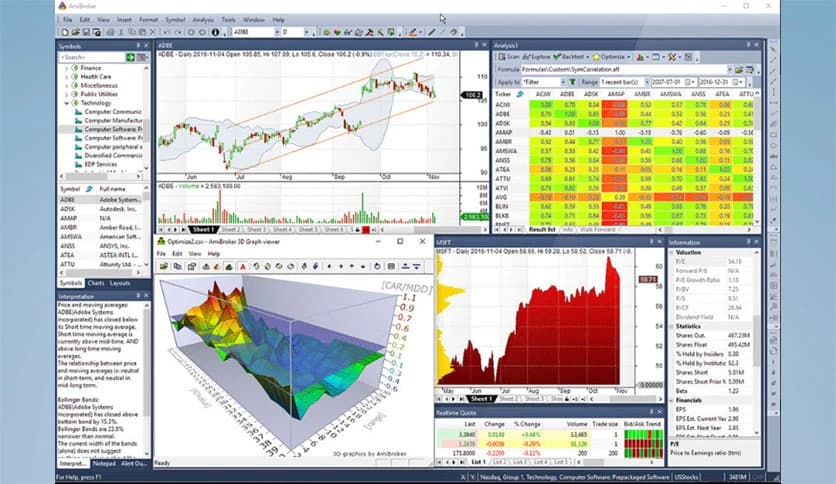
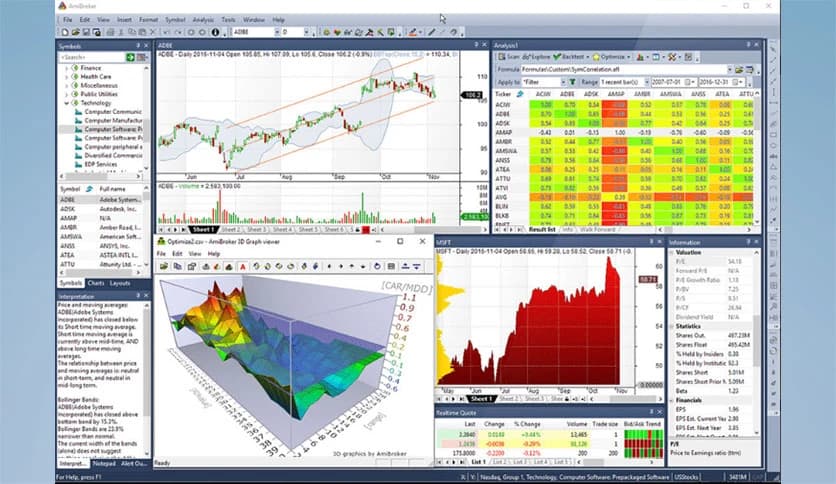
Free Download AmiBroker for Windows PC. It is a powerful and ultra-fast technical analysis and trading platform designed to help traders discover opportunities, validate strategies, and execute trades with confidence.
It is a professional technical analysis and automated trading software built for traders who want speed, flexibility, and accuracy. It allows users to scan markets, analyze trends, build trading strategies, and automate decisions with impressive efficiency. Whether you are a beginner learning technical analysis or an experienced trader building complex systems, the platform provides all the necessary tools in one place.
The software is known for its ultra-fast processing engine, which allows traders to analyze thousands of stocks in seconds. Its flexibility makes it suitable for swing traders, day traders, and long-term investors alike. With built-in exploration tools, powerful charting capabilities, and advanced backtesting features, users can validate trading strategies before risking real money.
The intuitive interface helps users stay organized while accessing powerful analytics tools. From drag-and-drop chart indicators to automation features that run tasks while you sleep, the platform makes trading smarter and more efficient.
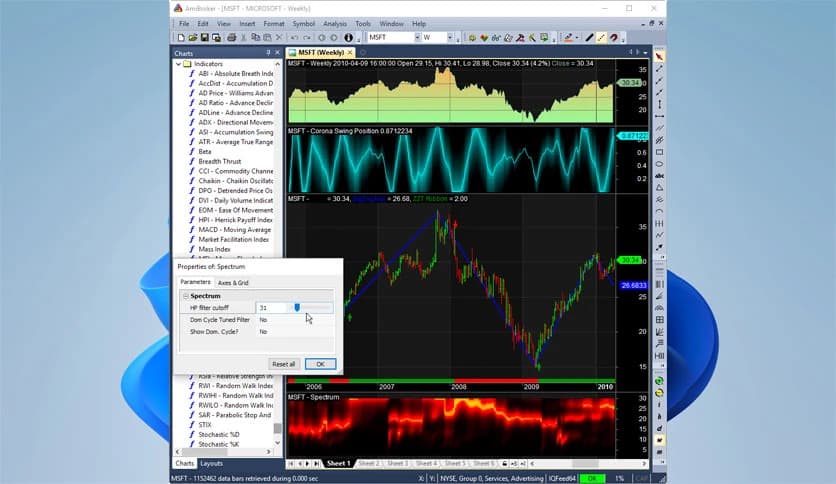
The charting engine is designed to be both powerful and visually appealing. Users can customize charts with different styles, colors, gradients, and layouts. This flexibility allows traders to create charts that suit their personal preferences and trading style.
Indicators can be easily dragged and dropped onto charts or even on other indicators. Parameters can be adjusted in real time using sliders, which makes testing strategies faster and easier. This interactive experience helps traders better understand market behavior.
Multiple chart types are supported, including candlestick, bar, line, and area charts. Users can also add overlays, trend lines, and custom indicators to gain deeper insights into price movements.
The exploration tool is one of the strongest features available. It allows traders to scan the entire market in seconds and find opportunities quickly. Users can create custom scans and filter stocks based on technical indicators, price patterns, or fundamental data.
The screening tool produces fully programmable tabular outputs. It supports unlimited rows and columns, allowing traders to view detailed information for each symbol. This flexibility helps users identify trading opportunities and inefficiencies faster than manual analysis.
Market scanning becomes simple and efficient. Instead of manually checking charts one by one, traders can instantly discover potential trades using smart filters.
Backtesting allows traders to test strategies using historical data. This helps users understand how a strategy would have performed in the past. The software offers one of the fastest backtesting engines available.
Portfolio-level backtesting allows multiple securities to be traded simultaneously. This provides realistic simulation results. Traders can also define position sizing rules, scoring methods, and ranking systems.
Advanced features include rotational trading, support for multiple currencies, and custom metrics. These tools help traders refine strategies and improve overall performance.
The optimization feature allows users to test thousands of parameter combinations. This helps find the most effective strategy settings. Smart artificial intelligence optimization methods, such as Particle Swarm and CMA-ES, help search large datasets quickly.
This feature saves time and improves accuracy. Instead of guessing the best settings, traders can rely on data-driven optimization. It helps create more reliable and profitable trading systems.
Automation helps eliminate repetitive tasks. The built-in batch processor allows users to automate scans, backtests, and optimizations. This means traders can run analysis while focusing on other tasks.
The batch processor can also be scheduled using Windows Scheduler. This allows the tool to run tasks automatically at specific times. Traders can wake up to completed reports and ready-to-use trading signals.
This automation improves productivity and reduces manual effort. It also ensures consistent analysis without human errors.
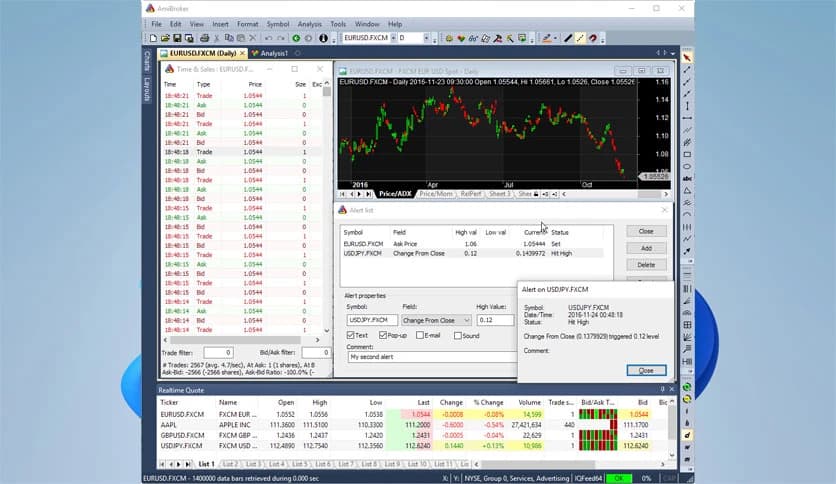
The interface is fully customizable. Users can arrange windows, charts, and panels in any layout they prefer. This flexibility helps traders create efficient workspaces.
Multiple-monitor support allows users to spread charts across multiple screens. Windows can be docked or floated for better workflow management. This makes the platform suitable for professional trading setups.
Custom layouts help traders quickly access important tools. It improves workflow and enhances trading efficiency.
The Analysis window acts as the central hub for all trading activities. It allows users to run scans, backtests, optimizations, and simulations from a single place.
Walk-forward testing is available to validate strategy performance. This helps avoid overfitting and improves the reliability of the strategy. Users can test strategies in both in-sample and out-of-sample data.
Monte Carlo simulation helps evaluate worst-case scenarios. This allows traders to prepare for different market conditions. It also provides insights into statistical performance.
The scoring system helps prioritize trades. When multiple signals appear simultaneously, the software ranks them based on user-defined criteria. This helps traders select the best opportunities.
This feature is particularly useful when capital is limited. It ensures funds are allocated to the most promising trades.
The ranking system improves decision-making and trading efficiency.
Auto-trading allows users to execute trades directly from code. This automation reduces manual intervention and speeds up execution.
Users can generate order lists or trade directly from charts. This flexibility supports different trading styles. Traders can choose manual, semi-automatic, or fully automated approaches.
This feature helps improve accuracy and consistency in trading.
AmiBroker is a powerful trading and technical analysis solution designed for speed, flexibility, and accuracy. It combines advanced charting, market exploration, automation, and backtesting into one efficient platform. Whether users want to analyze charts, build strategies, or automate trading, the software provides everything needed. Its fast performance, customizable interface, and professional tools make it an excellent choice for traders looking to improve their market analysis and trading efficiency.
Leave a comment
Your email address will not be published. Required fields are marked *