Aegisub Download (Latest 2026) - FileCR
Free download Aegisub 3.4.2 Latest full version - Tool for creating and modifying subtitles.
Free download Aegisub 3.4.2 Latest full version - Tool for creating and modifying subtitles.
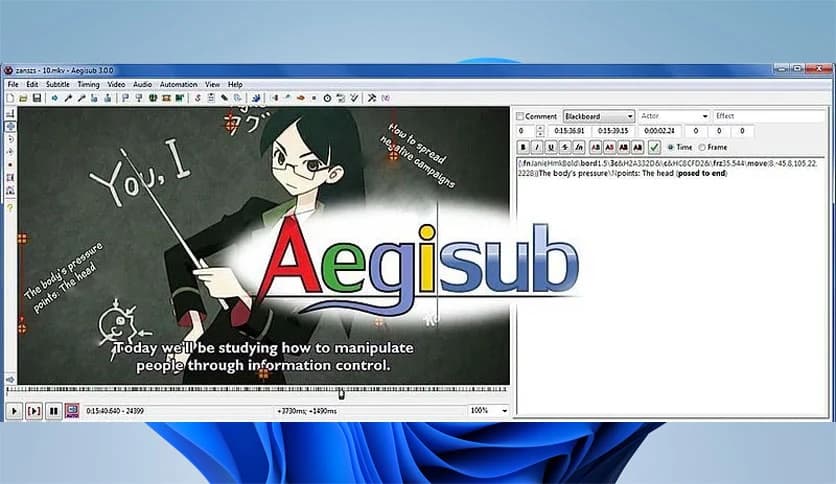


Free Download Aegisub for Windows PC. It is a lightweight and flexible subtitle editor that helps creators sync, style, and refine captions with precision and speed.
This application is designed for people who care about subtitles looking and feeling right. Whether you are adding captions to a short clip or preparing dialogue for a full-length video, this approach gives you control without complicating things. It works across platforms and remains free, making it a favorite among fansubbers, video editors, and translators.
The layout is clean and focused. You see the video, the audio waveform, and the subtitle lines all in one place. This makes timing feel natural, almost like snapping puzzle pieces together. Instead of guessing when a line should appear, you can see and hear exactly where it fits.
Timing is the heart of good subtitles, and the software handles this job smoothly. The audio waveform and spectrogram help you spot speech patterns at a glance. You can zoom in, fine-tune start and end points, and adjust lines until they land perfectly on the spoken words.
It feels a bit like editing music on a timeline. Once you get the hang of it, adjusting timings becomes fast and satisfying rather than frustrating. This accuracy helps viewers read comfortably without missing a beat.
Subtitles are not just text on a screen. Fonts, colors, outlines, and positions all matter. The tool includes strong styling options that let you shape how captions look. From clean, minimal dialogue to expressive karaoke-style effects, it leaves room for creativity.
The real-time video preview is a big plus. You can instantly see how your styles look on video rather than guessing. This saves time and helps avoid surprises after export.
Working with different subtitle formats can be messy, but here it feels smooth. It supports popular formats used for online videos, broadcasts, and fan projects. You can open existing files, improve them, or convert them without hassle.
This flexibility makes it easy to collaborate with others or move projects between different tools. You are not locked into one format or workflow.
For users who want more control, scripting opens another door. Automation allows repetitive tasks to be handled quickly. The scripting system enables complex effects, batch edits, and custom behaviors.
Think of it like adding a toolbox inside your toolbox. Beginners can ignore it, while advanced users can build powerful shortcuts that save hours of work.
Subtitling often goes hand in hand with translation. The editor supports workflows where original lines and translated text can be managed side by side. This helps translators stay organized and consistent across episodes or long videos.
The clear structure makes things easier to read, reducing errors and speeding up the process. It is invaluable for teams working on multilingual content.
Despite its features, the software remains lightweight. It runs smoothly even on modest systems and does not demand heavy resources. This makes it accessible to a wide range of users.
Being open source also means it benefits from an active community. Updates, scripts, and guides shared by users keep the experience fresh and evolving.
This editor suits a wide range of users. Video creators can polish captions for online platforms. Fansubbers can handle detailed typesetting. Educators can prepare clear lesson subtitles. Even beginners can start small and grow into advanced features over time.
It adapts to your skill level, which is why it has stayed relevant for years.
Aegisub stands out as a reliable choice for anyone who wants complete control over subtitles without paying a price. It balances simplicity and power, making subtitle creation feel less like a chore and more like a creative process. From precise timing to rich styling and automation, it delivers a smooth experience that grows with your skills.
Leave a comment
Your email address will not be published. Required fields are marked *