VRAM Shield Download (Latest 2026) - FileCR
Free download VRAM Shield 2.2.1 Latest full version - Keep your memory within safe operating temperatures.
Free download VRAM Shield 2.2.1 Latest full version - Keep your memory within safe operating temperatures.
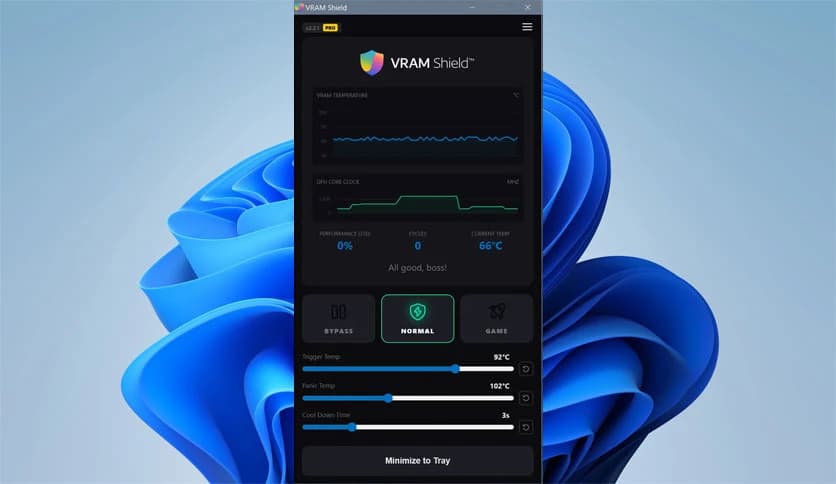
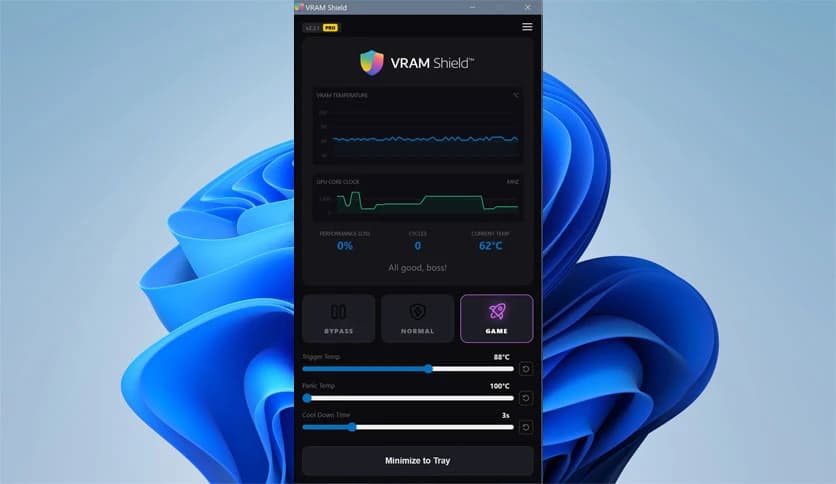
Free Download 53 Software VRAM Shield for Windows PC. It is a smart thermal management tool designed to control heavy workloads and keep your GPU memory operating within safe temperature limits.
Modern GPUs are powerful, but they also generate serious heat, especially when running AI models, rendering engines, or long compute sessions. This tool is designed to manage heavy compute processes while keeping memory temperatures stable and safe. Instead of letting hardware run at full speed until it overheats, the software intelligently balances performance and thermal limits.
It acts like a smart traffic controller for GPU workloads. As temperatures rise, the tool adjusts the load using advanced throttling methods. This helps maintain stability, improve hardware longevity, and prevent sudden shutdowns or performance drops.
Whether you're working with AI, video rendering, or extended GPU-heavy tasks, it keeps performance smooth while protecting your hardware. It is lightweight, efficient, and designed to run quietly in the background.
One of the most important features is real-time monitoring. The tool constantly tracks VRAM temperatures and core clock speeds. This gives you instant insight into how your GPU behaves under heavy workloads.
Instead of guessing when your system might overheat, you get accurate telemetry data. It works like a dashboard for your GPU, showing live information so you can make informed decisions.
This real-time monitoring ensures your system stays within safe operating conditions. When temperatures approach limits, the software steps in automatically and adjusts performance levels.
The free version includes Pulse Throttling, which works as a standard scheduling method. It periodically reduces workload intensity to allow temperatures to stabilize.
Think of it like taking short breaks during a long workout. Your system runs at full power, briefly reduces load to cool down, and then resumes. This cycle helps maintain consistent performance without overheating.
This feature is especially useful for long AI training sessions, rendering jobs, or any task that pushes GPU memory for extended periods.
The PRO version introduces Smart Throttling, which uses advanced mathematical load adjustment. Instead of simple intervals, it dynamically calculates how much load to apply.
This method is more precise and efficient. It doesn't rely on fixed timing but adjusts based on real-time conditions. When temperatures rise quickly, it responds faster. When conditions improve, performance returns smoothly.
This intelligent approach helps maintain peak performance while preventing overheating. It is ideal for professionals working with demanding workloads.
Sometimes temperatures can rise unexpectedly. That is where the Panic Trigger feature becomes useful. It sets absolute thermal limits and immediately reduces workload when those limits are reached.
This feature works like an emergency brake. If temperatures approach dangerous levels, the tool automatically intervenes to prevent hardware damage.
This ensures safety even during unpredictable workloads. Whether you're running AI models or GPU-heavy simulations, your hardware remains protected.
Many users prefer software that works quietly without interruptions. Stealth Mode allows the tool to run in the background without showing notifications or pop-ups.
This makes it perfect for professionals who want an uninterrupted workflow. It quietly manages thermal limits while you focus on your work.
Despite running silently, it still performs all monitoring and throttling operations efficiently.
This solution is specifically designed for modern GPU workloads, including AI training, machine learning, rendering, and simulations. These tasks often run for hours or even days.
During long sessions, temperatures gradually increase. Without proper management, this can reduce performance or even damage hardware. The tool prevents these issues by maintaining balanced thermal levels.
This makes it ideal for developers, researchers, content creators, and advanced users who rely on GPU performance.
Despite its powerful features, the software remains lightweight. It uses minimal system resources and does not interfere with performance.
This ensures that your GPU's power is dedicated to your workload rather than to the management tool. It works quietly and efficiently in the background.
The simple interface also makes it easy to use. Even beginners can configure thermal limits and start using it within minutes.
Heat is one of the biggest threats to hardware longevity. When GPUs run too hot, performance drops and components wear out faster.
This tool prevents such problems by maintaining safe operating temperatures. It helps your system run smoothly and last longer.
Think of it like a cooling system for your GPU workload. It ensures consistent performance and protects your investment.
VRAM Shield provides a smart and reliable solution for managing GPU thermal limits during heavy workloads. It keeps memory temperatures under control, improves performance stability, and protects hardware from overheating. With features such as real-time monitoring, intelligent throttling, panic triggers, and stealth mode, it offers everything needed for safe, efficient GPU performance. Whether you're running AI workloads or rendering tasks, it helps maintain a balance between power and safety.
Leave a comment
Your email address will not be published. Required fields are marked *