unpkg for MacOS Download (Latest 2026) - FileCR
Free download unpkg for MacOS Latest full version - Utility allows macOS users to unpack .pkg files.
Free download unpkg for MacOS Latest full version - Utility allows macOS users to unpack .pkg files.
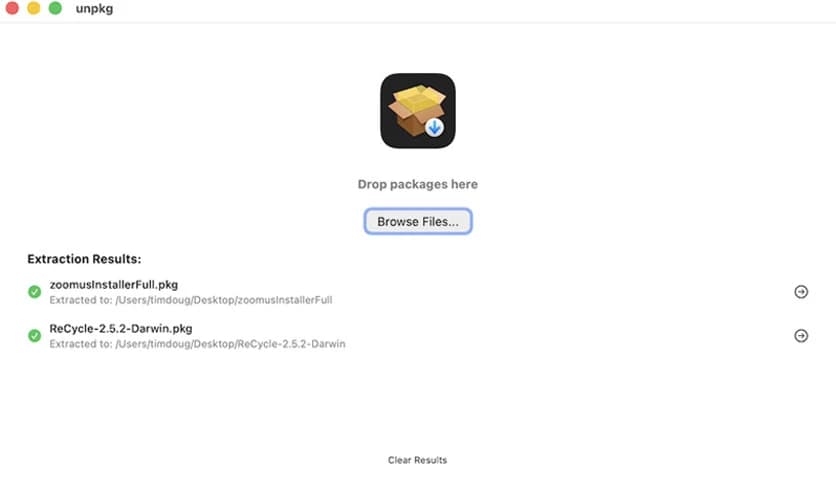
Free Download Timdoug unpkg latest standalone offline installer for MacOS. This utility allows users to unpack .pkg files, stripping away the extra layers and giving you direct access to the files within.
It is designed to easily unpack .pkg files, providing a hassle-free way to access their contents on your Mac. The tool bypasses the traditional installation process, allowing users to access files in the package without installing it. This is particularly beneficial for power users, system administrators, or developers who want to access specific components or libraries from a package without installing the entire package.
By extracting all files from a .pkg file, timdoug.com - unpkg gives users more flexibility and control over their macOS system. Whether you want to manually install software, test specific components, or avoid the mess of standard .pkg file installation, this tool offers a solution. It's an excellent addition for anyone who values simplicity and efficiency when managing software packages on macOS.
Q: What kind of files can this software extract?
A: It is designed to extract files from .pkg files, a standard package format used in macOS installations.
Q: Do I need administrative privileges to use this tool?
A: No, you don’t need administrative privileges to use timdoug.com - unpkg. It works without requiring root access.
Q: Can I extract files to any location on my system?
A: Yes, you can choose where to extract the files. The tool allows you to specify the extraction location.
Q: Is it safe to use?
A: Yes, it is a safe, open-source utility that does not require installation or any complex setup, making it a secure choice.
unpkg is a powerful yet simple tool that lets users quickly and efficiently unpack .pkg files. By offering flexibility, ease of use, and an open-source license, it is an excellent choice for power users and developers seeking greater control over their software installations. Whether you're looking to explore the contents of a .pkg file or avoid the complexities of traditional package installation, it makes it all possible with minimal effort and maximum convenience.
Leave a comment
Your email address will not be published. Required fields are marked *