ScreenArc for MacOS Download (Latest 2026) - FileCR
Free download ScreenArc for MacOS Latest full version - Capture your screen, edit the footage, and enhance it.
Free download ScreenArc for MacOS Latest full version - Capture your screen, edit the footage, and enhance it.
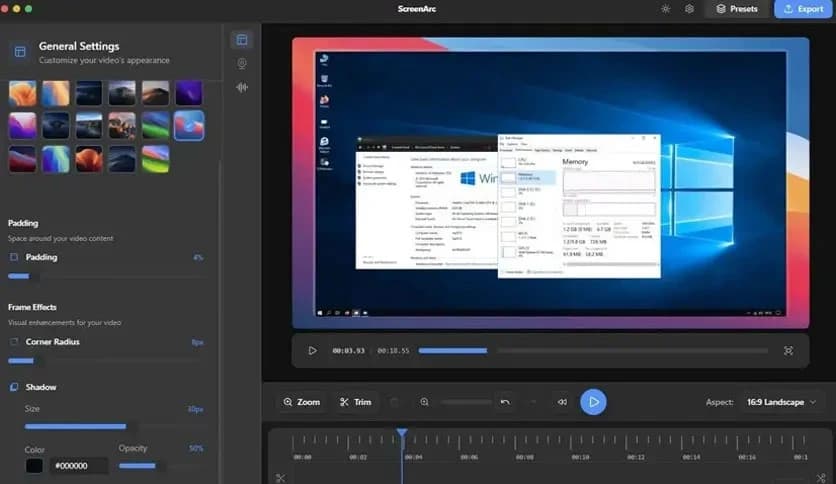
Free Download ScreenArc latest standalone offline installer for MacOS. It is a versatile tool designed for both screen recording and video editing. This cross-platform software allows you to capture your screen, edit the footage, and enhance it with features like automatic cinematic zooms and mouse tracking.
IT is a unique solution for users looking for a screen recorder and editor that combines both functions into one easy-to-use platform. It’s designed to streamline the process of creating high-quality video content, offering a variety of powerful features that make video production as simple as possible. From capturing your screen in crystal-clear detail to enhancing the footage with automatic zooms and mouse tracking, it takes the hassle out of creating professional-looking videos.
The software provides users with a clean, intuitive interface that lets them easily access all the necessary tools for recording and editing. The automatic cinematic zooms make your video look more dynamic and engaging, while the mouse-tracking feature draws attention to important clicks and actions. This results in a smoother, more captivating viewing experience, making it perfect for everything from tutorials to software demos to educational content.
Q: Does it support editing features?
A: Yes, it includes basic editing tools such as trimming, annotation, and adjustments to video quality.
Q: Can I record my microphone while capturing my screen?
A: Yes, it allows you to record both your screen and your microphone audio simultaneously.
Q: What file formats does it support for exports?
A: It supports common video formats such as MP4, MOV, and AVI.
Q: How do I share my recordings with others?
A: You can save your recordings to cloud storage or export them directly to platforms like YouTube.
ScreenArc is an all-in-one tool for macOS users who want to record and edit screen content quickly and efficiently. With features like automatic cinematic zooms, mouse tracking, and simple video editing, it allows creators to produce high-quality videos with minimal effort. Whether you’re recording tutorials, creating software demos, or working on educational content, it offers the tools you need to create professional-looking videos with ease. As a free, open-source tool, it’s accessible to everyone, making it a great option for both beginners and experienced creators alike.
Leave a comment
Your email address will not be published. Required fields are marked *