Rayon Desktop for MacOS Download (Latest 2026) - FileCR
Free download Rayon Desktop for MacOS Latest full version - AI-powered drawing for interior designers & architects.
Free download Rayon Desktop for MacOS Latest full version - AI-powered drawing for interior designers & architects.
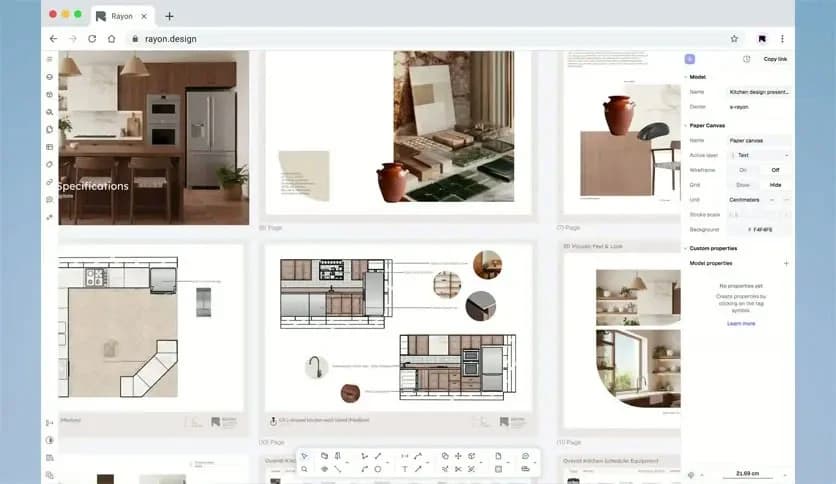
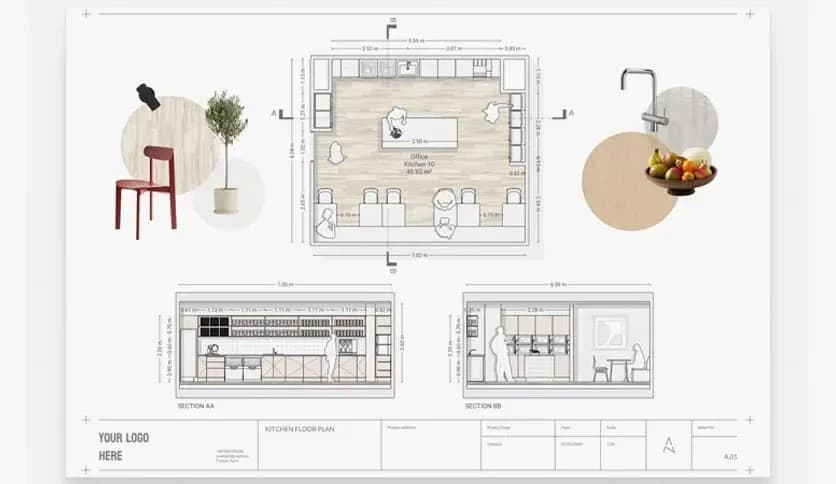
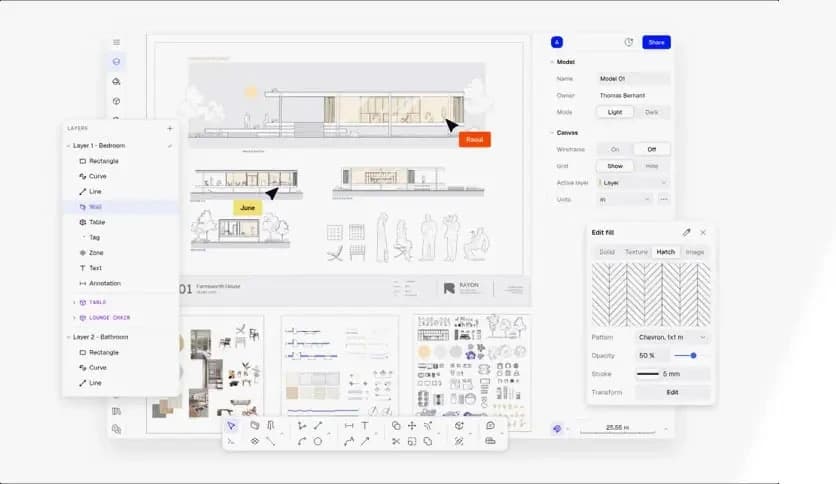
Free Download Rayon Desktop for MacOS. It is an intuitive, AI-powered design tool tailored for interior designers and architects. This software streamlines the entire design process, providing an efficient platform for creating detailed, accurate floor plans, elevations, and 3D models.
It is a revolutionary design tool that leverages cutting-edge technology to accelerate, improve efficiency, and increase accuracy in interior design. The software is ideal for professionals seeking to streamline their design process without compromising quality. With AI-driven automation, it helps users create precise floor plans and 3D models in no time, all while reducing human error.
One of its standout features is its ease of use, even for those unfamiliar with complex CAD programs. Its clean, intuitive interface allows for quick learning, yet it offers enough depth for experts who require advanced tools. Whether you’re drafting a new interior layout or tweaking existing designs, it offers a comprehensive solution that brings your visions to life with just a few clicks.
Q: Can I use it for both residential and commercial design projects?
A: Absolutely! It is versatile enough for both residential and commercial interior design projects.s.
Q: Can I collaborate with other users in real-time?
A: Yes, it offers real-time collaboration tools for seamless teamwork and client interactions.
Q: Is it suitable for beginners?
A: Yes, it is designed with an intuitive interface that is beginner-friendly but still powerful enough for professionals.
Q: How secure is my data in its cloud storage?
A: It uses encryption to ensure your projects are securely stored and protected in the cloud.
It is a game-changing design tool that transforms how interior designers and architects approach their projects. Its AI-powered features, precision drawing tools, and 3D visualization options make it an indispensable asset for professionals looking to streamline their design process. Whether you're just starting out or have years of experience, it offers an easy-to-use, powerful solution that fits all your design needs. It’s the perfect balance of simplicity and functionality, making it a top choice for macOS users in the design industry.
Leave a comment
Your email address will not be published. Required fields are marked *